What builder for a client website?
Evaluating a block builder has many facets:
- Features
- Compatibility
- Reliability,
- Support
- Code quality
- Workflow speed
- Website speed
- Future-proof
This evaluation just answers one big question: What builder for a client website?
My site builder advice is more than just the features
My advice for you is based on more than just the features. If you use a builder for a client’s website, more is required. That is why bugs, bug recognition and resolution, code, and support have been explicitly considered here. In addition, it is important whether a builder has a future! Will the builder still exist in 5 or 10 years, and what is the likelihood that it will still meet the requirements? These are matters that are particularly essential for a website you are designing for a client. After all, you would rather not have to tell the client after six months of a year that the website needs to be rebuilt, but with a different builder.
What builder for a client’s website?
This review provides solid guidance to safely choose a builder for a client’s website. For all builders discussed, I assume the premium (pro) version if it is available.
1) Gutenberg native blocks + theme
Native Gutenberg blocks sometimes lack features, but they improve every year, and because they form the foundation of a WordPress site and Gutenberg itself, they are well-maintained and reliable. Additionally, they are well-built blocks that result in a fast website.
The downside is that they sometimes lack some functionality. If you possess CSS skills, you can easily expand them. Another downside is that it is free; therefore, there is no pro team providing support, but you are reliant on WordPress support.
Score Gutenberg builder blocks
- Reliability 9/10
- Compatibility 10/10
- Code quality 9/10
- Workflow speed 10/10
- Website speed 10/10
- Creating FSE theme templates 7/10
- Creating Classic theme templates N/A
- Creating WooCommerce product template FSE theme 10/10
- Creating WooCommerce product template Classic theme 0/10
- Responsive (smaller devices) 4/10
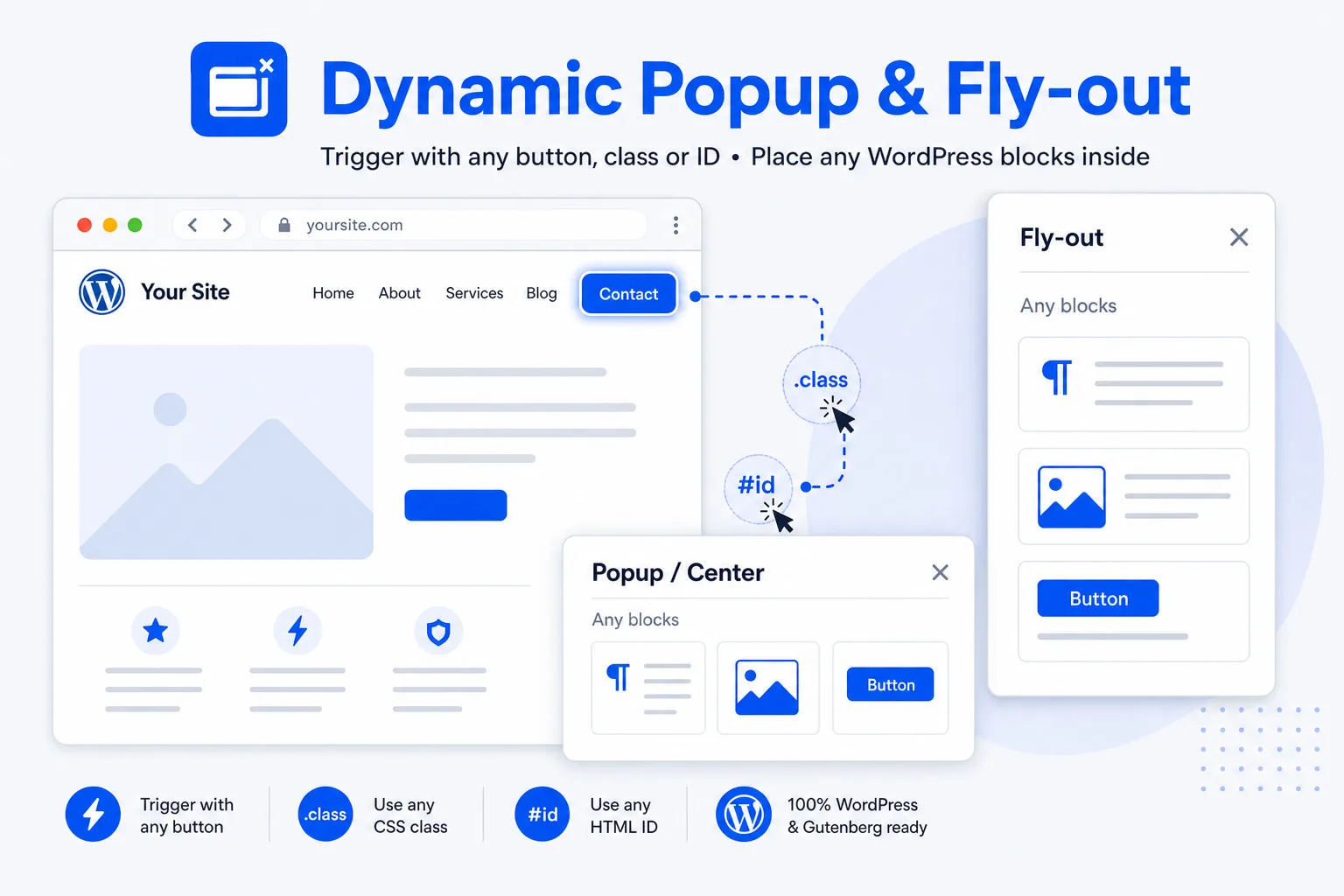
- Advanced blocks (modal, popup etc) 1/10
- WooCommerce blocks 3/10
- Dynamic fields: none
- Dynamic image block includes the set Alt text in media 0/10
- Taking reported bugs seriously 10/10
- Support 6/10
- Future-proof 10/10
2) Kadence builder blocks + Kadence theme
Kadence Blocks Builder is one of the best and broadest block collections existing. They are currently at version 3 and are working on version 4. The block collection is very broad and also includes a header block, modal, and various extra blocks to create a professional website.
If you have the full Kadence Premium package, you can create page templates, add popups, design your own WooCommerce product page and checkout, and much more. Everything I have ever been able to imagine for a client’s website, I can realize with it.
Score Kadence
- Reliability 7/10
- Compatibility 9/10
- Code quality 8/10
- Workflow speed 7/10
- Website speed 9/10
- Creating FSE theme templates N/A
- Creating Classic theme templates 10/10
- Creating WooCommerce product template 10/10 (with Shop Kit = extra)
- Creating WooCommerce product template Classic theme 10/10
- Responsive (smaller devices) 9/10
- Advanced blocks (modal, popup, etc) 10/10
- WooCommerce blocks 9/10 (with Shop Kit = extra)
- Dynamic fields: ACF / SCF / Metabox 7/10
- Dynamic image block includes the set Alt text in media 10/10
- Taking reported bugs seriously 9/10
- Support 8/10
- Future-proof 7/10
3) Greenshift builder blocks + theme
Greenshift blocks are extremely extensive, fast, and brilliant. The complete package offers you everything to create a professional website.
A set of WooCommerce blocks, a fast query — it’s all there. However, I have a major reservation. Even though Greenshift seems to have it all and delivers very fast websites, it has a major drawback. It lacks consistency, reliability, and good support. Reported bugs are denied or downplayed, and the updates and new features run far ahead of the documentation, which is already very sparse to begin with. To change the WooCommerce checkout, you do need an extra plugin.
Score Greenshift
- Reliability 7/10
- Compatibility 9/10
- Code quality 8/10
- Workflow speed 10/10
- Website speed 10/10
- Creating FSE theme templates 10/10
- Creating Classic theme templates 10/10
- Creating WooCommerce product template 10/10
- Creating WooCommerce product template Classic theme 0/10
- Responsive (smaller devices) 10/10
- Advanced blocks (modal, popup etc) 10/10
- WooCommerce blocks 10/10
- Dynamic fields: ACF / SCF / Metabox / ACPT 10/10
- Dynamic image block includes the set Alt text in media 10/10
- Taking reported bugs seriously 5/10
- Support 5/10
- Future-proof 7/10
4) GenerateBlocks + GeneratePress
GenerateBlocks is one of the best block collections available. There are fewer blocks than you find in all other builders, but they are very versatile. The advantage of having fewer blocks is that it is much more organized. The disadvantage is that you have to learn the ins and outs of each block before you can get the most out of it.
The block collection is sufficient to create a professional website. The only limitation is WooCommerce. For a ‘regular’ shop, it is perfect. As soon as you want more, you require an extra plugin, such as Shopkit (Kadence) or WowStore (WPXPO).
With the full GenerateBlocks/GeneratePress Premium package, you can create page templates, add pop-ups, and much more. I can realize everything I have ever imagined for a client’s website with it. Except for custom WooCommerce pages.
Score GenerateBlocks/GeneratePress
- Reliability 10/10
- Compatibility 10/10
- Code quality 10/10
- Workflow speed 10/10
- Website speed 10/10
- Creating FSE theme templates N/A
- Creating Classic theme templates 10/10
- Creating WooCommerce product template 0/10
- Creating WooCommerce product template Classic theme 0/10
- Responsive (smaller devices) 10/10
- Advanced blocks (modal, popup etc) 10/10
- WooCommerce blocks 5/10
- Dynamic fields: ACF / SCF / Metabox / ACPT 9/10
- Dynamic image block includes the set Alt text in media 0/10
- Taking reported bugs seriously 10/10
- Support 10/10
- Future-proof 9/10
5) Stackable blocks
Stackable is a solid and beautiful block builder. It is the first in line that does not have its own theme. The advantage of this is that it is in their interest for their builder to work on as many themes as possible!
It is an extensive collection of blocks. The workflow is lightning fast, and the websites are fast too. I have doubts about the WooCommerce properties; almost all blocks are capable of displaying WooCommerce dynamic fields, but they do not have WooCommerce blocks. So you are forced to combine the standard WooCommerce blocks and those from Stackable, which sometimes has its limitations. But here too, the rule applies: if you want a shop that deviates completely from the standard, you can opt for an extra plugin such as Shopkit (Kadence) or WowStore (WPXPO).
I do miss a few options, though. Modals and popups, for example, create page templates, and the query is not exactly advanced (native query extended). But they do have a handy post query block. However, reliability, compatibility, code quality, etc. are excellent, so it’s still a very usable builder.
Score Stackable
- Reliability 10/10
- Compatibility 10/10
- Code quality 10/10
- Workflow speed 10/10
- Website speed 9/10
- Creating FSE theme templates 6/10
- Creating Classic theme templates 6/10
- Creating WooCommerce product template 0/10
- Creating WooCommerce product template Classic theme 0/10
- Responsive (smaller devices) 10/10
- Advanced blocks (modal, popup etc) 0/10
- WooCommerce blocks 5/10
- Dynamic fields: ACF / SCF / Metabox / ACPT 9/10
- Dynamic image block includes the set Alt text in media 0/10
- Taking reported bugs seriously 10/10
- Support 10/10
- Future-proof 9/10
Other block collections
6) PostX
- PostX is a very extensive block collection. I encountered a bug, but you find those in Greenshift and sometimes in Kadence and similar platforms as well. They take their product and the customer seriously. The confusing thing about them is the naming convention. If you want professional popups and modals, there is WowOptin. A fully custom WooCommerce shop is possible with WowStore. The branding conventions are somewhat confusing.
- Perfect template builder.
- Massive collection of ready-to-use post queries, but they don’t have a 100% customizable query loop builder with sub-blocks, like Kadence, GeneratePress or Stackable.
- The company (WPXPO) takes their clients and fixing bugs seriously.
- However, it has everything it takes to experience significant growth. For a builder that isn’t super well-known yet, however, the price is on the high side. Not the builder itself, but because you need multiple of their plugins to create a professional website, it becomes pricey, especially if you want the unlimited LTD.
7) Ollie Pro
- Ollie Pro is the odd one out. It is not actually a real builder… It is a super-fast and advanced theme.
- The creators have expanded the native Gutenberg blocks with various functions and have equipped Ollie Pro with an advanced header and navigation block and a professional class manager.
- Because it’s essentially a theme, it doesn’t have its very own query loop builder.
- It is a block theme and, just like all other themes, is expandable with the usual plugins.
8) Nexter
- Nexter offers a very complete collection of blocks.
- The modal doesn’t accept any other trigger.
- Theme builder and post template a bit messy; couldn’t make it work properly.
- No WooCommerce blocks.
- The company behind it (Posimyth), however, does not take bugs very seriously. Between 900 and 1200 pixels screen width, it regularly occurs that a site lacks a header or sometimes has two headers at the same time. This has been reported, and the response is that they consider adding new functionality more important. That is a shame.
- If they took their product, or rather their customers, more seriously, it could even be a real challenger to Kadence. For a builder that isn’t super well-known yet, they are a bit pricey, especially if you want the unlimited LTD.
Conclusion and advice for block builders
Good for your personal or business website
The advice for your personal website differs from that for a client website. There are several reasons for this: you can solve problems yourself, and if the builder is unsatisfactory, you bear the consequences yourself. You chose the builder yourself, including all limitations; you do not have to justify it to a client.
- Gutenberg native blocks
- Kadence blocks and theme
- Greenshift
- GenerateBlocks / GeneratePress
- Stackable
- PostX
- Ollie Pro theme
Good for a client’s business website
- Gutenberg native blocks
- Kadence blocks and theme
- Greenshift
- GenerateBlocks / GeneratePress
- Stackable
- Ollie Pro theme
Client’s website with custom fields for images
When designing a website based on templates and custom fields, it’s essential that the image block include the set Alt text. The alt text is indispensable for SEO and certain screen readers. It might be a surprise for you, but most block builders don’t include the image alt text in the page code; they just totally ignore it.
Block builders that include the alt text set in media
- Kadence blocks (standard image block)
- Greenshift (meta getter block)
- The other mentioned builders don’t, and are rather unusable for that purpose.
PS: You can always get one of those two block builders as an extra, just for this purpose.
But to be honest, I still prefer to work with one builder on a website.
Good luck!
I hope this answers any questions or doubts you had about what builder to use for a client website!