
Meta Field Output block
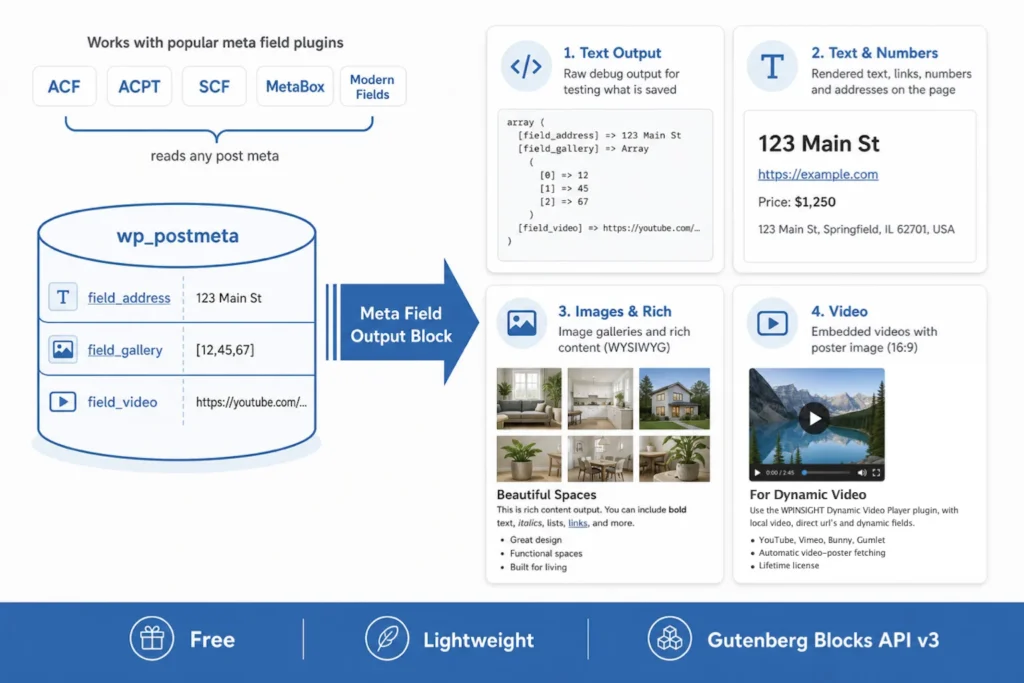
The Meta Field Output block does only one thing well: display the values of a custom field as stored in the WordPress database. You can choose the version of a custom field (for example, the ACPT address field has five output types).
The Meta Field Output block plugin shows values of most, if not all, custom field plugins
- ACF
- SCF
- MetaBox
- ACPT
- Modern Fields
The plugin offers 3 blocks
1) Meta Field (text output)
- This block shows the values of a custom field as saved in the database.
- Verifying the results of a custom field can help identify why certain values may not function as expected.
- By analyzing the field output, you can provide clear guidelines to a developer or an AI agent, outlining which values are available and how to effectively utilize them.
For example
- Fields containing text as text
- Fields containing HTML as text
- An image is shown as an ID or a URL as text
- A select field, radio, etc. is shown as an array (text).
- Fields containing an address or coordinates as text
Show values in a DIV
- Integrate the Meta Field Output block within a DIV (section, group, etc) block.
- This allows you to customize the appearance of the text or image, including properties like color and size. While this isn’t the primary purpose of developing this plugin, it can still be utilized for straightforward rendering.
2) Meta Field (text and numbers)
- This block shows the content of custom text and text area fields just like the paragraph and heading block.
- There are several options to change the appearance.
- This is perfect for a website that doesn’t have a theme of block collection able to show custom field meta.
3) Meta Field (Images & Rich)
- This block shows the content of a custom image field (not a gallery) and custom rich text fields.
- There are various options to change the appearance.
- This is perfect for a website that doesn’t have a theme of block collection able to show custom field meta.
How to use the Meta Field Output block
- Install the Meta Field Output block plugin.
- Refresh the page or post where you want to see the values of a custom field.
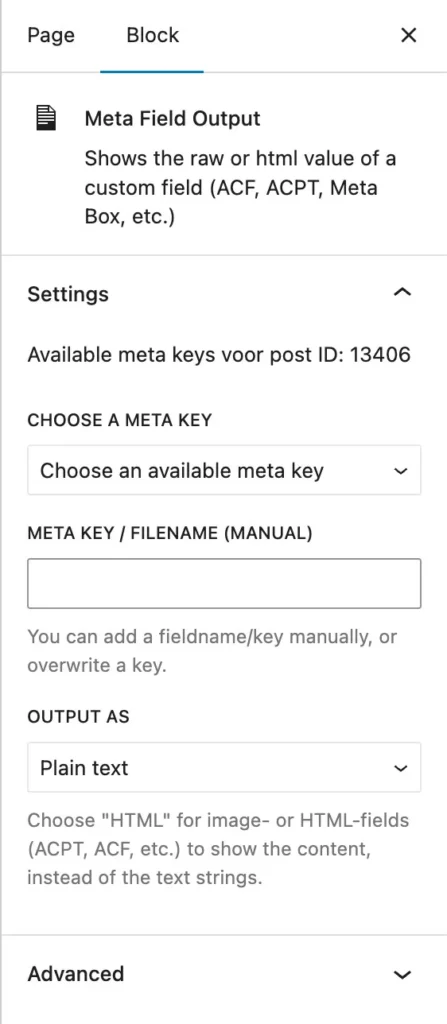
- Place the ‘Meta Field Output’ block (you can use more than one on the same page).
- Choose the correct field. Some fields have multiple subfields, so be careful to pick the correct field.
- Select the output block (text output, text and numbers, images & rich text)
- Save the post.
- Refreshing the post is usually not necessary.
- View the values.
Disclaimer
This plugin is not commercial and is offered completely free to help make your work as a developer or designer a bit easier. It’s a straightforward plugin; it is only reading the values of your custom fields. It doesn’t alter those values. The plugin is designed to be user-friendly, and please note that I do not provide support.
Meta Field Output block
- Created by: WPinsight
How to get the plugin
The Meta Field Output block plugin is only available for download on this page, not on WordPress.org.
Updates
- Updates will be published on this page only. Just install the new version; it will overwrite the old version.