Insight Menu Block
If you’ve ever worked with the navigation block in an FSE (full site editing) theme, you know the drill: you start off positive and see the possibilities, but as you go along, your enthusiasm fades; eventually, you’re left thinking, “It works, but that’s about it.” And for clients who want to make occasional adjustments themselves, it’s completely unworkable.
An ideal, simple, fast, and customizable classic navigation block for full site editing (FSE) block themes
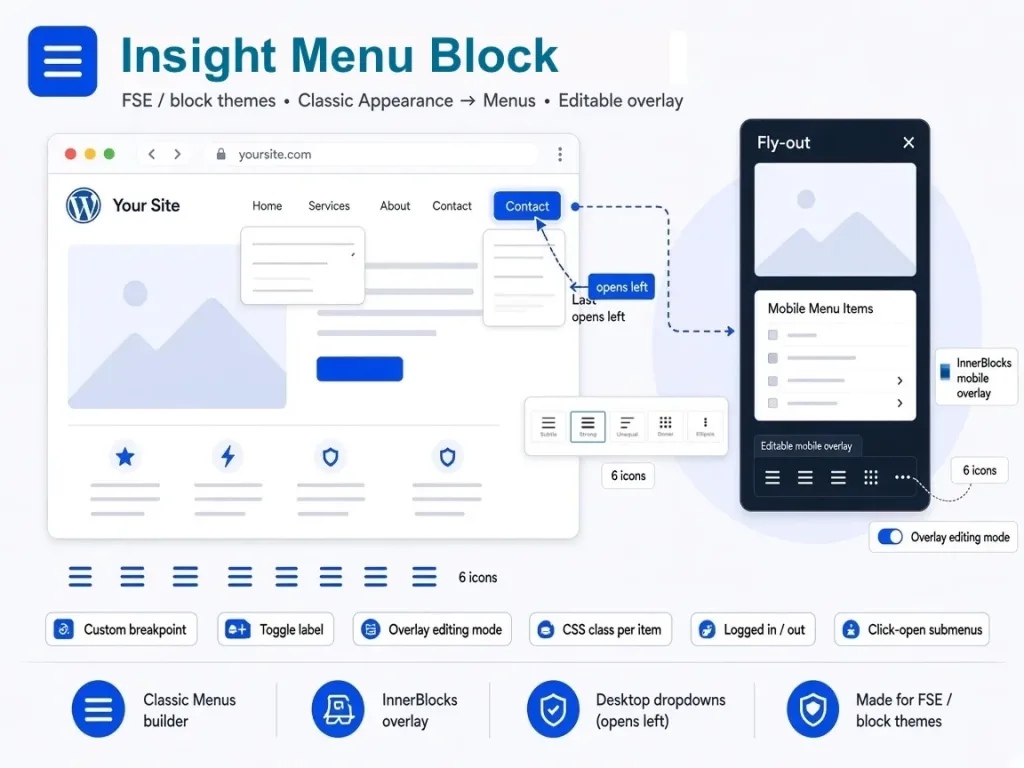
- Inner blocks for the mobile overlay
- Custom breakpoint
- Most right dropdown optionally opens left
- 6 different icons
- Adjustable icon height
- Toggle menu label
- Mobile overlay editing mode
- Mobile overlay options like complete, partial, slide out left to right and slide out right to left with adjustable width.
- Classic-style menu builder
- Classes per item
- Logged in/out options
- Aria label
- Open the mobile submenu by clicking the menu-item
Easy, stable and fast
- The plugin has two blocks; the Insight Menu Block and the Mobile Menu Items sub-block.
- Place the Insight Menu Block anywhere in your header, just like the native navigation block.
- Place the Mobile Menu Items sub-block anywhere on the mobile overlay; you can insert blocks before and after the Mobile Menu Items sub-block. Think about a logo, heading, socials, etc.
- Every menu-item has its own class. Ideal for targeting per item, for translation plugins (notranslate) etc.
- Hide menu-items based on logged-in / logged-out status, without an additional plugin.
Insight Menu Block
- Plugin created by WPinsight
How to get the plugin
The Insight Menu Block plugin is available on the WordPress directory. The PRO version is available for purchase on this page.
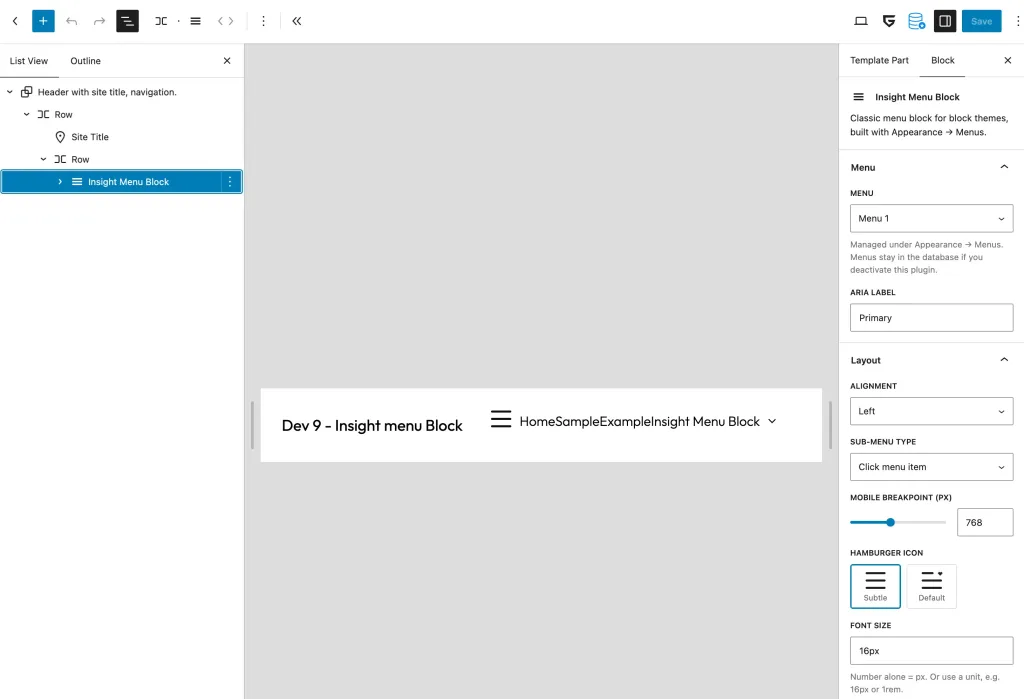
Placement of the Insight Menu Block – free version
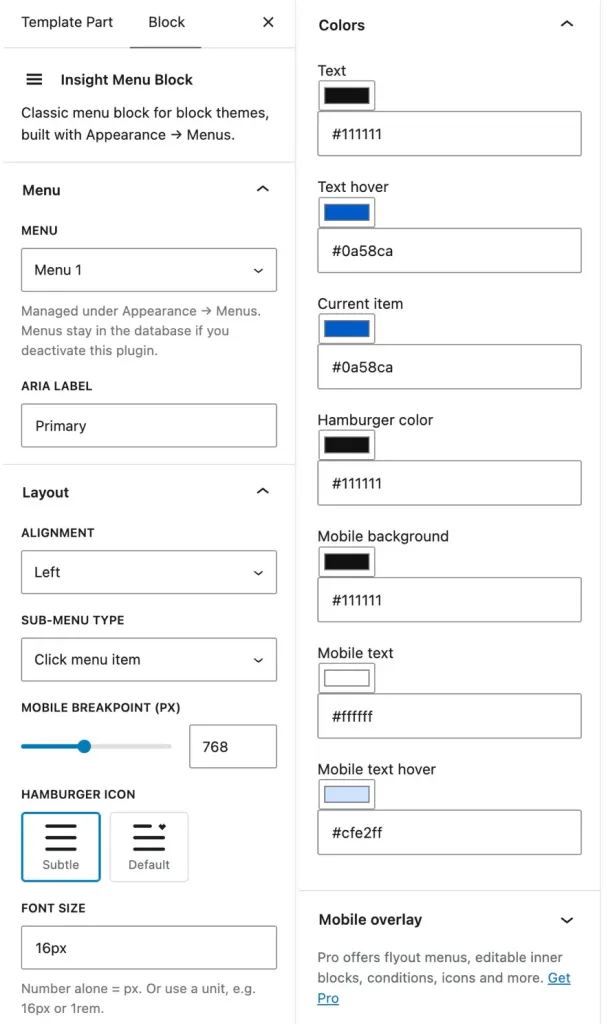
Settings – free version
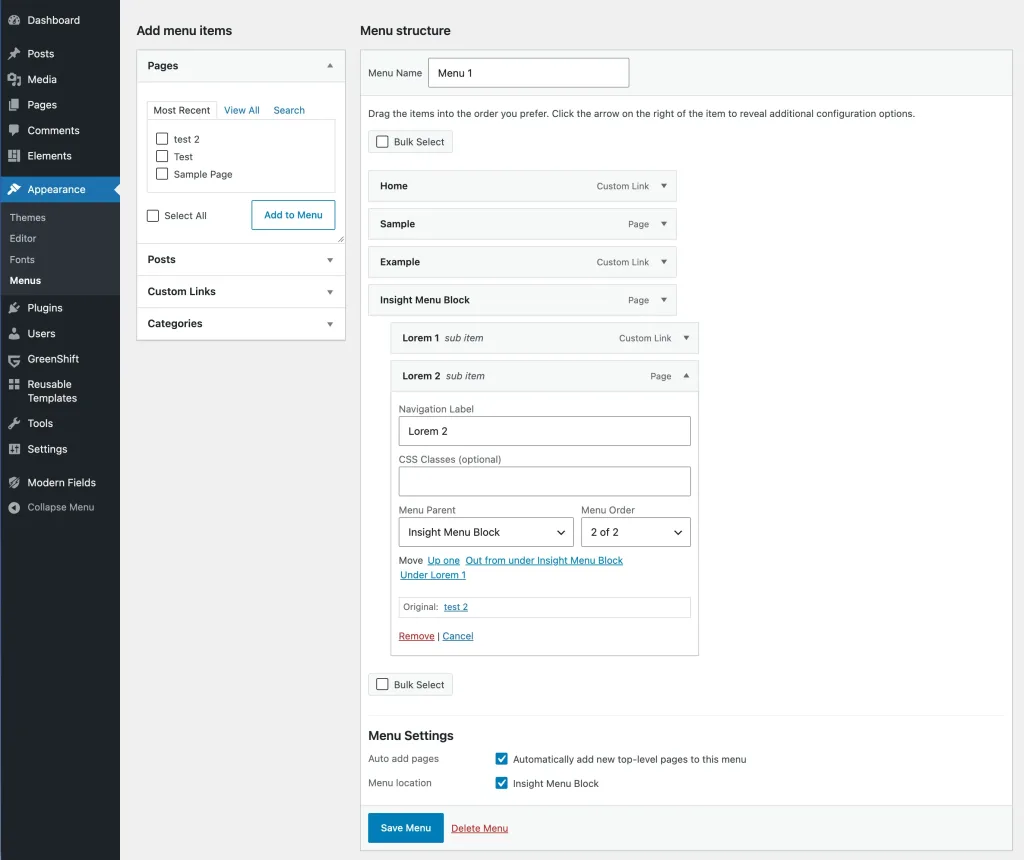
Menu navigation builder – classic style – pro includes logged in / logged out / both
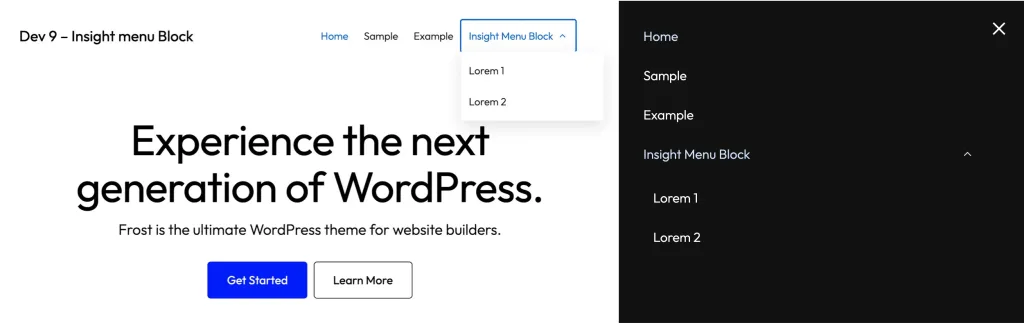
Menu front end: desktop and mobile (free version)
Pro: editable mobile menu – place blocks like images, socials, etc.
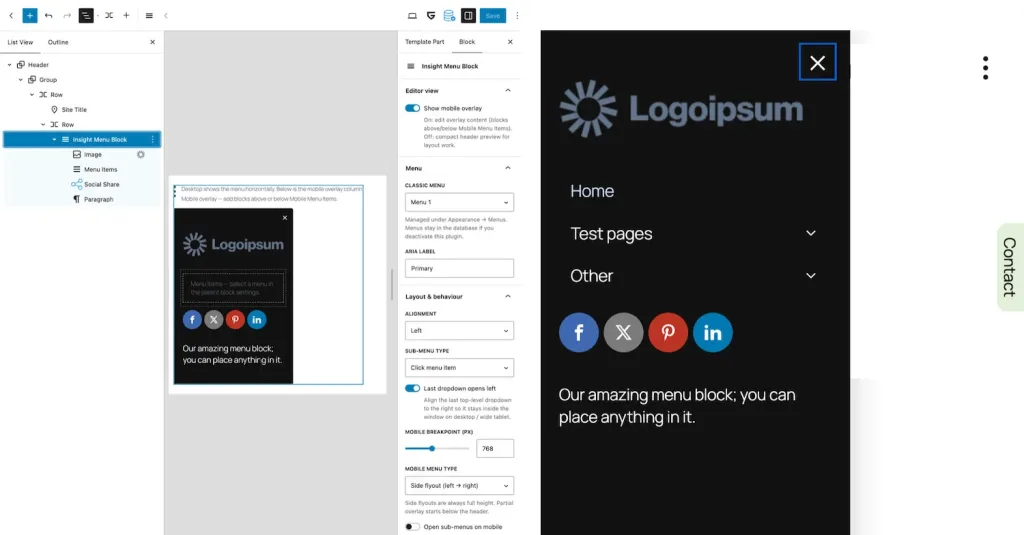
Pro settings
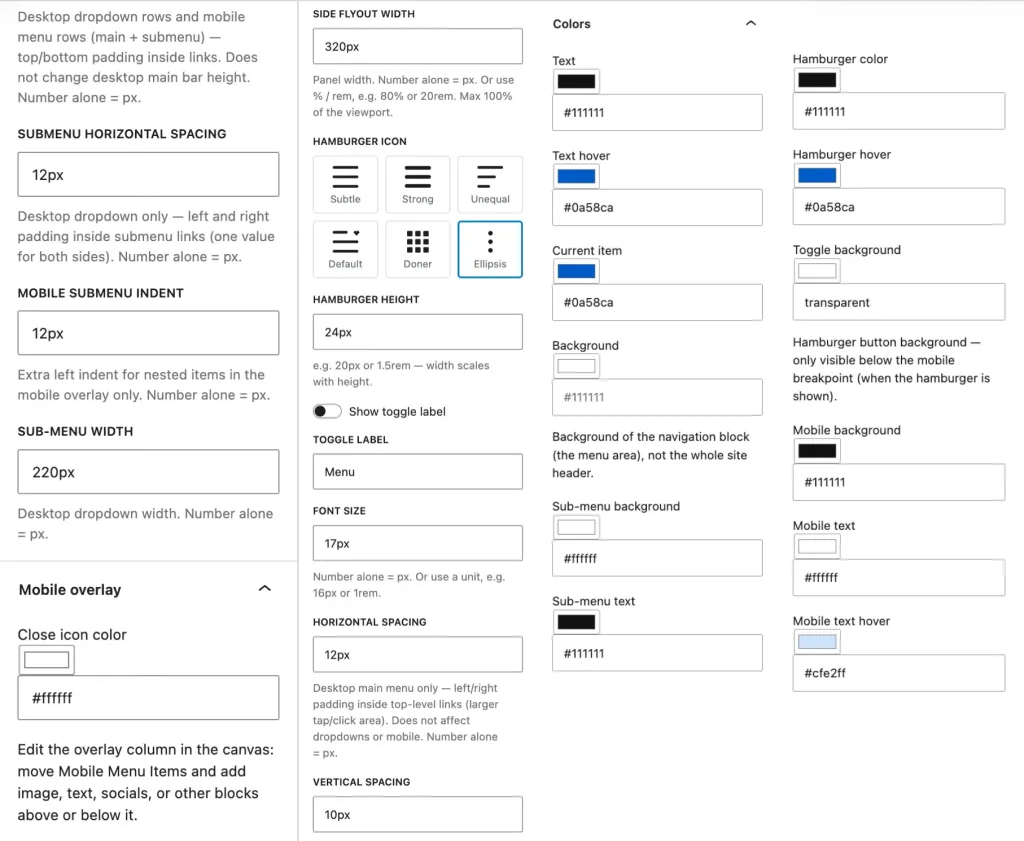
Insight Menu Block
Free version
Good for basic use
- Block + classic Appearance → Menus
- Menu picker, alignment, ARIA, breakpoint
- 3 Sub-menu types
- Basic colors
- 2 hamburger-icons
- Full overlay + basic toggle
- Mobile Menu
You are missing:
- Editable mobile overlay (InnerBlocks)
- Extra overlay-blocks
- 6 hamburger icons
- height/label
- Mobile overlay partial and sideways
- Last dropdown opens left
- Open sub-menus on mobile
- Overlay editing mode (editor toggle)
- Extra spacing, item padding, submenu width
- Submenu colors, close color)
- Menu builder with logged-in/logged-out
- Support for the developer

Insight Menu Block
$ 29 one-time
Conclusion: good choice
- Activation on 5 websites.
- Block + classic Appearance → Menus
- Menu picker, alignment, ARIA, breakpoint
- 3 Sub-menu types
- Basic colors
- 2 hamburger-styles
- Mobile Menu Items (with InnerBlocks-canvas)
- Editable mobile overlay (InnerBlocks)
- Extra overlay-blocks
- 6 hamburger icons
- height/label
- Mobile overlay partial and sideways
- Last dropdown opens left
- Open sub-menus on mobile
- Overlay editing mode (editor toggle)
- Extra spacing, item padding, submenu width
- Submenu colors, close color)
- Menu builder with logged-in/logged-out
- Support for the developer
Insight Menu Block
$ 49 one-time
Conclusion: excellent choice
- Activation on 25 websites.
- Block + classic Appearance → Menus
- Menu picker, alignment, ARIA, breakpoint
- 3 Sub-menu types
- Basic colors
- 2 hamburger-styles
- Mobile Menu Items (with InnerBlocks-canvas)
- Editable mobile overlay (InnerBlocks)
- Extra overlay-blocks
- 6 hamburger icons
- height/label
- Mobile overlay partial and sideways
- Last dropdown opens left
- Open sub-menus on mobile
- Overlay editing mode (editor toggle)
- Extra spacing, item padding, submenu width
- Submenu colors, close color)
- Menu builder with logged-in/logged-out
- Support for the developer
All-in plugin pack
50% Discount
Conclusion: best choice
- Activation on 25 websites
- Gives Gutenberg professional features
- Perfect with Stackable, GenerateBlocks, Greenshift, GutenKit and more
- Most plugins are for FSE and classic themes, some are FSE only.
Choose from these plugins
Pro versions:
- Insight Popup & Flyout
- Insight Maps
- Insight Menu Block
- Dynamic Accordion
- Dynamic Video Player
- Flexible Layout Section
- Dynamic Templates & Elements
Discount:
- Add plugins totaling at least $245 and apply the 50% discount coupon (ALL-IN-PLAN) for half off your purchase.