Email and phone link
How to create a real dynamic email or phone link?
I’m sure you’re already familiar with using dynamic custom fields like ACF. However, did you know that you can configure them to trigger your email app or phone when clicked? We show how to do it with Kadence, but most advanced builders work the same way.
Create a dynamic email link
- The ACF field has to be an email adress field (not tested with text field)
- Use a Text (Adv) block, not the Dynamic HTML block
- Connect the Text (Adv) block with the custom field in the usual way
- In the Settings column on the right, select General
- Go to Link Settings
- Go to Text wrap link
- Click on the Dynamic icon
- Activate Enable Dynamic Link
- Click on the Dynamic icon again
- Link: choose Post custom field
- Link Source: Current post
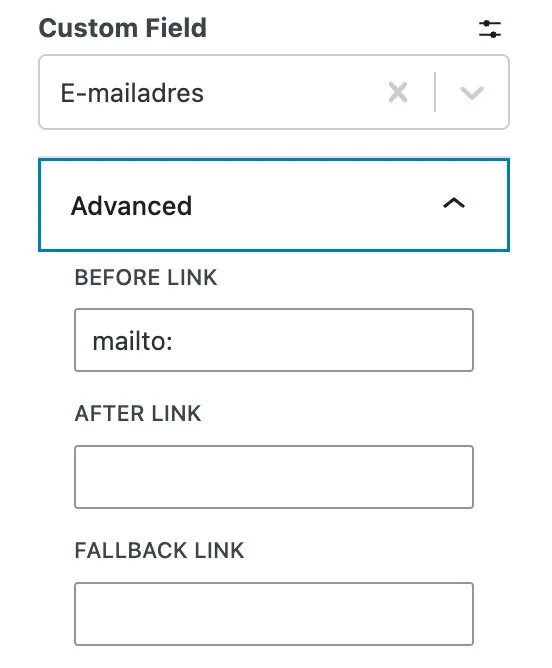
- Custom field: choose the right field with the email address
- Go to Advanced
- Before link field: mailto: (with the : and no spaces!)
- Save
Create a dynamic phone number link
- The ACF field has to be a normal text field (not a number field)
- Use a Text (Adv) block, not the Dynamic HTML block
- Connect the Text (Adv) block with the custom field in the usual way
- In the Settings column on the right, select General
- Go to Link Settings
- Go to Text wrap link
- Click on the Dynamic icon
- Activate Enable Dynamic Link
- Click on the Dynamic icon again
- Link: choose Post custom field
- Link Source: Current post
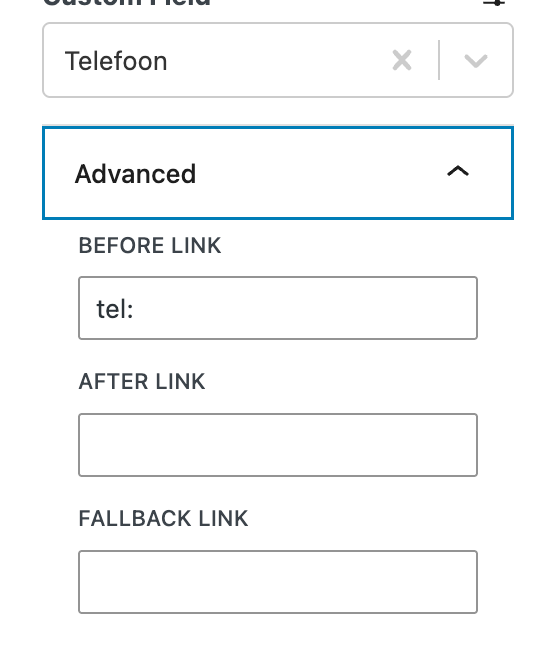
- Custom field: choose the right field with the phone number
- Go to Advanced
- Before link field: tel: (with the : and no spaces!)
- Save
Now you know how to create dynamic, clickable links for email addresses and phone numbers!
Remember to include phone numbers with the country code and avoid using any spaces, dashes, or other characters. For example, it should look like this: 34671123456.