WP tools WordPress collectie + GS Filter block
Collectie belangrijke en vaak onmisbare WordPress plug-ins en online tools
-
Access Assistant Chrome extensie
Test web pages for accessibility with Access Assistant. With over 250 fully automated accessibility tests, and many more partially automated and manual tests, you can identify the most common, high-risk accessibility violations on a website or application. View details for each accessibility violation, along with remediation guidelines. Simply run a Quick Test on a web page to view details for all accessibility violations on the page, along with remediation guidelines. Test results can also be stored in Level Access’ Accessibility Management Platform (AMP), where you can report on your site’s accessibility compliance over time. This extension can access URLs for all open tabs to enable testing of pages in any open tab.Voordelen Pro versie
Not known if there is a pro version.
Conclusie
Handy Chrome extension to improve the accessibility of your website.
Meer informatie?
basbuis/21-05-2025Access Assistant
Test web pages for accessibility
-
Axe DevTools – Web Accessibility Testing
Accessibility control for developers, testers and designers in Chrome. Loose accessibility problems on during website development with AXE DEVTOOLS. The free Ax Devtools browser extension is a fast, lightweight, but powerful test tool that is controlled by the world’s most trusted accessibility test engine, Ax-Core, developed by Deque. AX prevents false positive results. ★ Automated testing with one push of a button AXE DEVTOOLS analyzes your site and automatically brings most of the common accessibility problems, almost three times as much as the average in the sector. Deprecize every problem, inspect the source of the problem and use extensive free recovery guidance to resolve it quickly and accurately.Voordelen Pro versie
DEVTOOLS PRO to do much more: ★ Intelligent Guided Testing ™ (IGT) perform more advanced tests without having to become an accessibility expert. With the help of a simple question and answer format, IGT uses machine learning to help you quickly find and solve problems that can not only be detected by automated tests. By adding IGT, you can get 80% coverage or more while you code. ★ Testing at component level Make your tests more flexible by only focusing on the specific parts of a page that are relevant to your direct work. Reduce patching and re -testing by finding accessibility bugs that can disrupt existing use cases. ★ Export, save and share work together with your development team! Make a custom URL with all problem description information to share with colleagues or your favorite problem tracking software. Save the rest of your team time and effort and help build inclusive experiences. ★ What still needs to be tested? After you have completed automated and intelligent guided tests, you can now generate and share a report ‘remaining tests’, with a list of what is left for manual testers. Accessibility experts can continue exactly where you had gone to detect the remaining complex problems. This extension has more than 300,000 users.
Conclusie
Handy Chrome extension. Much more attention is given today to the accessibility of a website; This is a nice tool for that.
Meer informatie?
basbuis/21-05-2025Axe DevTools – Web Accessibility Testing
Test the accessibility of your website
-
Block Visibility — Conditional Visibility Control for the Block Editor
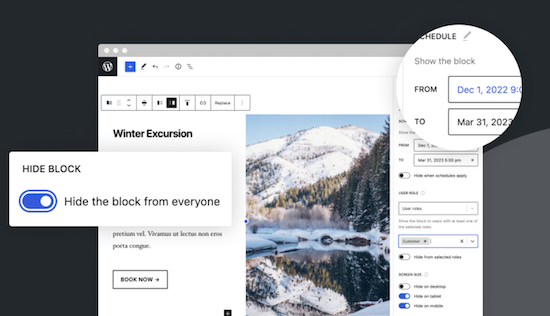
With this no-code solution you determine which blocks are visible on a website and who can see them. You can even show or hide blocks at a specific time. Show exclusive promotions to customers or members. Limit blocks to specific user roles, screen sizes, query series, WooCommerce products, EDD downloads, ACF fields, WPFUSion tags and more. Block Visibility is exclusively built for the WordPress editor (Gutenberg) and is designed to work with every WordPress block. This includes blocks that are supplied native by WordPress, but also blocks of third parties and even blocks -based widgets. This plug-in is ideal for making every submenu item in a Fse theme conditional! Note: To add conditions to Child menu items from a FSE theme, you must check ‘Full Control Mode’ in the plug-in settings. The plug-in has 30,000 users and was developed by Nick Diego.Voordelen Pro versie
There is no pro version. They do have a website for this plug-in, so it is possible that there will be a Pro version.
Conclusie
If you work with an FSE theme (the future of WordPress) this is an absolute must-have. What the plug-in ‘If menu’ does for the classic themes does this plug-in (and more) for FSE Block themes. Note: Not yet tested with the Kadence Navigation (ADV) Block.
Meer informatie?
basbuis/21-05-2025Block Visibility — Conditional Visibility Control
Conditional Visibility Blocks, also Child menu items
-
Great Restaurant Menu WP
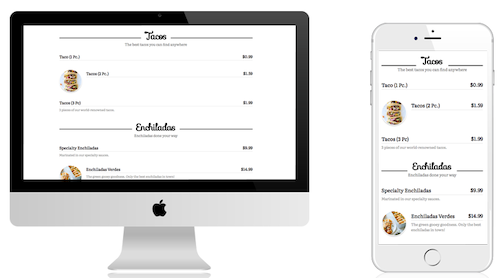
Hiermee kun je snel een menu maken voor een restaurant of andere bedrijfsactiviteit (zoals salons, sportscholen, enz.). Er worden 5 sjablonen meegeleverd en je kunt aangepaste sjablonen maken. Standaardsjablonen zijn allemaal responsief en zien er geweldig uit op desktops, tablets en mobiele apparaten. Het menu ondersteunt groepen/categorieën, subgroepen/categorieën en items. Items kunnen de itemnaam, beschrijving, afbeelding en prijs bevatten. – Met de menu-editor kunt u eenvoudig groepen en items slepen en neerzetten om ze snel en eenvoudig opnieuw te organiseren – Biedt volledige ondersteuning voor netwerk-/multisitewebsites.Voordelen Pro versie
Er is geen Pro versie van te koop.
Conclusie
Aanrader!
Meer informatie?
basbuis/20-02-2025Great Restaurant Menu WP
Prijslijsten, menu’s, etc. – ook andere branches dan de horeca
-
If Menu – Visibility control for Menus

Bepaal welke menu-items bezoekers van uw site zien, met zichtbaarheidsregels. Hier zijn een paar voorbeelden: Geef een menu-item alleen weer als User is ingelogd. Verberg een menu-item op mobiel. Alleen menu’s weergeven voor Admins and Editors. Verberg Login of Registreer links voor ingelogde Users. Alleen menu’s weergeven voor Customers met een actief membership. Toon menu’s op basis van de taal van de bezoekers. Nadat de plug-in is ingeschakeld, krijgt menu-item een nieuwe optie ‘Menu-item zichtbaarheid wijzigen’ waarmee je zichtbaarheidsregels kunt selecteren. LET OP: deze plug-in is alleen geschikt voor de classic thema;s, dus werkt niet met FSE-thema’s. Voor deze functionaliteit met een FSE-thema, raad ik deze plug-in aan: https://wpinsight.eu/wp-tool/block-visibility-conditional-visibility-control/Voordelen Pro versie
Deze plug-in kent geen pro versie; de ontwikkelaar stelt een kleine donatie wel op prijs!
Conclusie
Als je een manier zoekt om bepaalde menu-items onder bepaalde voorwaarden wel of niet te tonen, is dit de ideale plug-in. Ik gebruik de If menu plug-in regelmatig voor bijvoorbeeld leden websites, of Learndash sites met speciale menu-items voor de beheerders en leraren.
Meer informatie?
basbuis/20-02-2025If Menu – Visibility control for Menus
Instellen welk menu item wanneer zichtbaar is
-
Learn WordPress
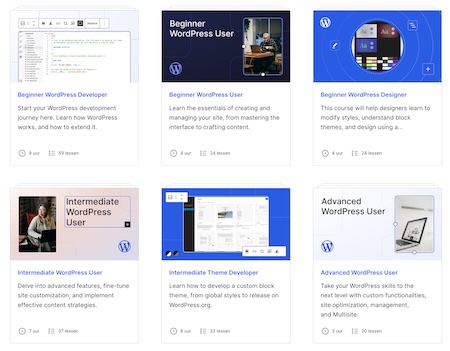
WordPress biedt onbeperkte mogelijkheden voor mensen om hun online aanwezigheid vorm te geven en uit te breiden. De inhoud van deze cursussen wordt in verschillende formaten aangeboden, met de nadruk op tekst en video, en werkt naar praktische leerdoelen toe om je te helpen een betere WordPress ontwikkelaar, ontwerper, gebruiker en medewerker te worden.Voordelen Pro versie
Het is een gratis service van WordPress.
Conclusie
Een aanrader! Het aanbod cursussen is heel groot, en dekt alles. Van absolute beginner tot ervaren ontwikkelaar en block developer.
Meer informatie?
basbuis/04-03-2025Learn WordPress
WordPress cursussen door WordPress
-
Simple floating menu
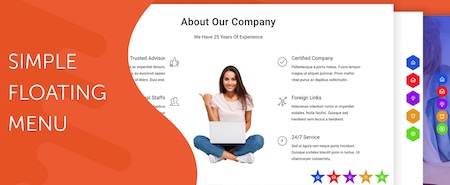
Simple Floating Menu is een gratis WordPress plug-in waarmee je een zwevend, vast menu met pictogrammen en tooltips in verschillende ontwerpen kunt toevoegen. De plug-in heeft meer dan 5000+ iconen om uit te kiezen om het zwevende menu weer te geven en je kunt onbeperkt menu-icoon knoppen toevoegen. Je kunt het menu in 8 verschillende posities weergeven met 9 verschillende knopvormen. Aangepaste pictogrammen – 5 pictogram pakketten met meer dan 10.000 pictogrammen om uit te kiezen – Onbeperkt aantal menu-items – Optie om hetzelfde tabblad of nieuw tabblad weer te geven – 8 verschillende posities om weer te geven – 9 verschillende knoopvormen om uit te kiezen – Pas de knop aan met hoogte/breedte, pictogram grootte, kleur van de knoppen en lettertypen van de tool-tip-tekst – 600+ Google lettertypen om uit te kiezen voor de tekst – Voeg interne, externe of scrollende links op één pagina toe – Instellingen exporteren/importeren om instellingen van de ene naar de andere website over te brengen.Voordelen Pro versie
Support voor alle social media platforms – Floating menu templates – navigation dots – sidepanel menu – etc.
Conclusie
Een handige plugin.
Prijs pro vanaf € 23
Meer informatie?
basbuis/20-02-2025Simple floating menu

-
WP101 WordPress tutorials

WordPress Tutorial Videos for Beginners! Are you tired of wasting time searching Google for homemade WordPress tutorial videos full of “uhs” and “ums”? Since 2008, WordPress 101 tutorial videos have helped over three million beginners learn WordPress in just a few hours. Stop searching. Start learning! Every WordPress tutorial video we create is carefully written and professionally produced by expert instructors dedicated to helping you learn WordPress step by step, so you can build your own website today!Voordelen Pro versie
It’s an (affordable) pro service.
Conclusie
Definitely recommended. The downside is that it also covers builders like Elementor, Spectra, and Beaver Builder, which are only useful if you actually use them.
Prijs pro vanaf € 12
Meer informatie?
basbuis/22-08-2025WP101 WordPress tutorials
Courses – tutorials – about WordPress