
WP tools WordPress collectie + GS Filter block
Collectie belangrijke en vaak onmisbare WordPress plug-ins en online tools
-
Access Assistant Chrome extensie
 Test web pages for accessibility with Access Assistant. With over 250 fully automated accessibility tests, and many more partially automated and manual tests, you can identify the most common, high-risk accessibility violations on a website or application. View details for each accessibility violation, along with remediation guidelines. Simply run a Quick Test on a web page to view details for all accessibility violations on the page, along with remediation guidelines. Test results can also be stored in Level Access’ Accessibility Management Platform (AMP), where you can report on your site’s accessibility compliance over time. This extension can access URLs for all open tabs to enable testing of pages in any open tab.
Voordelen Pro versie
Not known if there is a pro version.
Conclusie
Handy Chrome extension to improve the accessibility of your website.
Meer informatie?
basbuis/21-05-2025Access Assistant
Test web pages for accessibility -
All-in-One WP Migration and Backup
 All-in-One WP Migration was introduced in 2013, it is one of the most trusted and used plug-ins from WordPress for easy moving of websites. All-in-One WP Migration is specially designed for non-technical users and is full of functions for beginners, with which you can migrate your WordPress website with little to no technical knowledge or experience. More than 5 million active users. The free version can only restore a website to 512 MB.
Voordelen Pro versie
This offers several benefits, including the migration of websites larger than 512 MB.
Conclusie
The disadvantage of the free version is that it offers limited options. Yet it is still one of the most used migration plugins.
Prijs pro vanaf € 69
Meer informatie?
basbuis/21-05-2025All-in-One WP Migration and Backup
Migration of complete websites -
Axe DevTools – Web Accessibility Testing
 Accessibility control for developers, testers and designers in Chrome. Loose accessibility problems on during website development with AXE DEVTOOLS. The free Ax Devtools browser extension is a fast, lightweight, but powerful test tool that is controlled by the world’s most trusted accessibility test engine, Ax-Core, developed by Deque. AX prevents false positive results. ★ Automated testing with one push of a button AXE DEVTOOLS analyzes your site and automatically brings most of the common accessibility problems, almost three times as much as the average in the sector. Deprecize every problem, inspect the source of the problem and use extensive free recovery guidance to resolve it quickly and accurately.
Voordelen Pro versie
DEVTOOLS PRO to do much more: ★ Intelligent Guided Testing ™ (IGT) perform more advanced tests without having to become an accessibility expert. With the help of a simple question and answer format, IGT uses machine learning to help you quickly find and solve problems that can not only be detected by automated tests. By adding IGT, you can get 80% coverage or more while you code. ★ Testing at component level Make your tests more flexible by only focusing on the specific parts of a page that are relevant to your direct work. Reduce patching and re -testing by finding accessibility bugs that can disrupt existing use cases. ★ Export, save and share work together with your development team! Make a custom URL with all problem description information to share with colleagues or your favorite problem tracking software. Save the rest of your team time and effort and help build inclusive experiences. ★ What still needs to be tested? After you have completed automated and intelligent guided tests, you can now generate and share a report ‘remaining tests’, with a list of what is left for manual testers. Accessibility experts can continue exactly where you had gone to detect the remaining complex problems. This extension has more than 300,000 users.
Conclusie
Handy Chrome extension. Much more attention is given today to the accessibility of a website; This is a nice tool for that.
Meer informatie?
basbuis/21-05-2025Axe DevTools – Web Accessibility Testing
Test the accessibility of your website -
Backuply – Back-up, Restore, Migrate and Clone
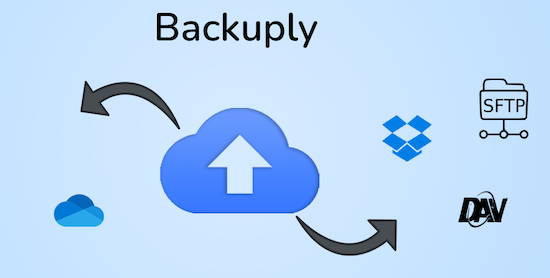 Backuply is a WordPress backup plug-in with which you can back up a WordPress website. This way you prevent data loss due to servercrashes, hacks, bad updates or bad plug-ins. Backuply offers both local backups and safe cloud backups with integrations with FTP, FTPS, SFTP, Webdav, Google Drive, Microsoft Onedrive, Dropbox, Amazon S3. Recovering is simple: with one click. The plug-in has 200,000 users.
Voordelen Pro versie
Automatic backups: Choose to backup a website regularly, such as daily, weekly or monthly. You can adjust the interval yourself. One-Click Restore: With Backuply, restoring your website is easy. Just click on the Restore button next to the backup that you want to recover. The full backup is downloaded and the changes are applied to the website. Selective backup: You can choose whether you only want to make backups of files, databases or full backups. Website migration: Easily migrate by repairing it via one of the cloud backup options on the new website. Website cloning: If you want to clon a website, Backuply can do that for you. Backuply restores the data, but replaces the URLs and information as on the target website. In this way, Jee can make multiple clones. Back-up to FTPS: You can back up the site to an FTPS server, i.e. FTP via SSL/TLS Backup to SFTP: Supports the SFTP protocol Backup to Dropbox Backup to Microsoft One Drive Back-up S3 Back-up S3 Backele Backele Back-up Storage media: Support added for DigitalOcean Spaces, Linode Object Storage, Vultr Object Storage and Cloudflare R2. Support for WP-Cli: You can use Backuply via WP-Cli Professional support: get professional support and more functions to back up a website with Backuply. The paid version starts at 18.00 per year, for 1 website, which includes 1 GB Cloud Storage. That goes up to 69,- for 5 websites with 25 GB, and 249 per year for unlimited websites with 100 GB storage.
Conclusie
It is one of the most reliable and most stable backup plug-ins. Definitely recommended!
Prijs pro vanaf € 18
Meer informatie?
basbuis/21-05-2025Backuply
Backup – Recovery – Migrating and Cloning a website -
Imapsync
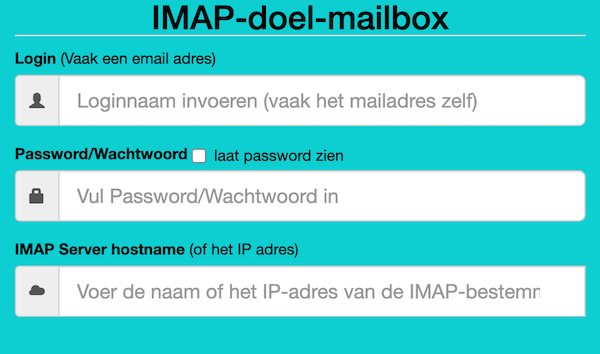 Als je besluit je hosting te verhuizen, kan dat je website betreffen, je e-mail of beide. Als je e-mail bij dezelfde hosting zit als je website en bij je nieuwe hosting ook, dan is de nieuwe hosting soms bereid om die ook voor je te verhuizen. Als je dat niet zijn, of je e-mail is ergens anders gehost, dan moet je de bestaande e-mails zelf overzetten. Dat is gelukkig heel makkelijk met deze (gratis) tool. Deze gratis tool wordt aangeboden door Vimexx.nl hosting. (1) Zorg dat je bij de nieuwe hosting e-mailadressen aanmaakt met exact dezelfde adressen. (2) Zorg dat je dezelfde forwards, aliases, autoresponders, handtekeningen, etc. creëert bij je nieuwe hosting. (3) DNS omzetten naar nieuwe hosting (MX, SPF, DKIM, DMARC). (4) wacht tot de DNS actief is (duurt 1-48 uur). (5) Migreer de e-mails. Tip: controleer eerst of je nieuwe hosting een ‘e-mail import tool’ heeft. Dan heb je deze Imapsync service misschien niet nodig.
Voordelen Pro versie
Deze service heeft geen pro versie. Er bestaat wel een betaalde online dienst die hetzelfde doet. Dat is MailJerry: https://www.mailjerry.com. Deze service is gratis tot een emailbox van 250 MB, daarboven heb je een abonnement nodig om e-mails over te zetten.
Conclusie
Absolute aanrader. Ik maak hier regelmatig gebruik van.
Meer informatie?
basbuis/05-01-2025Imapsync
Verhuizen e-mail tussen 2 IMAP mappen -
InstaWP
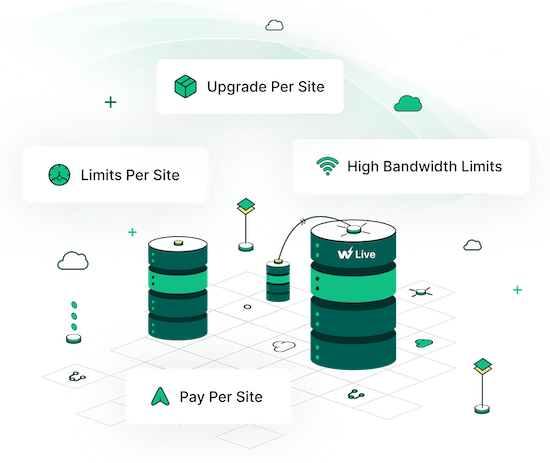 Instawp is a unique hosting company. They offer superior hosting, worldwide including the Netherlands, staging sites, cloning, template sites, demos and easy migration. The best thing is that all this 100% coordinated. You can migrate a website, from yourself or a client, to a staging site at Instawp, adjust to your wishes and convert it to a live site, at Instawp or any other hosting after approval! Ideal for developers, agencies, studios but also if you only have your own website.
Voordelen Pro versie
They offer various Pro accounts, but you can also only host a website with them, without a Pro account. – Pro starter: 9 staging sites, 3 migrations/month, 5 templates and 5GB space. Cost? $ 90 per year. – Pro Professional: 19 Staging sites, 10 migrations/month, 15 templates, 15GB space and 1 live website. Costs: $ 190 / year. – Agency: 49 staging sites, 20 migrations/month, 40 templates, 40GB space, team management and 3 live websites. Costs: $ 490 / year. There is also a ‘hobby’ account, to try, for $ 29 per year. Live hosting 2-9 sites, $ 15 per month, per site. 10 sites? $ 11 per month, per site. With various options for heavier websites.
Conclusie
If you are a developer / web builder and want to tackle it seriously, without problems, you cannot ignore Instawp. The rates are also no reason not to do it. There is a reason that many companies work with them: Instawp: StellarWP, Kadencewp, Mediavine, Gravity, Ollie, Restrict Content, Athemes, to name some. It is my favorite (only) way to migrate a site or make a copy.
Prijs pro vanaf € 9
Meer informatie?
basbuis/21-05-2025InstaWP
Superior hosting, staging and migration -
LearnDash Course Import/Export
 Met LearnDash Course Import/Export kun je eenvoudig LearnDash cursussen importeren met één klik op de knop. Voeg nieuwe content toe of update bestaande cursuspagina’s in recordtijd. Je kunt ook alle cursussen, lessen en onderwerpen exporteren als een XLS- of XLSX-bestand in spreadsheet formaat om ze te updaten of te importeren naar een nieuwe site. Je kunt gloednieuwe content in één stap toevoegen door deze toe te voegen aan de template, in plaats van handmatig pagina’s en content één voor één toe te voegen aan de backend. Cursussen, lessen en onderwerpen exporteren om hun content snel bij te werken en opnieuw te importeren in uw site voor snelle bewerkingen. Je kunt ook de content van uw hele site exporteren en deze met een paar klikken importeren naar een andere LearnDash site.
Voordelen Pro versie
Het is een pro plug-in. Ze bieden een jaarlijkse licentie, en een lifetime licentie.
Conclusie
Een superhandige plug-in als je LearnDash gebruikt! Ze hebben overigens nog veel meer handige LearnDash en WooCommerce plug-ins!
Prijs pro vanaf € 79
Meer informatie?
basbuis/02-03-2025LearnDash Course Import/Export
Exporteren en importeren van LearnDash cursussen -
Lifter LMS
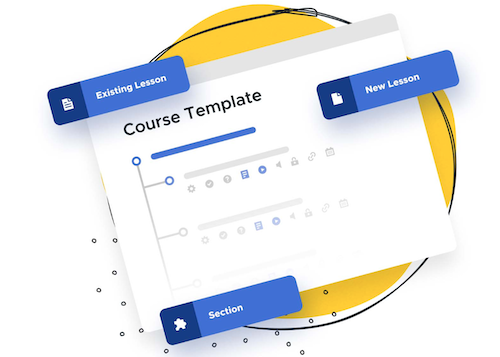 LifterLMS is een goed ontworpen WordPress LMS-platform. Het is snel en betrouwbaar. Je kunt lessen hergebruiken en individuele lessen van de ene cursus naar de andere slepen en neerzetten. Het houdt de content georganiseerd en goed gestructureerd. Deze LMS ondersteunt ook Nederlands.
Voordelen Pro versie
De gratis versie is niet compleet genoeg om betalingen accepteren, met groepen te werken en nog veel meer beperkingen die een serieus instituut echt nodig heeft. Voordeel si wel dat je het uitgebreid kunt verkennen, voor aanschaf.
Conclusie
Het is geen goedkoop LMS. Sterker nog, je hebt meestal meer add-ons nodig dan je denkt, en voordat je het weet betaal je rond de 750,- per jaar. Kwalitatief is deze plug-in wel in orde.
Prijs pro vanaf € 295
Meer informatie?
basbuis/06-03-2025Lifter LMS
Digitaal WordPress leersysteem -
Messaging for LearnDash & LifterLMS
 De enige privéberichten plug-in die expliciet is gebouwd voor LearnDash & LifterLMS. Het is de perfecte add-on om chatopties tussen studenten en medewerkers of docenten te faciliteren.
Voordelen Pro versie
Het is een pro plug-in.
Conclusie
Een heel populaire chat plug-in voor LearnDash en LifterLMS. HonorsWP, de maker van de plug-in, heeft overigens nog veel meer plug-ins en andere handige tools voor Learndash.
Prijs pro vanaf € 79
Meer informatie?
basbuis/06-03-2025Messaging for LearnDash & LifterLMS
Berichten voor LearnDash & LifterLMS gebruikers -
Migrate Guru
 Migrate Guru is een krachtige WordPress migratie plug-in die is ontworpen om een WordPress site naadloos over te zetten naar een nieuwe host of domein. Of je een WordPress website wilt klonen, verplaatsen of migreren, Migrate Guru zorgt voor een probleemloos proces met zijn one-click-migratie functie. – Deze plug-in ondersteunt alles-in-één WP-migraties en verwerkt grote sites tot 200 GB zonder de server over te belasten. Compatibel met elke grote webhost en uitgerust met automatisch URL-herschrijven en geserialiseerde gegevensverwerking, is het de go-to-tool voor het verplaatsen van WordPress sites naar nieuwe domeinen of hosts. – Verplaats, kloon of migreer uw WordPress site met Migrate Guru, de slimme, snelle en veilige WordPress migratie- en back-up plug-in – de plug-in heeft geen automatische back-up functie, dus ik zou het alleen gebruiken voor klonen en migratie.
Voordelen Pro versie
Het is een gratis plug-in, maar met pro functionaliteit.
Conclusie
Eenvoud, snel en probleemloos. Aanrader.
Meer informatie?
basbuis/05-01-2025Migrate Guru
Migreren, back-up, klonen van een site -
Post Type Switcher
 Deze plug-in voegt een eenvoudige post-type dropdown toe aan de post editor interface, waarmee je elke post kunt omzetten naar een nieuw post type. Hiermee kunt u het type van de post wijzigen terwijl je de post bewerkt. Ondersteunde typen: De plug-in kan vrijwel elke combinatie van berichten, pagina’s en zelfs aangepaste (custom) berichttypen converteren. Pagina naar post – Post naar pagina – Post naar custom – Custom naar post – Custom naar custom – Pagina naar WooCommerce product. Hiermee kun je bijvoorbeeld posts omzetten van WPCourseware naar LearnDash of LifterLMS, of welke combinatie dan ook. Hou er wel rekening mee dat de plug-ins die bij het type post horen, wel beide geïnstalleerd moeten zijn; dus als je omzet van WPCourseware naar LearnDash of omgedraaid, moeten beide actief zijn op je website. De plug-in is gemaakt door Triple J Software.
Voordelen Pro versie
Er is geen pro versie van. Een donatie wordt echter op prijs gesteld, voor het werk van de creatie en het onderhoud van deze nuttige plug-in.
Conclusie
Dit is een absolute aanrader. Het scheelt onvoorspelbaar veel tijd.
Meer informatie?
basbuis/06-03-2025Post Type Switcher
Zet een WordPress post om naar een ander type post -
Post Types Order
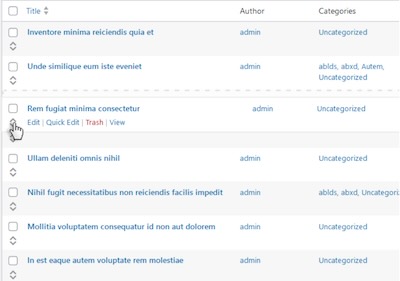 De volgorde van berichten kan nu direct worden aangepast op de standaard WordPress pagina met berichttype archieflijsten of via een speciale Re-order interface, die alle beschikbare items weergeeft. Met deze functie kunt u eenvoudig berichten opnieuw ordenen voor alle aangepaste berichttypen die u hebt gedefinieerd, inclusief de standaardberichten. Het beheren van de berichtvolgorde is nog nooit zo eenvoudig geweest.
Voordelen Pro versie
De Pro versies zijn Lifetime deals! De Pro versie biedt onder aandere: * Hierarchically post types order * Manual Drag & Drop / Automatic Sorting * Specify exact area where to apply through conditionals * Advanced query interface filtering and complex sorts including multiple post types and taxonomies * Posts Order by Custom Taxonomies * Enhanced Interface, List / Grid View * Allow Interface Filters (Categories, Dates, Search etc) * Post Types Thumbnails * Advanced query usage * Multisite Network Support, WPML, Polylang, WooCommerce, WP E-Commerce, Platform Pro, Genesis etc * WPML 100% compatibility with sort synchronization across languages * Mobile Touch Drag & Drop Ready * Sort interfaces through admin and front end * Pagination for sort lists * Free Updates * Free Support. De plug-in kent meer dan 600.000 actieve gebruikers.
Conclusie
Een heel handige plug-in om de volgorde van posts aan te passen, onder andere i.v.m. het tonen van een query. Ook voor het bepalen van de volgorde van LearnDash courses en WooCommerce products werkt het perfect. Let op: WPASE heeft dezelfde functionaliteit, dus als je die al hebt aangeschaft is deze overbodig.
Prijs pro vanaf € 39
Meer informatie?
basbuis/25-03-2025Post Types Order
Volgorde van posts en pagina’s aanpassen met drag en drop -
Transfer LMS – Conversion Tool for LearnDash & LifterLMS
 De beste import- en export oplossing voor LearnDash & LifterLMS. Importeer en exporteer moeiteloos cursussen, content en data tussen LMS-platforms, en zorg voor een naadloze en efficiënte cursus beheerervaring. Exporteer moeiteloos complete LearnDash- of LifterLMS- cursussen, inclusief alle content en ingeschreven gebruikers. Importeer met slechts een paar klikken alles naadloos naar een nieuwe LearnDash- of LifterLMS-site.
Voordelen Pro versie
Het is een Pro plug-in. De kosten per jaar zijn 79,- voor twee sites, of 269,- voor 25 websites.
Conclusie
Als je wisselt van LMS platform; van LearnDash naar LifterLMS, of LifterLMS naar LearnDash, dan is dit de ideale plug-in. Ook voor het maken van back-ups is het een aanrader.
Prijs pro vanaf € 79
Meer informatie?
basbuis/06-03-2025Transfer LMS
Conversion Learndash & Lifter -
UpdraftPlus back-up & migratie
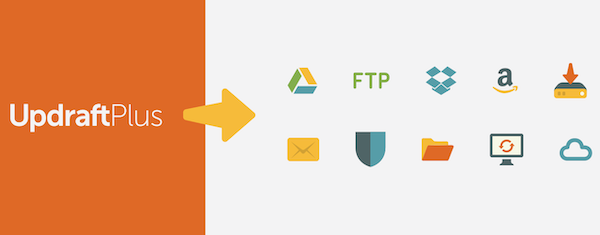 UpdraftPlus is een heel populaire plug-in voor back-up & migratie. UpdraftPlus back-up & migratie kent meer dan 3.00.000 gebruikers. Back-up naar Dropbox, Google Drive, Amazon S3 (of compatibel), Rackspace Cloud, FTP, DreamObjects, Openstack Swift of e-mail. Maak handmatig of dagelijks een back-up. Je kunt een WordPress website in slechts een paar klikken herstellen met UpdraftPlus. Kies welke componenten je wilt herstellen (plug-ins, thema’s, database etc.), klik nogmaals om te herstellen en nogmaals om terug te keren naar het hoofdscherm. Bij migreren identificeert een ingebouwde zoek-en-vervang functie oude strings en vervangt deze om de nieuwe locatie weer te geven. UpdraftPlus bespaart je tijd en vermindert het risico op verbroken links of ontbrekende bestanden die verband houden met handmatige migraties. Kloon: UpdraftPlus kan ook een kloon maken van je website, bijvoorbeeld om een ander thema te testen.
Voordelen Pro versie
Met de betaalde versie: Back-ups maken naar Microsoft OneDrive, Microsoft Azure, Google Cloud, Backblaze B2, SFTP, SCP, pCloud, WebDAV of UpdraftVault, onze geïntegreerde opslagoptie voor UpdraftPlus. Back-up plannen elke 2, 4, 8 of 12 uur, dagelijks, wekelijks, maandelijks of tweewekelijks. Automatische back-ups voor updates van WordPress of plug-ins; herstel de allerlaatste versie als een update de site kapotmaakt. Incrementeel back-uppen. Wijzigingen worden toegevoegd aan de master, waardoor serverbronnen worden bespaard in plaats van herhaaldelijk een volledige back-up te maken. 1 GB geïntegreerde opslag met UpdraftVault voor 99,999% betrouwbaarheid, redundantie en schaalbaarheid. Krijg meer controle over hoeveel back-ups er in een bepaald interval worden opgeslagen. Herstel vanuit andere back-up plug-ins, waaronder BackWPup, BackupWordPress, Simple Backups en meer. Voer back-ups uit op vaste tijden, bijvoorbeeld tijdens periodes met weinig verkeer. Maak een back-up naar meer dan één locatie voor extra bescherming. Ontvang gedetailleerde rapporten. Bevat cryptografische checksums zodat je de integriteit van de back-upbestanden en meer kunt verifiëren. Krijg Premium migratie. Migreren naar de bestemmingssite is directer en kan vanaf de bronsite. Verkrijg multisite/multi-netwerk compatibiliteit. Maak een back-up van niet-WP-bestanden en databases, bijvoorbeeld tabellen die horen bij je e-commercewinkel of aanpassingen aan de WordPress-kern. Zorg voor databaseversleuteling. Beheer uw back-ups en migraties vanuit de WP-CLI. Ontvang Premium-ondersteuning.
Conclusie
Een van de beste back-up plug-ins voor WordPress. Qua prijs is ook de premiumversie van UpdraftPlus redelijk; € 66,- voor 2 websites of 92,- voor 10 websites. We werken al heel lang met UpdraftPlus, en hebben er nooit probleem mee gehad. Ook de koppeling met Google Drive of Dropbox is probleemloos. Aanrader.
Prijs pro vanaf € 66
Meer informatie?
basbuis/05-01-2025UpdraftPlus backup & migratie
Back-up & Migratie WordPress sites -
WPvivid back-up en migratie
 De WPvivid Back-up & Migration Plugin biedt back-up, migratie en staging (maak een staging-site op een submap om WordPress, plug-ins, thema’s en website wijzigingen veilig te testen) als basisfuncties. De plug-in kent meer dan 600.000 gebruikers. De Pro versie is betaalbaar; 49,- voor 2 sites of 56,- voor 10 websites.
Voordelen Pro versie
Pas alles aan om een back-up te maken Maak staging-sites en push staging-sites naar live Incrementele back-ups Versleuteling van database back-up Automatische back-up van WordPress, thema’s en plug-ins WordPress multisite back-up WordPress multisite-staging Maak een nieuwe WP-installatie Geavanceerde externe back-ups Geavanceerde back-upschema’s Herstel externe back-ups Een site migreren via externe opslag Migreer een child-site (MU) naar een enkele WordPress-installatie White-label WPvivid Back-up & Migratie Pro
Conclusie
De plug-in werkt heel makkelijk; zowel het instellen als koppelen aan Google Drive werkt perfect. Let op: test eerst de gratis versie voordat je de pro versie aanschaft; op sommige websites werkt de plug-in niet lekker. Dat schijnt iets met de hosting te maken te hebben. Ze hebben overigens een geen-vragen-geld-terug garantie. Een van de betere back-up en migratie plug-ins!
Prijs pro vanaf € 49
Meer informatie?
basbuis/05-01-2025WPvivid back-up en migratie
WordPress back-up en migratie