WP tools WordPress collectie + GS Filter block

Collectie belangrijke en vaak onmisbare WordPress plug-ins en online tools

De collectie WordPress tools (plug-ins, thema’s, online en meer) heeft een filter zodat je bijvoorbeeld de thema’s, builders, SEO of WooCommerce plug-ins makkelijk kunt opzoeken. Mis je iets? Vul het suggestieformulier in!
Filters

18 wp-tools found

Categories
Search
  • All-in-One WP Migration and Backup

    , , , ,
    All-in-One WP Migration and Backup
    All-in-One WP Migration was introduced in 2013, it is one of the most trusted and used plug-ins from WordPress for easy moving of websites. All-in-One WP Migration is specially designed for non-technical users and is full of functions for beginners, with which you can migrate your WordPress website with little to no technical knowledge or experience. More than 5 million active users. The free version can only restore a website to 512 MB.

    Voordelen Pro versie

    This offers several benefits, including the migration of websites larger than 512 MB.

    Conclusie

    The disadvantage of the free version is that it offers limited options. Yet it is still one of the most used migration plugins.


    Prijs pro vanaf € 69

    Meer informatie?

    basbuis/
    21-05-2025

    All-in-One WP Migration and Backup

    , , , ,
    Migration of complete websites
    All-in-One WP Migration and Backup
  • Backuply – Back-up, Restore, Migrate and Clone
    , , , ,
    Backuply backup plugin
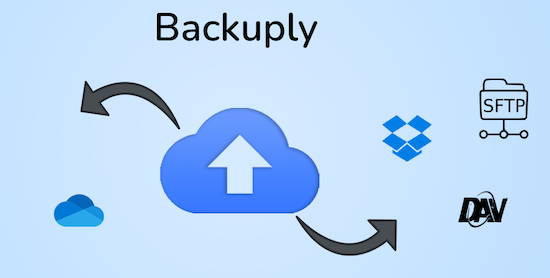
    Backuply is a WordPress backup plug-in with which you can back up a WordPress website. This way you prevent data loss due to servercrashes, hacks, bad updates or bad plug-ins. Backuply offers both local backups and safe cloud backups with integrations with FTP, FTPS, SFTP, Webdav, Google Drive, Microsoft Onedrive, Dropbox, Amazon S3. Recovering is simple: with one click. The plug-in has 200,000 users.

    Voordelen Pro versie

    Automatic backups: Choose to backup a website regularly, such as daily, weekly or monthly. You can adjust the interval yourself. One-Click Restore: With Backuply, restoring your website is easy. Just click on the Restore button next to the backup that you want to recover. The full backup is downloaded and the changes are applied to the website. Selective backup: You can choose whether you only want to make backups of files, databases or full backups. Website migration: Easily migrate by repairing it via one of the cloud backup options on the new website. Website cloning: If you want to clon a website, Backuply can do that for you. Backuply restores the data, but replaces the URLs and information as on the target website. In this way, Jee can make multiple clones. Back-up to FTPS: You can back up the site to an FTPS server, i.e. FTP via SSL/TLS Backup to SFTP: Supports the SFTP protocol Backup to Dropbox Backup to Microsoft One Drive Back-up S3 Back-up S3 Backele Backele Back-up Storage media: Support added for DigitalOcean Spaces, Linode Object Storage, Vultr Object Storage and Cloudflare R2. Support for WP-Cli: You can use Backuply via WP-Cli Professional support: get professional support and more functions to back up a website with Backuply. The paid version starts at 18.00 per year, for 1 website, which includes 1 GB Cloud Storage. That goes up to 69,- for 5 websites with 25 GB, and 249 per year for unlimited websites with 100 GB storage.

    Conclusie

    It is one of the most reliable and most stable backup plug-ins. Definitely recommended!


    Prijs pro vanaf € 18

    Meer informatie?

    basbuis/
    21-05-2025

    Backuply

    , , , ,
    Backup – Recovery – Migrating and Cloning a website
    Backuply backup plugin
  • Blocks Animation: CSS Animations for Gutenberg

    , , , , ,
    Blocks Animation - CSS Animations
    With Blocks Animation you can add CSS animations to all your Gutenberg blocks elegantly. The interface for Blocks Animation feels so natural and intuitive that you don’t even notice that it has been installed. Just install it, and you will see the animation settings in all blocks, directly in the block settings sidebar. The plug-in has more than 60,000 users. It works on the basis of CSS, so it does not make your website slow.

    Voordelen Pro versie

    It is a free plug-in.

    Conclusie

    To give your website more dynamics, without costs, it is an ideal plug-in. Please note: on some websites, content suddenly does not load when using this plugin.


    Meer informatie?

    basbuis/
    21-05-2025

    Blocks Animation: CSS Animations for Gutenberg

    , , , , ,
    CSS Animations for Gutenberg Blocks
    Blocks Animation - CSS Animations
  • CSS Class Manager – An advanced autocomplete additional css class control for your blocks
    , , , ,
    CSS Class Manager plugin
    Do you find it difficult to add multiple CSS classes to a WordPress block? CSS Class Manager simplifies the process with suggestions for automatic supplement and a special manager for adding, editing and organizing the classes. CSS Class Manager offers a powerful manager and an autocomplete inspector, so that users can easily add and apply CSS classes to their blocks. Advanced control over automatic supplement: Streamline The Block Style with car supply Functionality for CSS classes-Effortless class management: Easily add CSS classes, edit or remove them directly from the Interface Manager-Import and Export: Bring adapted CSS class seamlessly to guarantee consistency between projects.

    Voordelen Pro versie

    Edi Amin offers this plug-in for free.

    Conclusie

    Absolute recommended. I regularly use classes, but do not remember the exact spelling of each class to be able to add it to a block. This plug-in solves that!


    Meer informatie?

    basbuis/
    21-05-2025

    CSS Class Manager

    , , , ,
    Gives you a handy CSS class manager
    CSS Class Manager plugin
  • Easy Code Tools

    , , , , , ,
    Easy Code Tools
    Online tools for: coding, lorem ipsum generator, coupon codes, SEO keyword generator, CSS animations, HTML Stripper, Color Picker, DMARC and DKIM Validation, Scheme Generator, and much more.

    Voordelen Pro versie

    Conclusie

    This indispensable site offers an unimaginable amount of practical tools. Save the address somewhere!


    Meer informatie?

    basbuis/
    21-05-2025

    Easy Code Tools

    , , , , , ,
    Tools to fix all your problems
    Easy Code Tools
  • FastPixel cache and CDN

    , , , ,
    FastPixel cache en CDN
    The ultimate caching and accelerator plugin for WordPress – do you ever want your website to get a score of 90+ on Google PageSpeed ​​Insights, GTMetrix and other website Performance analysis tools? Without having to pay expensive costs to consultants? Fastpixel automatically integrates the latest technical improvements such as page-Caching, HTML/CSS/JS minimalization, DNS-prefetching and preload, critical css, shortpixel’s smart image optimization, adaptive images, background image, http/2-edge/secondalization, httpp/2-edge/secondary A worldwide CDN and Core Web Vitals, within a user -friendly interface that can be installed in 1 minute.

    Voordelen Pro versie

    If you have more than 5000 page views per month, the Pro version is needed. It offers several benefits anyway.

    Conclusie

    Fastpixel makes your website really super fast. A score of 80-100 is feasible. We have tested it extensively, and we recommend that if you start using it. It works flawlessly on one site, less on other sites. That also has to do with the fact that they are very new and install more and more support. To date, the plug-in had difficulty with divi websites, and the query filter from Greenshift. On Kadence, on the other hand, it was flawless, and it also works perfectly with geodirectory listing. The advantage is that it is a very powerful combination of cache, optimization and its own worldwide CDN network. Fastpixel is part of Shortpixel, so you know they have a lot of experience with optimization and CDN. Note: this plug-in is very promising, but sometimes still has cures (is very new).


    Prijs pro vanaf € 12

    Meer informatie?

    basbuis/
    21-05-2025

    FastPixel cache and CDN

    , , , ,
    All-in-one Cloud-based website Accelerator Plugin
    FastPixel cache en CDN
  • Flip Box Block

    , , , ,
    Flip Box plug-in
    Flip Box Block is een kleine blok plug-in voor de WordPress blokeditor, waarmee je blokken met een geanimeerde voor- en achterzijde kunt creëren: ofwel een ‘Flipbox’.

    Voordelen Pro versie

    Het is een gratis plug-in.

    Conclusie

    Handige plug-in! Als we bijvoorbeeld een website ontwikkelen met Kadence, en een Flipbox nodig hebben, kunnen we deze plug-in gebruiken. Natuurlijk kunnen we ook Greenshift daarvoor toepassen, maar dan installeer je weer een complete builder plug-in erbij.


    Meer informatie?

    basbuis/
    06-03-2025

    Flip Box Block

    , , , ,
    Plug-in waarmee je een geanimeerde ‘Flipbox’ creërt
    Flip Box plug-in
  • Greenshift blocks

    , , , , ,
    Greenshift builder
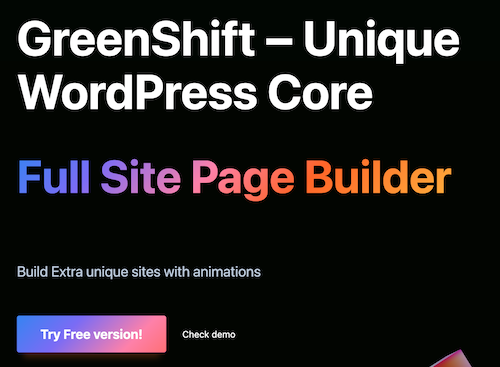
    De compleetste Gutenberg-paginabuilder Maak verbluffende elementen en animaties rechtstreeks op de pagina. Volledige ondersteuning voor Full Site Editing (FSE). Kan zelfs informatie lezen en weergeven van een Google spreadsheet Pas alles direct op de pagina aan zonder enige kennis van codering. Mooie animaties maken het verschil tussen een goede site en een perfecte site. Het thema heeft een ingebouwd animatieframework (slechts 2 kb groot)

    Voordelen Pro versie

    De gratis versie kan al heel veel. Ik denk dat er best veel mensen zijn die daar genoeg aan hebben. Ik gebruik regelmatig dynamische blokken, maak graag mijn eigen templates en gebruik WooCommerce. De betaalde versies bieden echt alles wat ik nodig heb. En de prijs is heel redelijk. Overigens is het aan te raden te kiezen voor het all-in pakket; daar zitten echt alle extra add-ons in die je maar kunt bedenken, terwijl de prijs aanzienlijk lager is dan de optelsom ervan.

    Conclusie

    Een absolute aanrader. Dit is één van de twee builders waar ik mee werk. Ook als je een andere builder gebruikt, bijvoorbeeld Kadence blocks, is Greenshift een echte aanrader als aanvulling.


    Meer informatie?

    basbuis/
    02-12-2025

    Greenshift blocks

    , , , , ,
    Gutenberg blocks builder
    Greenshift builder
  • Imapsync

    , , , , ,
    Imap sync - email verhuizen
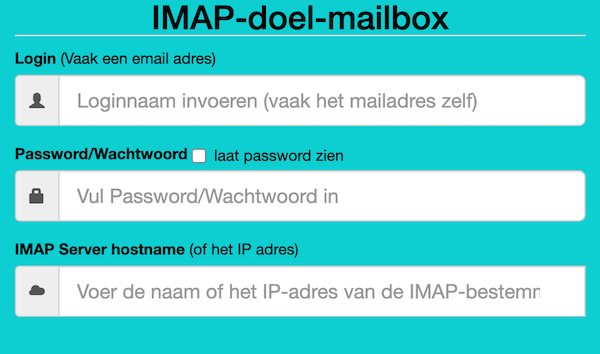
    Als je besluit je hosting te verhuizen, kan dat je website betreffen, je e-mail of beide. Als je e-mail bij dezelfde hosting zit als je website en bij je nieuwe hosting ook, dan is de nieuwe hosting soms bereid om die ook voor je te verhuizen. Als je dat niet zijn, of je e-mail is ergens anders gehost, dan moet je de bestaande e-mails zelf overzetten. Dat is gelukkig heel makkelijk met deze (gratis) tool. Deze gratis tool wordt aangeboden door Vimexx.nl hosting. (1) Zorg dat je bij de nieuwe hosting e-mailadressen aanmaakt met exact dezelfde adressen. (2) Zorg dat je dezelfde forwards, aliases, autoresponders, handtekeningen, etc. creëert bij je nieuwe hosting. (3) DNS omzetten naar nieuwe hosting (MX, SPF, DKIM, DMARC). (4) wacht tot de DNS actief is (duurt 1-48 uur). (5) Migreer de e-mails. Tip: controleer eerst of je nieuwe hosting een ‘e-mail import tool’ heeft. Dan heb je deze Imapsync service misschien niet nodig.

    Voordelen Pro versie

    Deze service heeft geen pro versie. Er bestaat wel een betaalde online dienst die hetzelfde doet. Dat is MailJerry: https://www.mailjerry.com. Deze service is gratis tot een emailbox van 250 MB, daarboven heb je een abonnement nodig om e-mails over te zetten.

    Conclusie

    Absolute aanrader. Ik maak hier regelmatig gebruik van.


    Meer informatie?

    basbuis/
    05-01-2025

    Imapsync

    , , , , ,
    Verhuizen e-mail tussen 2 IMAP mappen
    Imap sync - email verhuizen
  • InstaWP

    , , ,
    InstaWP-hosting-staging
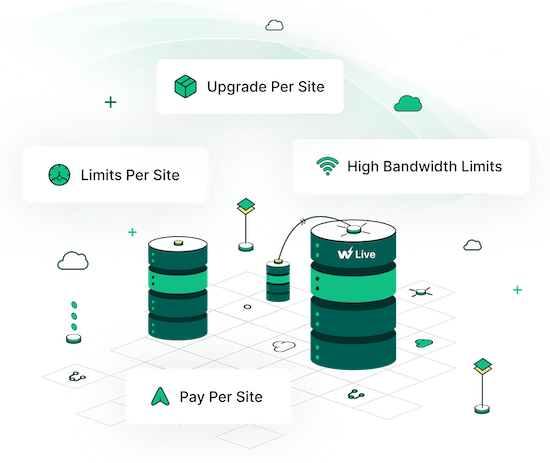
    Instawp is a unique hosting company. They offer superior hosting, worldwide including the Netherlands, staging sites, cloning, template sites, demos and easy migration. The best thing is that all this 100% coordinated. You can migrate a website, from yourself or a client, to a staging site at Instawp, adjust to your wishes and convert it to a live site, at Instawp or any other hosting after approval! Ideal for developers, agencies, studios but also if you only have your own website.

    Voordelen Pro versie

    They offer various Pro accounts, but you can also only host a website with them, without a Pro account. – Pro starter: 9 staging sites, 3 migrations/month, 5 templates and 5GB space. Cost? $ 90 per year. – Pro Professional: 19 Staging sites, 10 migrations/month, 15 templates, 15GB space and 1 live website. Costs: $ 190 / year. – Agency: 49 staging sites, 20 migrations/month, 40 templates, 40GB space, team management and 3 live websites. Costs: $ 490 / year. There is also a ‘hobby’ account, to try, for $ 29 per year. Live hosting 2-9 sites, $ 15 per month, per site. 10 sites? $ 11 per month, per site. With various options for heavier websites.

    Conclusie

    If you are a developer / web builder and want to tackle it seriously, without problems, you cannot ignore Instawp. The rates are also no reason not to do it. There is a reason that many companies work with them: Instawp: StellarWP, Kadencewp, Mediavine, Gravity, Ollie, Restrict Content, Athemes, to name some. It is my favorite (only) way to migrate a site or make a copy.


    Prijs pro vanaf € 9

    Meer informatie?

    basbuis/
    21-05-2025

    InstaWP

    , , ,
    Superior hosting, staging and migration
    InstaWP-hosting-staging
  • LearnDash Course Import/Export

    , , ,
    LearnDash Course Import:Export
    Met LearnDash Course Import/Export kun je eenvoudig LearnDash cursussen importeren met één klik op de knop. Voeg nieuwe content toe of update bestaande cursuspagina’s in recordtijd. Je kunt ook alle cursussen, lessen en onderwerpen exporteren als een XLS- of XLSX-bestand in spreadsheet formaat om ze te updaten of te importeren naar een nieuwe site. Je kunt gloednieuwe content in één stap toevoegen door deze toe te voegen aan de template, in plaats van handmatig pagina’s en content één voor één toe te voegen aan de backend. Cursussen, lessen en onderwerpen exporteren om hun content snel bij te werken en opnieuw te importeren in uw site voor snelle bewerkingen. Je kunt ook de content van uw hele site exporteren en deze met een paar klikken importeren naar een andere LearnDash site.

    Voordelen Pro versie

    Het is een pro plug-in. Ze bieden een jaarlijkse licentie, en een lifetime licentie.

    Conclusie

    Een superhandige plug-in als je LearnDash gebruikt! Ze hebben overigens nog veel meer handige LearnDash en WooCommerce plug-ins!


    Prijs pro vanaf € 79

    Meer informatie?

    basbuis/
    02-03-2025

    LearnDash Course Import/Export

    , , ,
    Exporteren en importeren van LearnDash cursussen
    LearnDash Course Import:Export
  • Migrate Guru

    , , , ,
    Migrate Guru plug-in
    Migrate Guru is een krachtige WordPress migratie plug-in die is ontworpen om een WordPress site naadloos over te zetten naar een nieuwe host of domein. Of je een WordPress website wilt klonen, verplaatsen of migreren, Migrate Guru zorgt voor een probleemloos proces met zijn one-click-migratie functie. – Deze plug-in ondersteunt alles-in-één WP-migraties en verwerkt grote sites tot 200 GB zonder de server over te belasten. Compatibel met elke grote webhost en uitgerust met automatisch URL-herschrijven en geserialiseerde gegevensverwerking, is het de go-to-tool voor het verplaatsen van WordPress sites naar nieuwe domeinen of hosts. – Verplaats, kloon of migreer uw WordPress site met Migrate Guru, de slimme, snelle en veilige WordPress migratie- en back-up plug-in – de plug-in heeft geen automatische back-up functie, dus ik zou het alleen gebruiken voor klonen en migratie.

    Voordelen Pro versie

    Het is een gratis plug-in, maar met pro functionaliteit.

    Conclusie

    Eenvoud, snel en probleemloos. Aanrader.


    Meer informatie?

    basbuis/
    05-01-2025

    Migrate Guru

    , , , ,
    Migreren, back-up, klonen van een site
    Migrate Guru plug-in
  • Motion.page

    , , ,
    Motion-page
    Ontdek de magie van Motion.page, de gamechanger in WordPress animatie. Met zijn gebruiksvriendelijke visuele platform is het maken van dynamische bewegingen en interacties nog nooit zo makkelijk geweest. Het maakt niet uit welke paginabuilder of thema je gebruikt. Motion.page is een onafhankelijke animatiebuilder op zichzelf, en werkt met elke paginabuilder of thema.

    Voordelen Pro versie

    Het is een pro plug-in.

    Conclusie

    De plugin Motion.page is, net als de plug-in WPinteractions, een aanrader als je op eenvoudige wijze leuke en goed toepasbare animaties wilt toevoegen aan je website die je eigen builder niet heeft. WPinteractions biedt ook andere (niet geanimeerde) interacties, terwijl Motion.page alleen op ‘effecten’ gericht is.


    Prijs pro vanaf € 69

    Meer informatie?

    basbuis/
    18-12-2024

    Motion.page animatie plugin

    , , ,
    Animatie voor elke builder en thema
    Motion-page
  • SleekMotion animaties

    , , ,
    SleekMotion animatie
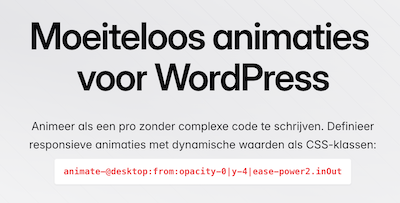
    SleekMotion is gebaseerd op CSS-klassen (of data-attributen) en werkt in elke paginabuilder. Voeg gewoon de klassen toe en je bent klaar. Animeer elke CSS-eigenschap met elke waarde met behulp van een eenvoudige en intuïtieve syntaxis. Geen limieten, geen beperkingen. Gewoon pure vrijheid. Stel aangepaste breekpunten in op uw admin-dashboard en gebruik ze om responsieve animaties te maken. Zo eenvoudig is het. Werkt in principe met elke builder.

    Voordelen Pro versie

    Het is een Pro plug-in. Ze bieden (nog) Lifetime licenties.

    Conclusie

    Heel handige plug-in.


    Prijs pro vanaf € 49

    Meer informatie?

    basbuis/
    13-02-2025

    SleekMotion animatie

    , , ,
    Animeer als een pro zonder complexe code te schrijven.
    SleekMotion animatie
  • Transfer LMS – Conversion Tool for LearnDash & LifterLMS

    , , , , ,
    Transfer LMS
    De beste import- en export oplossing voor LearnDash & LifterLMS. Importeer en exporteer moeiteloos cursussen, content en data tussen LMS-platforms, en zorg voor een naadloze en efficiënte cursus beheerervaring. Exporteer moeiteloos complete LearnDash- of LifterLMS- cursussen, inclusief alle content en ingeschreven gebruikers. Importeer met slechts een paar klikken alles naadloos naar een nieuwe LearnDash- of LifterLMS-site.

    Voordelen Pro versie

    Het is een Pro plug-in. De kosten per jaar zijn 79,- voor twee sites, of 269,- voor 25 websites.

    Conclusie

    Als je wisselt van LMS platform; van LearnDash naar LifterLMS, of LifterLMS naar LearnDash, dan is dit de ideale plug-in. Ook voor het maken van back-ups is het een aanrader.


    Prijs pro vanaf € 79

    Meer informatie?

    basbuis/
    06-03-2025

    Transfer LMS

    , , , , ,
    Conversion Learndash & Lifter
    Transfer LMS
  • 1
  • 2
  • Next