WP tools WordPress collectie + GS Filter block

Collectie belangrijke en vaak onmisbare WordPress plug-ins en online tools

De collectie WordPress tools (plug-ins, thema’s, online en meer) heeft een filter zodat je bijvoorbeeld de thema’s, builders, SEO of WooCommerce plug-ins makkelijk kunt opzoeken. Mis je iets? Vul het suggestieformulier in!
Filters

26 wp-tools found

Categories
Search
  • All-in-One WP Migration and Backup

    , , , ,
    All-in-One WP Migration and Backup
    All-in-One WP Migration was introduced in 2013, it is one of the most trusted and used plug-ins from WordPress for easy moving of websites. All-in-One WP Migration is specially designed for non-technical users and is full of functions for beginners, with which you can migrate your WordPress website with little to no technical knowledge or experience. More than 5 million active users. The free version can only restore a website to 512 MB.

    Voordelen Pro versie

    This offers several benefits, including the migration of websites larger than 512 MB.

    Conclusie

    The disadvantage of the free version is that it offers limited options. Yet it is still one of the most used migration plugins.


    Prijs pro vanaf € 69

    Meer informatie?

    basbuis/
    21-05-2025

    All-in-One WP Migration and Backup

    , , , ,
    Migration of complete websites
    All-in-One WP Migration and Backup
  • Backuply – Back-up, Restore, Migrate and Clone
    , , , ,
    Backuply backup plugin
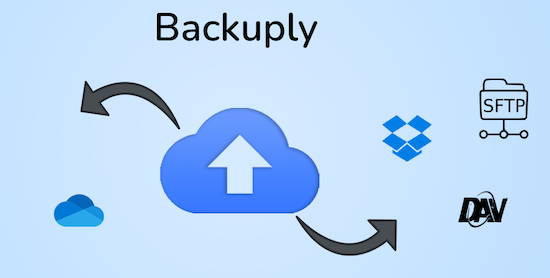
    Backuply is a WordPress backup plug-in with which you can back up a WordPress website. This way you prevent data loss due to servercrashes, hacks, bad updates or bad plug-ins. Backuply offers both local backups and safe cloud backups with integrations with FTP, FTPS, SFTP, Webdav, Google Drive, Microsoft Onedrive, Dropbox, Amazon S3. Recovering is simple: with one click. The plug-in has 200,000 users.

    Voordelen Pro versie

    Automatic backups: Choose to backup a website regularly, such as daily, weekly or monthly. You can adjust the interval yourself. One-Click Restore: With Backuply, restoring your website is easy. Just click on the Restore button next to the backup that you want to recover. The full backup is downloaded and the changes are applied to the website. Selective backup: You can choose whether you only want to make backups of files, databases or full backups. Website migration: Easily migrate by repairing it via one of the cloud backup options on the new website. Website cloning: If you want to clon a website, Backuply can do that for you. Backuply restores the data, but replaces the URLs and information as on the target website. In this way, Jee can make multiple clones. Back-up to FTPS: You can back up the site to an FTPS server, i.e. FTP via SSL/TLS Backup to SFTP: Supports the SFTP protocol Backup to Dropbox Backup to Microsoft One Drive Back-up S3 Back-up S3 Backele Backele Back-up Storage media: Support added for DigitalOcean Spaces, Linode Object Storage, Vultr Object Storage and Cloudflare R2. Support for WP-Cli: You can use Backuply via WP-Cli Professional support: get professional support and more functions to back up a website with Backuply. The paid version starts at 18.00 per year, for 1 website, which includes 1 GB Cloud Storage. That goes up to 69,- for 5 websites with 25 GB, and 249 per year for unlimited websites with 100 GB storage.

    Conclusie

    It is one of the most reliable and most stable backup plug-ins. Definitely recommended!


    Prijs pro vanaf € 18

    Meer informatie?

    basbuis/
    21-05-2025

    Backuply

    , , , ,
    Backup – Recovery – Migrating and Cloning a website
    Backuply backup plugin
  • Beautiful Cookie Consent Banner

    , , ,
    Beautiful Cookie Consent Banner
    Beautiful Cookie Consent Banner is a great way to get a cookie banner without loading external sources from third parties. Adjust the banner so that it fits your compliance requirements and website layout. This banner is completely responsive and very adaptable. There is a free version and a (very affordable) Pro that has more to offer. Fully adjustable texts, colors, fonts and position of the banner and buttons. Google Tag Manager Datalayer Pushs. Choose between different compliance types: Just Inform, opt-in, opt-out, differentiated. Cookies are not stored as standard. With Differential you can define cookie groups and a user can give permission for each group. Show the banner until the user accepts all cookies. – Prevent cookies set by the user to be automatically removed by many browsers – no third -party sources are loaded: everything is hosted on your domain. Developer friendly: Filter hook to change cookie message: nsc_bar_cookie_bar_message. Note: For ‘Google Consent Mode V2’ you need the Pro version.

    Voordelen Pro versie

    The Pro version starts at 11,- per year, for 2 websites and ends at 18.00 per year for 100 websites. Google Consent Mode V2, including new AD_Personalization and Ad_User_Data, see here: Google Consent Mode V2 for WordPress. Support for Microsoft Uet-Testing mode. Microsoft Uet-Testing mode for WordPress. Microsoft Clarity Consent API support. Microsoft Clarity API support for WordPress. Scripts and requests automatically block. Support for multiple languages. Full integration with Google Tag Manager: Load GTM via this plugin. API for institutions. Consent statistics and logs.

    Conclusie

    If you have enough of cookie plug-ins that are becoming more and more expensive, while it is actually a very simple basic functionality, this is your salvation.


    Prijs pro vanaf € 11

    Meer informatie?

    basbuis/
    21-05-2025

    Beautiful Cookie Consent Banner

    , , ,
    Good and affordable cookie banner for WordPress
    Beautiful Cookie Consent Banner
  • Blocks Animation: CSS Animations for Gutenberg

    , , , , ,
    Blocks Animation - CSS Animations
    With Blocks Animation you can add CSS animations to all your Gutenberg blocks elegantly. The interface for Blocks Animation feels so natural and intuitive that you don’t even notice that it has been installed. Just install it, and you will see the animation settings in all blocks, directly in the block settings sidebar. The plug-in has more than 60,000 users. It works on the basis of CSS, so it does not make your website slow.

    Voordelen Pro versie

    It is a free plug-in.

    Conclusie

    To give your website more dynamics, without costs, it is an ideal plug-in. Please note: on some websites, content suddenly does not load when using this plugin.


    Meer informatie?

    basbuis/
    21-05-2025

    Blocks Animation: CSS Animations for Gutenberg

    , , , , ,
    CSS Animations for Gutenberg Blocks
    Blocks Animation - CSS Animations
  • CookieYes

    , , , ,
    CookieYes Cookie plugin
    The Cookieyes Plug-in makes seamless cookie permission and GDPR leveling by integrating an intuitive cookie banner on your website. It offers full support for GDPR (DSGVO, RGPD) and CCPA/CPRA to easily obtain the user’s permission for cookies, which ensures legal compliance.

    Voordelen Pro versie

    Much higher page visit limit (100,000 / month to unlimited). Scans more pages. Determine the layout of the pop-up yourself, geo-targeting, and much more. The disadvantage is that the pro/premium version is per domain. So if you want to use the plug-in on 5 sites, you really have to purchase 5 separate licenses. NOTE: conditions have changed: the free version only works in 1 language.

    Conclusie

    We have tested several cookie plug-ins, and find this one of the best. The Pro version is not cheap, but can do a lot. Incidentally, you only need the Pro version with more than 100,000 visitors per month. NOTE: conditions have changed: the free version only works in 1 language.


    Prijs pro vanaf € 120

    Meer informatie?

    basbuis/
    21-05-2025

    CookieYes

    , , , ,
    Ensures that you meet the cookie (GDPR) legislation
    CookieYes Cookie plugin
  • CSS Class Manager – An advanced autocomplete additional css class control for your blocks
    , , , ,
    CSS Class Manager plugin
    Do you find it difficult to add multiple CSS classes to a WordPress block? CSS Class Manager simplifies the process with suggestions for automatic supplement and a special manager for adding, editing and organizing the classes. CSS Class Manager offers a powerful manager and an autocomplete inspector, so that users can easily add and apply CSS classes to their blocks. Advanced control over automatic supplement: Streamline The Block Style with car supply Functionality for CSS classes-Effortless class management: Easily add CSS classes, edit or remove them directly from the Interface Manager-Import and Export: Bring adapted CSS class seamlessly to guarantee consistency between projects.

    Voordelen Pro versie

    Edi Amin offers this plug-in for free.

    Conclusie

    Absolute recommended. I regularly use classes, but do not remember the exact spelling of each class to be able to add it to a block. This plug-in solves that!


    Meer informatie?

    basbuis/
    21-05-2025

    CSS Class Manager

    , , , ,
    Gives you a handy CSS class manager
    CSS Class Manager plugin
  • Download plugin

    , ,
    Download plugin
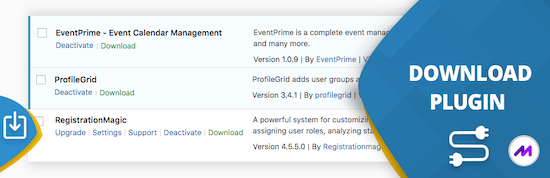
    This handy ‘download plugin’ can easily be plug-ins, themes, users, blog posts, pages, comments, attachments and more directly from the WordPress dashboard. Download plug-in can also download data from any plug-in that uses customized message types, including WooCommerce products, Easy Digital Downloads, Portfolio Post Types, Slider Revolution, BBPRESS, WP Job Manager, Jetpack and much more. WordPress download plug-in is a utility plug-in that does one thing and does it perfectly. It may sound simple, but this function fills a gap in the current set of WordPress plug-in functionality.

    Voordelen Pro versie

    There is no paid version of this plug-in.

    Conclusie

    Very handy plugin. Recommended!


    Meer informatie?

    basbuis/
    21-05-2025

    Download plugin

    , ,
    Download plugins, posts, products, etc,
    Download plugin
  • Fluid Style accessible fluid type generator
    , , ,
    Accessible fluid type generator
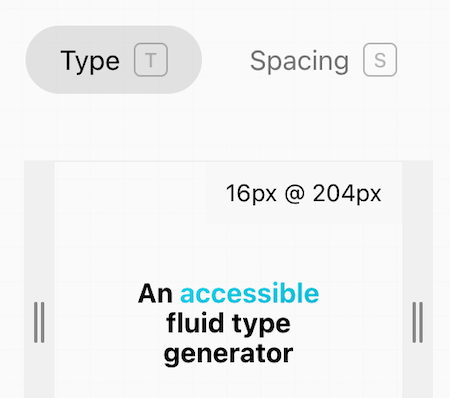
    Fluid Style accessible fluid type generator doet maar één ding: je in staat stellen om je eigen clamp formule te maken. Je geeft je min. size, breakpoint, max. size en breakpoint. Vervolgens kun je met de breedte slider optisch controleren hoe de fluid maatvoering is en of deze klopt. Je kunt kiezen uit font-size of formaat (voor breedte/hoogte objecten, kolommen, etc.)

    Voordelen Pro versie

    Het is een gratis service.

    Conclusie

    Heel handige online calculator die qua maatvoering ook rekening houdt met Accessibility.


    Meer informatie?

    basbuis/
    24-03-2025

    Fluid Style accessible fluid type generator

    , , ,
    Clamp calculator
    Accessible fluid type generator
  • HTML & CSS cheatsheet

    , , ,
    HTML-CSS cheatsheet
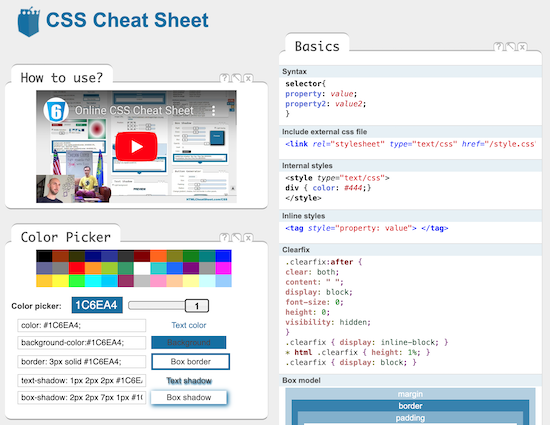
    Een fantastische website met hulpmiddelen voor CSS, HTML, Open Graph, Speciale karakters, CSS Generator, JavaScript en nog veel meer. Als je je een expert bent, scheelt het je veel tijd. Als je net begint stelt het je in staat meer te begrijpen en zelfs effecten te creëren zonder dat je ze begrijpt.

    Voordelen Pro versie

    Het is een gratis tool.

    Conclusie

    Absolute aanrader.


    Meer informatie?

    basbuis/
    09-12-2024

    HTML & CSS cheatsheet

    , , ,
    CSS – HTML – Characters – Structure – Attributes – Tags
    HTML-CSS cheatsheet
  • Imapsync

    , , , , ,
    Imap sync - email verhuizen
    Als je besluit je hosting te verhuizen, kan dat je website betreffen, je e-mail of beide. Als je e-mail bij dezelfde hosting zit als je website en bij je nieuwe hosting ook, dan is de nieuwe hosting soms bereid om die ook voor je te verhuizen. Als je dat niet zijn, of je e-mail is ergens anders gehost, dan moet je de bestaande e-mails zelf overzetten. Dat is gelukkig heel makkelijk met deze (gratis) tool. Deze gratis tool wordt aangeboden door Vimexx.nl hosting. (1) Zorg dat je bij de nieuwe hosting e-mailadressen aanmaakt met exact dezelfde adressen. (2) Zorg dat je dezelfde forwards, aliases, autoresponders, handtekeningen, etc. creëert bij je nieuwe hosting. (3) DNS omzetten naar nieuwe hosting (MX, SPF, DKIM, DMARC). (4) wacht tot de DNS actief is (duurt 1-48 uur). (5) Migreer de e-mails. Tip: controleer eerst of je nieuwe hosting een ‘e-mail import tool’ heeft. Dan heb je deze Imapsync service misschien niet nodig.

    Voordelen Pro versie

    Deze service heeft geen pro versie. Er bestaat wel een betaalde online dienst die hetzelfde doet. Dat is MailJerry: https://www.mailjerry.com. Deze service is gratis tot een emailbox van 250 MB, daarboven heb je een abonnement nodig om e-mails over te zetten.

    Conclusie

    Absolute aanrader. Ik maak hier regelmatig gebruik van.


    Meer informatie?

    basbuis/
    05-01-2025

    Imapsync

    , , , , ,
    Verhuizen e-mail tussen 2 IMAP mappen
    Imap sync - email verhuizen
  • Marc Bacon Clamp Calculator

    , , ,
    marcbacon clamp
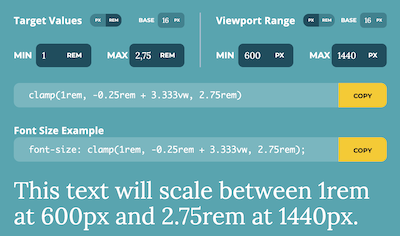
    Marc Bacon Clamp Calculator doet maar één ding: je in staat stellen je target values in te stellen, de viewport range, de base, min. en max. en vervolgens toont hun calculator twee css codes: een algemeen en een ander toegespitst op font-size, welke je meteen kunt toepassen op je website.

    Voordelen Pro versie

    Het is een gratis service.

    Conclusie

    Heel handige online calculator.


    Meer informatie?

    basbuis/
    24-03-2025

    Marc Bacon Clamp Calculator

    , , ,
    Clamp calculator
    marcbacon clamp
  • Migrate Guru

    , , , ,
    Migrate Guru plug-in
    Migrate Guru is een krachtige WordPress migratie plug-in die is ontworpen om een WordPress site naadloos over te zetten naar een nieuwe host of domein. Of je een WordPress website wilt klonen, verplaatsen of migreren, Migrate Guru zorgt voor een probleemloos proces met zijn one-click-migratie functie. – Deze plug-in ondersteunt alles-in-één WP-migraties en verwerkt grote sites tot 200 GB zonder de server over te belasten. Compatibel met elke grote webhost en uitgerust met automatisch URL-herschrijven en geserialiseerde gegevensverwerking, is het de go-to-tool voor het verplaatsen van WordPress sites naar nieuwe domeinen of hosts. – Verplaats, kloon of migreer uw WordPress site met Migrate Guru, de slimme, snelle en veilige WordPress migratie- en back-up plug-in – de plug-in heeft geen automatische back-up functie, dus ik zou het alleen gebruiken voor klonen en migratie.

    Voordelen Pro versie

    Het is een gratis plug-in, maar met pro functionaliteit.

    Conclusie

    Eenvoud, snel en probleemloos. Aanrader.


    Meer informatie?

    basbuis/
    05-01-2025

    Migrate Guru

    , , , ,
    Migreren, back-up, klonen van een site
    Migrate Guru plug-in
  • Motion.page

    , , ,
    Motion-page
    Ontdek de magie van Motion.page, de gamechanger in WordPress animatie. Met zijn gebruiksvriendelijke visuele platform is het maken van dynamische bewegingen en interacties nog nooit zo makkelijk geweest. Het maakt niet uit welke paginabuilder of thema je gebruikt. Motion.page is een onafhankelijke animatiebuilder op zichzelf, en werkt met elke paginabuilder of thema.

    Voordelen Pro versie

    Het is een pro plug-in.

    Conclusie

    De plugin Motion.page is, net als de plug-in WPinteractions, een aanrader als je op eenvoudige wijze leuke en goed toepasbare animaties wilt toevoegen aan je website die je eigen builder niet heeft. WPinteractions biedt ook andere (niet geanimeerde) interacties, terwijl Motion.page alleen op ‘effecten’ gericht is.


    Prijs pro vanaf € 69

    Meer informatie?

    basbuis/
    18-12-2024

    Motion.page animatie plugin

    , , ,
    Animatie voor elke builder en thema
    Motion-page
  • Pressidium Cookie Consent

    , ,
    Pressidium Cookie Consent
    Met Pressidium Cookie Consent kun je eenvoudig een stijlvolle, aanpasbare cookie toestemmingsbanner aan je website toevoegen en op basis van de door de gebruiker geselecteerde voorkeuren scripts van derden (analyses, prestaties, targeting, enz.) voorwaardelijk laden. Zo voldoe je aan de EU GDPR-cookiewetgeving, CCPA en soortgelijke regelgeving. Volledig aanpasbaar: pas eenvoudig de cookie consent banner en de instellingen modale tekst aan. Kies een van de ingebouwde kleur presets die bij de esthetiek van uw website passen, of pas de kleur van individuele componenten aan via onze handige kleurenkiezer. Kies uit verschillende lay-outs, posities en overgangen rechtstreeks vanuit het WordPress dashboard. De plugin is gebouwd op basis van de Cookie Consent JS-bibliotheek van Orest Bida, een zelfstandige vanille JavaScript-bibliotheek zonder afhankelijkheden van derden, die razendsnel laadt en uw website niet vertraagt. Wijzig alle tekst in de cookie-toestemmingsbanner en het instellingenmodel en lever vertalingen. Kies de taal-autodetectiestrategie die u verkiest: lees de browsertaal van de gebruiker of lees de markup van de huidige pagina om de primaire taal te identificeren. Responsief: volledig responsieve en mobiele-vriendelijke cookietoestemmingsbanner en instellingenmodule. Scripts blokkeren: bepaal welke scripts worden geladen op basis van de voorkeuren van de gebruiker. Geef de URL’s van de scripts die u wilt blokkeren (zowel exacte matches als reguliere expressies worden ondersteund) en voorkom dat ze worden uitgevoerd totdat de gebruiker toestemming heeft gegeven.

    Voordelen Pro versie

    Dit is een gratis plug-in.

    Conclusie

    Het is een nieuwe speler, en heel veelbelovend.


    Meer informatie?

    basbuis/
    06-03-2025

    Pressidium Cookie Consent

    , ,
    Cookiemelding website
    Pressidium Cookie Consent
  • SelectorGadget – CSS selector finder

    , ,
    SelectorGadget is een open source tool die het genereren en ontdekken van CSS-selectors op ingewikkelde sites een fluitje van een cent maakt. (1) Installeer de Chrome extensie. (2) Ga naar een willekeurige pagina en start SelectorGadget. (3) Er wordt een veld geopend in de rechterbenedenhoek van de website. (4) Klik op een pagina-element dat je wilt laten matchen met uw selector (het wordt groen). (5) SelectorGadget genereert vervolgens een minimale CSS-selector voor dat element en markeert in geel alles wat overeenkomt met de selector. Klik nu op een gemarkeerd element om het uit de selector te verwijderen (rood), of klik op een niet gemarkeerd element om het toe te voegen aan de selector. Door dit proces van selecteren en afwijzen helpt SelectorGadget u de perfecte CSS-selector voor uw behoeften te vinden.

    Voordelen Pro versie

    Het is een gratis Chrome extensie.

    Conclusie

    Het is echt een ideale extensie. Het scheelt heel veel tijd; je vindt de juiste CSS-selector in seconden.


    Meer informatie?

    basbuis/
    10-12-2024

    SelectorGadget

    , ,
    Maakt het makkelijk ELKE CSS selector te vinden
  • 1
  • 2
  • Next