WP tools WordPress collectie + GS Filter block

Collectie belangrijke en vaak onmisbare WordPress plug-ins en online tools

De collectie WordPress tools (plug-ins, thema’s, online en meer) heeft een filter zodat je bijvoorbeeld de thema’s, builders, SEO of WooCommerce plug-ins makkelijk kunt opzoeken. Mis je iets? Vul het suggestieformulier in!
Filters

16 wp-tools found

Categories
Search
  • All-in-One WP Migration and Backup

    , , , ,
    All-in-One WP Migration and Backup
    All-in-One WP Migration was introduced in 2013, it is one of the most trusted and used plug-ins from WordPress for easy moving of websites. All-in-One WP Migration is specially designed for non-technical users and is full of functions for beginners, with which you can migrate your WordPress website with little to no technical knowledge or experience. More than 5 million active users. The free version can only restore a website to 512 MB.

    Voordelen Pro versie

    This offers several benefits, including the migration of websites larger than 512 MB.

    Conclusie

    The disadvantage of the free version is that it offers limited options. Yet it is still one of the most used migration plugins.


    Prijs pro vanaf € 69

    Meer informatie?

    basbuis/
    21-05-2025

    All-in-One WP Migration and Backup

    , , , ,
    Migration of complete websites
    All-in-One WP Migration and Backup
  • Backuply – Back-up, Restore, Migrate and Clone
    , , , ,
    Backuply backup plugin
    Backuply is a WordPress backup plug-in with which you can back up a WordPress website. This way you prevent data loss due to servercrashes, hacks, bad updates or bad plug-ins. Backuply offers both local backups and safe cloud backups with integrations with FTP, FTPS, SFTP, Webdav, Google Drive, Microsoft Onedrive, Dropbox, Amazon S3. Recovering is simple: with one click. The plug-in has 200,000 users.

    Voordelen Pro versie

    Automatic backups: Choose to backup a website regularly, such as daily, weekly or monthly. You can adjust the interval yourself. One-Click Restore: With Backuply, restoring your website is easy. Just click on the Restore button next to the backup that you want to recover. The full backup is downloaded and the changes are applied to the website. Selective backup: You can choose whether you only want to make backups of files, databases or full backups. Website migration: Easily migrate by repairing it via one of the cloud backup options on the new website. Website cloning: If you want to clon a website, Backuply can do that for you. Backuply restores the data, but replaces the URLs and information as on the target website. In this way, Jee can make multiple clones. Back-up to FTPS: You can back up the site to an FTPS server, i.e. FTP via SSL/TLS Backup to SFTP: Supports the SFTP protocol Backup to Dropbox Backup to Microsoft One Drive Back-up S3 Back-up S3 Backele Backele Back-up Storage media: Support added for DigitalOcean Spaces, Linode Object Storage, Vultr Object Storage and Cloudflare R2. Support for WP-Cli: You can use Backuply via WP-Cli Professional support: get professional support and more functions to back up a website with Backuply. The paid version starts at 18.00 per year, for 1 website, which includes 1 GB Cloud Storage. That goes up to 69,- for 5 websites with 25 GB, and 249 per year for unlimited websites with 100 GB storage.

    Conclusie

    It is one of the most reliable and most stable backup plug-ins. Definitely recommended!


    Prijs pro vanaf € 18

    Meer informatie?

    basbuis/
    21-05-2025

    Backuply

    , , , ,
    Backup – Recovery – Migrating and Cloning a website
    Backuply backup plugin
  • Bunny.net

    , , ,
    Bunny.net video hosting
    Bunny.net manages one of the fastest worldwide networks in the world. You can use their network for hosting your videos, as a CDN to speed up a slow website and as a storage medium. We use it as a hosting for all our videos. It is the best, fastest and the cheapest video hosting we have ever used. The great thing about Bunny.net is that you only have to pay for what you use. With video you pay for storage ($ 0.01 per GB / month) and for traffic. If you have hosted 100 GB of video and 50 GB of videos have been viewed in a month, the costs are $ 2.50. Bunny.net is the only serious option for hosting videos for an education system, such as Learndash or Sensei LMS.

    Voordelen Pro versie

    It’s a pro service.

    Conclusie

    Absolute recommended. The best video hosting (and CDN). Ideal also if you have an LMS.


    Prijs pro vanaf € 1

    Meer informatie?

    basbuis/
    21-05-2025

    Bunny.net

    , , ,
    Video streaming, CDN, storage
    Bunny.net video hosting
  • Download plugin

    , ,
    Download plugin
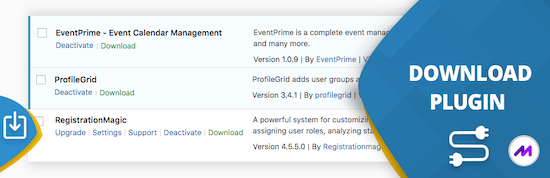
    This handy ‘download plugin’ can easily be plug-ins, themes, users, blog posts, pages, comments, attachments and more directly from the WordPress dashboard. Download plug-in can also download data from any plug-in that uses customized message types, including WooCommerce products, Easy Digital Downloads, Portfolio Post Types, Slider Revolution, BBPRESS, WP Job Manager, Jetpack and much more. WordPress download plug-in is a utility plug-in that does one thing and does it perfectly. It may sound simple, but this function fills a gap in the current set of WordPress plug-in functionality.

    Voordelen Pro versie

    There is no paid version of this plug-in.

    Conclusie

    Very handy plugin. Recommended!


    Meer informatie?

    basbuis/
    21-05-2025

    Download plugin

    , ,
    Download plugins, posts, products, etc,
    Download plugin
  • Imapsync

    , , , , ,
    Imap sync - email verhuizen
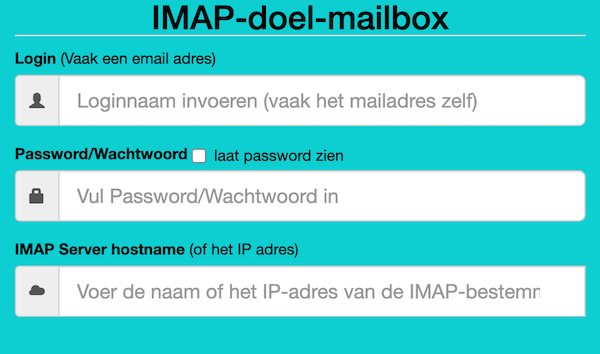
    Als je besluit je hosting te verhuizen, kan dat je website betreffen, je e-mail of beide. Als je e-mail bij dezelfde hosting zit als je website en bij je nieuwe hosting ook, dan is de nieuwe hosting soms bereid om die ook voor je te verhuizen. Als je dat niet zijn, of je e-mail is ergens anders gehost, dan moet je de bestaande e-mails zelf overzetten. Dat is gelukkig heel makkelijk met deze (gratis) tool. Deze gratis tool wordt aangeboden door Vimexx.nl hosting. (1) Zorg dat je bij de nieuwe hosting e-mailadressen aanmaakt met exact dezelfde adressen. (2) Zorg dat je dezelfde forwards, aliases, autoresponders, handtekeningen, etc. creëert bij je nieuwe hosting. (3) DNS omzetten naar nieuwe hosting (MX, SPF, DKIM, DMARC). (4) wacht tot de DNS actief is (duurt 1-48 uur). (5) Migreer de e-mails. Tip: controleer eerst of je nieuwe hosting een ‘e-mail import tool’ heeft. Dan heb je deze Imapsync service misschien niet nodig.

    Voordelen Pro versie

    Deze service heeft geen pro versie. Er bestaat wel een betaalde online dienst die hetzelfde doet. Dat is MailJerry: https://www.mailjerry.com. Deze service is gratis tot een emailbox van 250 MB, daarboven heb je een abonnement nodig om e-mails over te zetten.

    Conclusie

    Absolute aanrader. Ik maak hier regelmatig gebruik van.


    Meer informatie?

    basbuis/
    05-01-2025

    Imapsync

    , , , , ,
    Verhuizen e-mail tussen 2 IMAP mappen
    Imap sync - email verhuizen
  • InstaWP

    , , ,
    InstaWP-hosting-staging
    Instawp is a unique hosting company. They offer superior hosting, worldwide including the Netherlands, staging sites, cloning, template sites, demos and easy migration. The best thing is that all this 100% coordinated. You can migrate a website, from yourself or a client, to a staging site at Instawp, adjust to your wishes and convert it to a live site, at Instawp or any other hosting after approval! Ideal for developers, agencies, studios but also if you only have your own website.

    Voordelen Pro versie

    They offer various Pro accounts, but you can also only host a website with them, without a Pro account. – Pro starter: 9 staging sites, 3 migrations/month, 5 templates and 5GB space. Cost? $ 90 per year. – Pro Professional: 19 Staging sites, 10 migrations/month, 15 templates, 15GB space and 1 live website. Costs: $ 190 / year. – Agency: 49 staging sites, 20 migrations/month, 40 templates, 40GB space, team management and 3 live websites. Costs: $ 490 / year. There is also a ‘hobby’ account, to try, for $ 29 per year. Live hosting 2-9 sites, $ 15 per month, per site. 10 sites? $ 11 per month, per site. With various options for heavier websites.

    Conclusie

    If you are a developer / web builder and want to tackle it seriously, without problems, you cannot ignore Instawp. The rates are also no reason not to do it. There is a reason that many companies work with them: Instawp: StellarWP, Kadencewp, Mediavine, Gravity, Ollie, Restrict Content, Athemes, to name some. It is my favorite (only) way to migrate a site or make a copy.


    Prijs pro vanaf € 9

    Meer informatie?

    basbuis/
    21-05-2025

    InstaWP

    , , ,
    Superior hosting, staging and migration
    InstaWP-hosting-staging
  • JohnnyVPS hosting

    ,
    JohnnyVPS hosting
    JohnnyVPS is een naam die je misschien niet bekend voorkomt. Het is een heel degelijk hosting bedrijf opgezet door WPJohnny, een oude rot en super WordPress expert. De hosting draait op de beste servers, met de beste software, cPanel, perfect geconfigureerd voor WP, en een lage belasting (gemiddeld 25%) zodat je site razendsnel blijft presteren. De servers staan verspreid over de hele wereld, ook in Europa.

    Voordelen Pro versie

    Het is een pro service, dat betekent dat ze er vanuit gaan dat jij een pro bent; support over de server of een installatie die niet goed werkt geven ze graag. Een vraag over een plug-in of hoe maak ik een back-up is niet hun ding. Het is professioneel voor professionals. De prijzen voor deze echte superieure hosting zijn dan ook heel redelijk. Power hosting: 8gb snelle SSD opslag, 100,000 bezoekers/maand, cPanel, SSL certificaten, Gratis migratie, maximaal 5 sites: $ 25,- per maand. Monster hosting: 15 sites, 12 GB snelle SSD opslag, 300.000 bezoekers per maand kost $ 50,- per maand. Elk plan is inclusief gratis cache en snelheid optimalisatie voor 1 website.

    Conclusie

    Absolute aanrader. Ben je al zover dat je het aandurft je website(s) op een professionele server te laten draaien, dan is dit absoluut de beste keuze.


    Prijs pro vanaf € 25

    Meer informatie?

    basbuis/
    02-11-2024

    JohnnyVPS hosting

    ,
    Goede, supersnelle WordPress hostng
    JohnnyVPS hosting
  • Learn WordPress

    , ,
    Learn WordPress
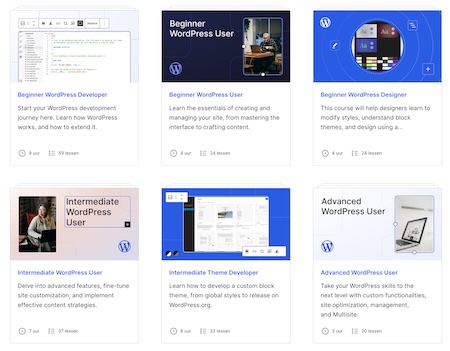
    WordPress biedt onbeperkte mogelijkheden voor mensen om hun online aanwezigheid vorm te geven en uit te breiden. De inhoud van deze cursussen wordt in verschillende formaten aangeboden, met de nadruk op tekst en video, en werkt naar praktische leerdoelen toe om je te helpen een betere WordPress ontwikkelaar, ontwerper, gebruiker en medewerker te worden.

    Voordelen Pro versie

    Het is een gratis service van WordPress.

    Conclusie

    Een aanrader! Het aanbod cursussen is heel groot, en dekt alles. Van absolute beginner tot ervaren ontwikkelaar en block developer.


    Meer informatie?

    basbuis/
    04-03-2025

    Learn WordPress

    , ,
    WordPress cursussen door WordPress
    Learn WordPress
  • Migrate Guru

    , , , ,
    Migrate Guru plug-in
    Migrate Guru is een krachtige WordPress migratie plug-in die is ontworpen om een WordPress site naadloos over te zetten naar een nieuwe host of domein. Of je een WordPress website wilt klonen, verplaatsen of migreren, Migrate Guru zorgt voor een probleemloos proces met zijn one-click-migratie functie. – Deze plug-in ondersteunt alles-in-één WP-migraties en verwerkt grote sites tot 200 GB zonder de server over te belasten. Compatibel met elke grote webhost en uitgerust met automatisch URL-herschrijven en geserialiseerde gegevensverwerking, is het de go-to-tool voor het verplaatsen van WordPress sites naar nieuwe domeinen of hosts. – Verplaats, kloon of migreer uw WordPress site met Migrate Guru, de slimme, snelle en veilige WordPress migratie- en back-up plug-in – de plug-in heeft geen automatische back-up functie, dus ik zou het alleen gebruiken voor klonen en migratie.

    Voordelen Pro versie

    Het is een gratis plug-in, maar met pro functionaliteit.

    Conclusie

    Eenvoud, snel en probleemloos. Aanrader.


    Meer informatie?

    basbuis/
    05-01-2025

    Migrate Guru

    , , , ,
    Migreren, back-up, klonen van een site
    Migrate Guru plug-in
  • Mijn.host hosting

    Mijn host hosting
    Werken met mijn.host is een soepele en fijne ervaring. Mijn.host is perfect voor kleine tot middelgrote bedrijven die op zoek zijn naar betrouwbare, snelle en betaalbare WordPress-hosting, met service door medewerkers die weten wat ze doen. Zelfs het verhuizen van je site naar hen doen ze voor je, als je dat niet zelf kunt doen.

    Voordelen Pro versie

    Al is hun goedkoopste optie wat basic, alles is pro. Ze bieden meerdere hosting pakketten; van 1 tot 5 of zelfs 10 websites op één account. De prijzen variëren van € 3,99 tot € 13,99 per maand. Daarnaast is het een geode partij voor het hosten van je domeinen, en ze hebben een degelijk e-mail hostingpakket. Als hun pakketten bieden: LiteSpeed cache, NVMe supersnelle opslag, gratis SSL-certificaat, onbeperkt dataverkeer, dagelijkse back-up, wildcard SSL, staging, subdomeinen en een WAF firewall. Als ik een nadeel moet bedenken, zou dat het feit zijn dat DirectAdmin en Softaculous niet tot mijn favoriete beheertools behoren, maar dat geldt helaas voor bijna alle hosting beheertools, niet alleen bij Mijn.host.

    Conclusie

    Mijn.host is een absolute aanrader. We zijn een tijd geleden met al onze sites naar hen verhuisd, en hebben nog geen moment spijt.


    Prijs pro vanaf € 48

    Meer informatie?

    basbuis/
    02-11-2024

    Mijn.host

    Goede WordPress hosting
    Mijn host hosting
  • Solid Backup – NextGen

    ,
    Solid Backups — NextGen
    Solid Backups – NextGen is een nieuwe, cloud-first, high-performance back-upoplossing van SolidWP. Met Solid Backups – NextGen zijn uw back-ups sneller, nemen ze minder ruimte in beslag en zijn ze betrouwbaarder dan ooit. Back-ups worden veilig opgeslagen in de cloud en kunnen, wanneer nodig, pijnloos worden hersteld met één klik. Geen resource-verslindende, potentieel omslachtige plug-in-gebaseerde methoden meer, om ​​back-ups te maken van je WordPress site. Dagelijkse, incrementele back-ups Herstellen met één klik Gedetailleerde activiteiten tijdlijn Gecentraliseerd beheer dashboard Priority Support Team

    Voordelen Pro versie

    Solid Backup – NextGen heeft alleen een betaalde versie.

    Conclusie

    Solid Backup – NextGen is niet de goedkoopste, maar biedt wel iets anders… gemak, zekerheid, geen plug-in nodig, een externe beschermde cloud van 20GB. Het is ook absoluut geen dure optie, dus wat ons betreft een heel serieuze overweging, als je site je lief is. Zeker als je houdt van een eenvoudige installatie, alle geregeld door een back-up systeem dat deel is van de StellarWP familie; bekend van LearnDash, Kadence en nog veel meer.


    Prijs pro vanaf € 98

    Meer informatie?

    basbuis/
    22-10-2024

    Solid Backup – NextGen

    ,
    Backup voor WordPress
    Solid Backups — NextGen
  • Transfer LMS – Conversion Tool for LearnDash & LifterLMS

    , , , , ,
    Transfer LMS
    De beste import- en export oplossing voor LearnDash & LifterLMS. Importeer en exporteer moeiteloos cursussen, content en data tussen LMS-platforms, en zorg voor een naadloze en efficiënte cursus beheerervaring. Exporteer moeiteloos complete LearnDash- of LifterLMS- cursussen, inclusief alle content en ingeschreven gebruikers. Importeer met slechts een paar klikken alles naadloos naar een nieuwe LearnDash- of LifterLMS-site.

    Voordelen Pro versie

    Het is een Pro plug-in. De kosten per jaar zijn 79,- voor twee sites, of 269,- voor 25 websites.

    Conclusie

    Als je wisselt van LMS platform; van LearnDash naar LifterLMS, of LifterLMS naar LearnDash, dan is dit de ideale plug-in. Ook voor het maken van back-ups is het een aanrader.


    Prijs pro vanaf € 79

    Meer informatie?

    basbuis/
    06-03-2025

    Transfer LMS

    , , , , ,
    Conversion Learndash & Lifter
    Transfer LMS
  • Umbrella WP management

    , , , ,
    Umbrela WP management
    Duizenden bureaus gebruiken WP Umbrella om meerdere WordPress sites vanaf één plek te beheren, veel tijd te besparen en effectief de waarde van hun werk aan klanten te demonstreren. Eén dashboard om al uw websites te beheren. Veilig bulk-updates uitvoeren voor WordPress, plug-ins en thema’s – Beveiligings- en kwetsbaarheidsbewaking – Automatische back-ups opgeslagen in de cloud – Uptime-bewaking – Google PageSpeed-bewaking – Geautomatiseerde onderhoudsrapporten – Toegang met 1 klik – Betrouwbare waarschuwingssystemen – PHP-foutenbewaking – Integraties (Slack, Google Analytics) – 100% wit label – Geweldige ondersteuning – AVG-naleving.

    Voordelen Pro versie

    Umbrella WP-management is een Pro plug-in. Hun prijs is heel eenvoudig; de kosten zijn $ 1,99 per site per maand.

    Conclusie

    Een goede applicatie. Plug-in installeren, account aanmaken, copy/paste de API, klaar.


    Prijs pro vanaf € 1.99

    Meer informatie?

    basbuis/
    15-11-2024

    Umbrella WP management

    , , , ,
    Beheer meerdere WP websites vanaf één locatie
    Umbrela WP management
  • UpdraftPlus back-up & migratie

    , , , , ,
    UpdraftPlus backup & migratie
    UpdraftPlus is een heel populaire plug-in voor back-up & migratie. UpdraftPlus back-up & migratie kent meer dan 3.00.000 gebruikers. Back-up naar Dropbox, Google Drive, Amazon S3 (of compatibel), Rackspace Cloud, FTP, DreamObjects, Openstack Swift of e-mail. Maak handmatig of dagelijks een back-up. Je kunt een WordPress website in slechts een paar klikken herstellen met UpdraftPlus. Kies welke componenten je wilt herstellen (plug-ins, thema’s, database etc.), klik nogmaals om te herstellen en nogmaals om terug te keren naar het hoofdscherm. Bij migreren identificeert een ingebouwde zoek-en-vervang functie oude strings en vervangt deze om de nieuwe locatie weer te geven. UpdraftPlus bespaart je tijd en vermindert het risico op verbroken links of ontbrekende bestanden die verband houden met handmatige migraties. Kloon: UpdraftPlus kan ook een kloon maken van je website, bijvoorbeeld om een ander thema te testen.

    Voordelen Pro versie

    Met de betaalde versie: Back-ups maken naar Microsoft OneDrive, Microsoft Azure, Google Cloud, Backblaze B2, SFTP, SCP, pCloud, WebDAV of UpdraftVault, onze geïntegreerde opslagoptie voor UpdraftPlus. Back-up plannen elke 2, 4, 8 of 12 uur, dagelijks, wekelijks, maandelijks of tweewekelijks. Automatische back-ups voor updates van WordPress of plug-ins; herstel de allerlaatste versie als een update de site kapotmaakt. Incrementeel back-uppen. Wijzigingen worden toegevoegd aan de master, waardoor serverbronnen worden bespaard in plaats van herhaaldelijk een volledige back-up te maken. 1 GB geïntegreerde opslag met UpdraftVault voor 99,999% betrouwbaarheid, redundantie en schaalbaarheid. Krijg meer controle over hoeveel back-ups er in een bepaald interval worden opgeslagen. Herstel vanuit andere back-up plug-ins, waaronder BackWPup, BackupWordPress, Simple Backups en meer. Voer back-ups uit op vaste tijden, bijvoorbeeld tijdens periodes met weinig verkeer. Maak een back-up naar meer dan één locatie voor extra bescherming. Ontvang gedetailleerde rapporten. Bevat cryptografische checksums zodat je de integriteit van de back-upbestanden en meer kunt verifiëren. Krijg Premium migratie. Migreren naar de bestemmingssite is directer en kan vanaf de bronsite. Verkrijg multisite/multi-netwerk compatibiliteit. Maak een back-up van niet-WP-bestanden en databases, bijvoorbeeld tabellen die horen bij je e-commercewinkel of aanpassingen aan de WordPress-kern. Zorg voor databaseversleuteling. Beheer uw back-ups en migraties vanuit de WP-CLI. Ontvang Premium-ondersteuning.

    Conclusie

    Een van de beste back-up plug-ins voor WordPress. Qua prijs is ook de premiumversie van UpdraftPlus redelijk; € 66,- voor 2 websites of 92,- voor 10 websites. We werken al heel lang met UpdraftPlus, en hebben er nooit probleem mee gehad. Ook de koppeling met Google Drive of Dropbox is probleemloos. Aanrader.


    Prijs pro vanaf € 66

    Meer informatie?

    basbuis/
    05-01-2025

    UpdraftPlus backup & migratie

    , , , , ,
    Back-up & Migratie WordPress sites
    UpdraftPlus backup & migratie
  • WP101 WordPress tutorials

    , ,
    WP101 WordPress tutorials
    WordPress Tutorial Videos for Beginners! Are you tired of wasting time searching Google for homemade WordPress tutorial videos full of “uhs” and “ums”? Since 2008, WordPress 101 tutorial videos have helped over three million beginners learn WordPress in just a few hours. Stop searching. Start learning! Every WordPress tutorial video we create is carefully written and professionally produced by expert instructors dedicated to helping you learn WordPress step by step, so you can build your own website today!

    Voordelen Pro versie

    It’s an (affordable) pro service.

    Conclusie

    Definitely recommended. The downside is that it also covers builders like Elementor, Spectra, and Beaver Builder, which are only useful if you actually use them.


    Prijs pro vanaf € 12

    Meer informatie?

    basbuis/
    22-08-2025

    WP101 WordPress tutorials

    , ,
    Courses – tutorials – about WordPress
    WP101 WordPress tutorials
  • 1
  • 2
  • Next