WP tools WordPress collectie + GS Filter block
Collectie belangrijke en vaak onmisbare WordPress plug-ins en online tools
-
All-in-One WP Migration and Backup
All-in-One WP Migration was introduced in 2013, it is one of the most trusted and used plug-ins from WordPress for easy moving of websites. All-in-One WP Migration is specially designed for non-technical users and is full of functions for beginners, with which you can migrate your WordPress website with little to no technical knowledge or experience. More than 5 million active users. The free version can only restore a website to 512 MB.Voordelen Pro versie
This offers several benefits, including the migration of websites larger than 512 MB.
Conclusie
The disadvantage of the free version is that it offers limited options. Yet it is still one of the most used migration plugins.
Prijs pro vanaf € 69
Meer informatie?
basbuis/21-05-2025All-in-One WP Migration and Backup
Migration of complete websites
-
Amelia WordPress Bookings and Events

With more than 16,000 appointments per week and 20,000 events per month, Amelia is the WordPress booking solution par excellence. All booking functions you need in a single plug-in. Discover how the Amelia Appointments Booking System can help you plan meetings, events, agreements and customer management.Voordelen Pro versie
The Pro version can be considerably more. Amelia offers a license from 1 site and even has lifetime licenses.
Conclusie
One of the better agreements, booking and event systems. It has more than 70,000 customers and is used for more than 1,200,000 bookings per year.
Prijs pro vanaf € 49
Meer informatie?
basbuis/21-05-2025Amelia WordPress booking en Events
WordPress Booking Plugin for Appointments and Events
-
Antispam Bee
Say goodbye to spam on your WordPress blog or website. Antispam Bee blocks spam reactions and trackbacks effectively, without sending captchas and without personal information to external services. It is free, advertising-free and 100% GDPR conform. Trust in approved commentators – Keep in mind the time required to comment – Responses only in a certain language – Block authors of reactions from certain countries or allow them – Treat BBCode Links as spam – Use regular expressions – Search the local spam database to people who have been marked as spammer with the Spamm with the Spamm with the Spamm with the Spamx. Days – Limit the approval of comments/Pings (other types of comments are deleted) – Select SPAM indicators to send reactions directly to removal – Optional trackbacks and pingbacks of spam detection – If necessary, check the comments on Archive pages on spam – Toon spam speed and daily updates. Has 700,000+ users.Voordelen Pro versie
It is a free plug-in. A donation is appreciated.
Conclusie
Absolutely recommended!
Meer informatie?
basbuis/21-05-2025Antispam Bee
Say goodbye to spam on your WordPress blog or website: blocks spam comments and trackbacks.
-
Backuply – Back-up, Restore, Migrate and Clone
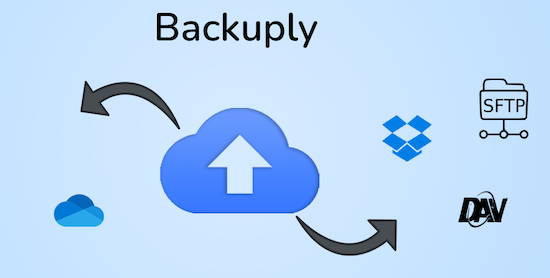
Backuply is a WordPress backup plug-in with which you can back up a WordPress website. This way you prevent data loss due to servercrashes, hacks, bad updates or bad plug-ins. Backuply offers both local backups and safe cloud backups with integrations with FTP, FTPS, SFTP, Webdav, Google Drive, Microsoft Onedrive, Dropbox, Amazon S3. Recovering is simple: with one click. The plug-in has 200,000 users.Voordelen Pro versie
Automatic backups: Choose to backup a website regularly, such as daily, weekly or monthly. You can adjust the interval yourself. One-Click Restore: With Backuply, restoring your website is easy. Just click on the Restore button next to the backup that you want to recover. The full backup is downloaded and the changes are applied to the website. Selective backup: You can choose whether you only want to make backups of files, databases or full backups. Website migration: Easily migrate by repairing it via one of the cloud backup options on the new website. Website cloning: If you want to clon a website, Backuply can do that for you. Backuply restores the data, but replaces the URLs and information as on the target website. In this way, Jee can make multiple clones. Back-up to FTPS: You can back up the site to an FTPS server, i.e. FTP via SSL/TLS Backup to SFTP: Supports the SFTP protocol Backup to Dropbox Backup to Microsoft One Drive Back-up S3 Back-up S3 Backele Backele Back-up Storage media: Support added for DigitalOcean Spaces, Linode Object Storage, Vultr Object Storage and Cloudflare R2. Support for WP-Cli: You can use Backuply via WP-Cli Professional support: get professional support and more functions to back up a website with Backuply. The paid version starts at 18.00 per year, for 1 website, which includes 1 GB Cloud Storage. That goes up to 69,- for 5 websites with 25 GB, and 249 per year for unlimited websites with 100 GB storage.
Conclusie
It is one of the most reliable and most stable backup plug-ins. Definitely recommended!
Prijs pro vanaf € 18
Meer informatie?
basbuis/21-05-2025Backuply
Backup – Recovery – Migrating and Cloning a website
-
Betterstack – Website observation and monitoring

Checks your website every 3 minutes. Uptime, downtime, SSL connection, everything you want. If a malfunction is found, check the system first via at least 2 other locations before it warns you; To prevent false reports. The free account offers a service up to a maximum of 10 websites and has (of course) considerably fewer options than the Pro version.Voordelen Pro versie
The Pro version also concerns 10 websites (monitors), has Push notifications, checks every 30 seconds, sends screenshots of the problem, has Zapier, Slack and Rest API integration and Webhooks. In addition, the POP3/IMAP/SMTP settings are also monitored and much more.
Conclusie
One of the best websites monitor services.
Prijs pro vanaf € 29
Meer informatie?
basbuis/21-05-2025Betterstack
Monitors Uptime and SSL from your websites
-
Cloudflare WordPress Plugin
The free plug-in from Cloudflare for WordPress speeds up the loading speed of pages, improves SEO and protects against DDOS attacks and WordPress specific vulnerabilities. The WordPress plug-in for Cloudflare offers all the benefits of Cloudflare, with an installation with one click from settings specially developed for the WordPress platform.Voordelen Pro versie
The Pro version of Cloudflare is not a cheap service. It is usually used by larger companies. That seems faint, but it is not too bad … they are also more often the target of targeted attacks.
Conclusie
Recommended!
Meer informatie?
basbuis/21-05-2025Cloudflare WordPress Plugin
Speeds up the loading speed, improves SEO and protects against DDOS attacks
-
Custom Fonts – Host Your Fonts Locally

Improved speed and performance – With the custom fonts plug-in you can upload your own fonts or choose from an extensive collection of Google Fonts. These are all hosted directly on your own web server. By hosting fonts locally, you can considerably improve the performance of the website. Because the fonts are loaded directly from your server, external requests are reduced, so that the loading times of the page are considerably shortened. The plug-in is maintained by the makers of the Astra theme and has more than 300,000 users.Voordelen Pro versie
It is a free plug-in.
Conclusie
If your own theme or page builder does not offer the option to host Fonts locally, this is recommended!
Meer informatie?
basbuis/21-05-2025Custom Fonts – Host Your Fonts Locally
Improve the speed of your site and eliminate privacy problems
-
Disable User Login
With this plug-in you can disable specific user accounts via a profile setting. After installation and activation, a check box appears in the user profile settings (only for administrators). When this is checked, the user’s account is switched off and they cannot log in to the account. If they try to log in, they are immediately logged in and forwarded to the login page with a message that their account has been switched off. This can be useful in a number of situations: you want freelance writers still to appear in the authors’ profession, but you do not want them to be able to log in. – You have former employees who have written messages and you do not want to delete them or assign their messages to other users, but you want them to be displayed in the ‘authors’ box. – You work on a site for a customer who has an account, but you don’t want him to log in and/or make changes during development. – You have a customer who has an unpaid invoice.Voordelen Pro versie
It is a free plug-in.
Conclusie
Recommended!
Meer informatie?
basbuis/21-05-2025Disable User Login
WordPress user (temporarily) switch off
-
Download plugin
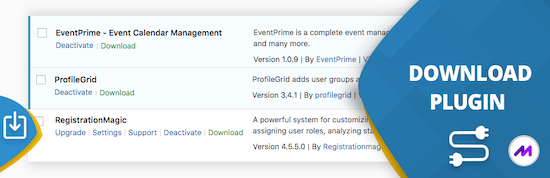
This handy ‘download plugin’ can easily be plug-ins, themes, users, blog posts, pages, comments, attachments and more directly from the WordPress dashboard. Download plug-in can also download data from any plug-in that uses customized message types, including WooCommerce products, Easy Digital Downloads, Portfolio Post Types, Slider Revolution, BBPRESS, WP Job Manager, Jetpack and much more. WordPress download plug-in is a utility plug-in that does one thing and does it perfectly. It may sound simple, but this function fills a gap in the current set of WordPress plug-in functionality.Voordelen Pro versie
There is no paid version of this plug-in.
Conclusie
Very handy plugin. Recommended!
Meer informatie?
basbuis/21-05-2025Download plugin
Download plugins, posts, products, etc,
-
FluentAuth security
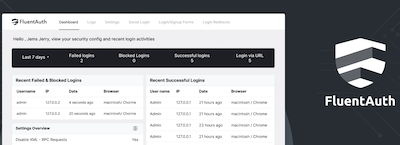
Verbeter de beveiliging van uw website met Login/Signup Security, Two-Factor Email Authentication, Login/Logout Redirects, Social Logins, Gedetailleerde Audit Logs en Meer. FluentAuth is de lichtste en razendsnelle beveiligingsplugin voor WordPress. Twee-factorauthenticatie voor inloggen Magische login via e-mail – Sociaal inloggen / Registreren – Beperk inlogpogingen – Dynamische inlog-omleidingen – Gedetailleerde auditlogboeken – Verbetering van de kernbeveiliging – Beveiligings-e-mailmeldingen – Supersnelle oplossing – Beperk /wp-admin voor gebruikersrollen op laag niveau.Voordelen Pro versie
Het is een gratis plug-in.
Conclusie
Heel handige plug-in!
Meer informatie?
basbuis/06-03-2025FluentAuth security
Beveiliging, magic login via e-mail, twee-factorauthenticatie
-
Foo Events
Krijg volledige controle over uw ticket verkoopproces en klantgegevens met de veiligste en meest flexibele event- en ticketingoplossing die er is. Duizenden FooEvents-klanten hebben miljoenen WooCommerce tickets met een aangepast merk verkocht vanaf hun WordPress websites zonder dat ze ticketkosten of commissie hoefden te betalen. Krijg volledige controle over hoe uw tickets eruit zien, hoe ze worden verzonden, in welk formaat ze worden verzonden en hoe ze worden gebruikt door uw team en klanten of deelnemers. U kunt kiezen uit meer dan 20 gratis ticket thema’s of uw eigen thema ontwerpen met het starterthema als leidraad.Voordelen Pro versie
Het is een pro event plug-in voor WooCommerce.
Conclusie
Een heel handige, veel gebruikte plug-in. Niet echt goedkoop, maar de plug-in is efficiënt en kan ook grote events met vele duizenden bezoekers aan, zonder problemen.
Prijs pro vanaf € 139
Meer informatie?
basbuis/22-02-2025Foo Events
Beheer en verkoop evenementen, cursussen, tickets op uw jouw voorwaarden
-
Geodirectory directory and listings
GeoDirectory is een heel goede WordPress Business Directory Plug-in. Ongeacht wat je wilt creëren, of het nu gaat om een stadsgids, een vacaturebank, een makelaarsgids of een website met advertenties, GeoDirectory verandert elk WordPress thema in een robuust zoeknetwerk voor gebruikers. Voeg al je bedrijfsvermeldingen in één keer toe en maak gebruik van een indrukwekkende reeks blokken, shortcodes en widgets om intuïtieve, locatiegebaseerde websitegidsen op te zetten. GeoDirectory is geheel compatibel met WordPress-paginabuilders zoals Gutenberg (Kadence WP, Astra, Neve, OceanWP), Elementor, Bricks, Divi, Beaver Builder en Breakdance! GeoDirectory is een robuuste en schaalbare WordPress directory plugin.Voordelen Pro versie
De pro versie van GeoDirectory geeft je: Locatiemanager, Prijs manager, aangepaste berichttypes, evenementen, betere zoekfunctie, filters, map-clustering, franchise manager, de wp-all import add-on en nog veel meer. Kosten: 139,- voor één website en 229,- voor unlimited websites met prijslock.
Conclusie
We hebben meerdere directory plug-ins gebruikt en getest. De enige die probleemloos werkte en alles kon wat we wilden en zelfs meer, is GeoDirectory. Net als alle andere directory plug-ins, werkt ook GeoDirectory het makkelijkst als je deze integreert op Gutenberg of WP-classic pagina’s. Het werkt ook uitstekend met Elementor, maar bijvoorbeeld met builders als Bricks, Divi en Breakdance is het altijd lastig met dit soort uitgebreide plug-ins. Maar dat ligt niet aan GeoDirectory; alle directory plug-ins hebben dat. GeoDirectory is een absolute aanrader; we gebruiken het veelvuldig. Deze website is een uitzondering; hier wilden we graag experimenteren met de mogelijkheden van Greenshift en was er sprake van een andere lay-out. Voor voorbeelden, zie www.reikiryoho.nl en www.foundation-register.nl.
Prijs pro vanaf € 139
Meer informatie?
basbuis/06-03-2025Geodirectory directory and listings
Creëert een directory op je website
-
GoTMLS – Anti-Malware Security and Brute-Force Firewall

Download definitie-updates om jezelf te beschermen tegen nieuwe bedreigingen. Voer een volledige scan uit om automatisch bekende beveiligingsbedreigingen, backdoorscripts en database-injecties te verwijderen. Firewall blokkeert SoakSoak en andere malware, zodat deze geen misbruik kunnen maken van Revolution Slider en andere plug-ins met bekende kwetsbaarheden. Werk kwetsbare versies van timthumb-scripts bij. Deze plug-in heeft 200.000 gebruikers en wordt regelmatig bijgewerkt. Zelfs de gratis versie wordt door professionele ontwikkelaars al hoger gewaardeerd dan bijvoorbeeld Sucuri. LET OP: het is belangrijk een account te openen (gratis) op https://gotmls.net/ zodat de definitie-updates voor de beveiliging worden geupdate.Voordelen Pro versie
Premiumfuncties: Patch je wp-login en XMLRPC om Brute-Force- en DDoS-aanvallen te blokkeren. Controleer de integriteit van je WordPress Core-bestanden. Automatisch nieuwe definitie-updates downloaden wanneer je een volledige scan uitvoert.
Conclusie
Het is volgens professionele ontwikkelaars een van de beste plug-ins om je WordPress website te beveiligen. De gratis basisversie biedt al heel veel; een donatie wordt op prijs gesteld: https://gotmls.net/donate. Uiteraard geeft de Premiumversie veel meer mogelijkheden.
Meer informatie?
basbuis/22-10-2024GoTMLS Anti-Malware Security and Brute-Force Firewall
Beveiligd WordPress site tegen malware en creëert brute-force firewall
-
Hetrix Tools
Uptime-monitor en zwarte lijst (blacklist) monitor – 15 Uptime Monitors • 1 Minuut Interval – 32 Blacklist Monitors • Dagelijks gecontroleerd – Maximaliseer de uptime van uw netwerk – vrij van spam. De gratis versie houdt maximaal 15 sites in de gaten. Daarnaast kan het systeem letterlijk alles in de gaten houden; status van je opslag (schijf), RAID, poortverbindingen, serverstatus, etc. Let op: het gratis account heeft als voorwaarde dat je minstens eens per 90 dagen inlogt in je Hetrix ccount.Voordelen Pro versie
De Pro versie kent aanzienlijk meer mogelijkheden. Het aantal monitors gaat van 15 naar 30, heeft 1000% meer API calls, SMS credits en professioneel support.
Conclusie
Ook een van de betere website monitor systemen / tools.
Prijs pro vanaf € 9.95
Meer informatie?
basbuis/11-01-2025Hetrix Tools
Monitort je websites elke minuut op storingen
-
Imapsync
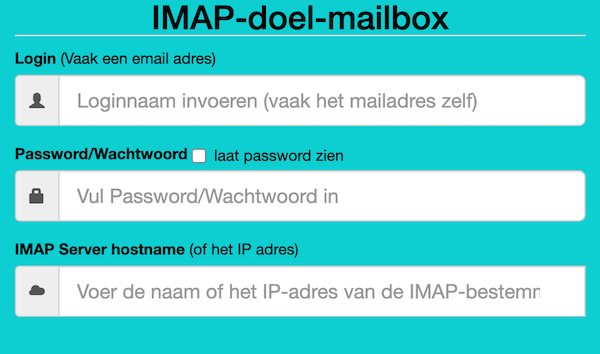
Als je besluit je hosting te verhuizen, kan dat je website betreffen, je e-mail of beide. Als je e-mail bij dezelfde hosting zit als je website en bij je nieuwe hosting ook, dan is de nieuwe hosting soms bereid om die ook voor je te verhuizen. Als je dat niet zijn, of je e-mail is ergens anders gehost, dan moet je de bestaande e-mails zelf overzetten. Dat is gelukkig heel makkelijk met deze (gratis) tool. Deze gratis tool wordt aangeboden door Vimexx.nl hosting. (1) Zorg dat je bij de nieuwe hosting e-mailadressen aanmaakt met exact dezelfde adressen. (2) Zorg dat je dezelfde forwards, aliases, autoresponders, handtekeningen, etc. creëert bij je nieuwe hosting. (3) DNS omzetten naar nieuwe hosting (MX, SPF, DKIM, DMARC). (4) wacht tot de DNS actief is (duurt 1-48 uur). (5) Migreer de e-mails. Tip: controleer eerst of je nieuwe hosting een ‘e-mail import tool’ heeft. Dan heb je deze Imapsync service misschien niet nodig.Voordelen Pro versie
Deze service heeft geen pro versie. Er bestaat wel een betaalde online dienst die hetzelfde doet. Dat is MailJerry: https://www.mailjerry.com. Deze service is gratis tot een emailbox van 250 MB, daarboven heb je een abonnement nodig om e-mails over te zetten.
Conclusie
Absolute aanrader. Ik maak hier regelmatig gebruik van.
Meer informatie?
basbuis/05-01-2025Imapsync
Verhuizen e-mail tussen 2 IMAP mappen
- Prev
- 1
- 2
- 3
- Next