WP tools WordPress collectie + GS Filter block
Collectie belangrijke en vaak onmisbare WordPress plug-ins en online tools
-
ACF Advanced Custom Posts
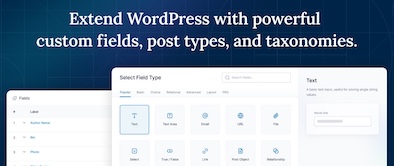
ACF custom fields allow you to quickly and easily add fields with just a few clicks of a button! Whether it’s something as simple as adding an author field to a book review post, or something more complex like the structured data of an ecommerce site or marketplace, ACF makes adding fields to the content model easy. Fields can be added anywhere in WordPress, including posts, pages, users, taxonomy terms, media, and comments. It couldn’t be easier to bring structure to the WordPress content creation experience.Voordelen Pro versie
The Pro version includes: A Repeater field that lets you create a set of subfields that can be repeated over and over again. ACF Blocks , a PHP-based framework for developing custom block types for the WordPress Block Editor. An options page to add custom admin pages to edit ACF fields. Unlock a more efficient workflow for managing field settings by reusing existing fields and field groups on demand with Clone Field.
Conclusie
If you need a custom post, like a review or whatever, ACF is an indispensable plugin. ACF is compatible with both Kadence blocks and Greenshift blocks. There are similar plugins, like MetaBox, Pods, Toolset, JetEngine, Voxel, ACPT and ASE, but so far ACF is a perfect and nice working plugin, which we work with ourselves very regularly. The free version is already sufficient for many websites. Note: if you start working with custom fields, you require a builder that supports Dynamic Fields.
Prijs pro vanaf € 49
Meer informatie?
basbuis/21-05-2025ACF Advanced Custom Posts
Creating and managing custom fields
-
Block Manager
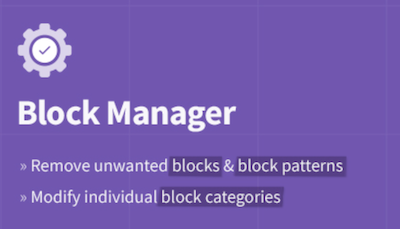
The Block Manager is an intuitive tool for site managers to show or hide blocks and block patterns. It also offers functionality for updating the category of individual blocks to organize the operator’s editing experience. Blocks: Switch off the display of blocks in the block adder and the Blokeditor worldwide. Patterns: Remove unwanted block patterns with one click on the button. Block categories: Organize the Blok Intremer by updating the category of each block. Search and filter: quickly find blocks and patterns with the search function in the sidebar. Include blocks: choose the blocks that you actually want to record on the site by removing the vast majority of useless options.Voordelen Pro versie
It’s a free plug-in
Conclusie
If you have multiple plug-ins who all offer blocks, it quickly becomes a mess. This plug-in allows you to organize everything.
Meer informatie?
basbuis/21-05-2025Block Manager
Turn on and off Gutenberg as desired
-
Blockera – Advanced Mode for Block Editor
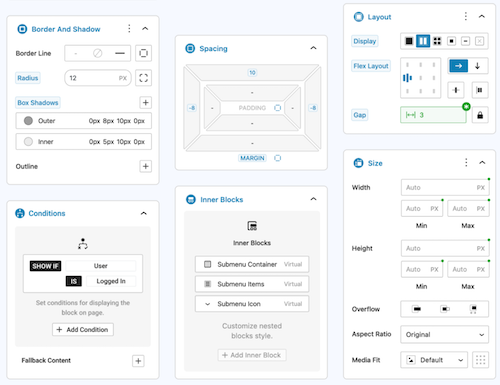
Blockera is the advanced mode for the WordPress Block editor, which extends the functionality of the standard Gutenberg (Core) blocks into a powerful page builder. Every block suddenly has: responsive breakpoints, professional margin and padding, block states, mesh gradies, flex layout, effects, sticky, shadow, custom variables, conditions, overflow, and much more. The standard Gutenberg Builder can suddenly be more than many builders!Voordelen Pro versie
The Pro version can do much more.
Conclusie
Absolute recommended. The version with all the advantages mentioned is free, highly recommended!
Meer informatie?
basbuis/21-05-2025Blockera – Advanced Mode for Block Editor
Turns Gutenberg (block editor) into an advanced editor
-
BlockMeister – Block Pattern Builder
With Blockmeister, making adapted block patterns becomes simple. The patterns can be designed as you design a blog post or a page with the Block editor. You can assign any (adapted) category or keywords. This way, your patterns are categorized in a way that makes sense to your users and makes keywords easier to find a pattern. Your custom patterns are available via the Block Pattern tab in the Insertpanel. Functions: visual design of adapted block patterns using the pattern builder – Make an adapted pattern of one or more selected blocks in the post -editor – Import patterns that are made/shared by trusted Pro users [new in 3.0]Voordelen Pro versie
If you want more functions, such as: group locking, clones, activating or deactivating individual patterns, exporting, importing, determining which core/third-party patronage sets may be loaded, set block styles and more, there are premium versions:
Conclusie
Recommended
Meer informatie?
basbuis/21-05-2025Blockmeister
With Blockmeister, making adapted block patterns is easy
-
Brand and build code snippets
Small handy code snippets. To adjust an avatar, adjust query loop, show progress bar, and much more. Brand@build is a professional; It provides the PHP code and immediately the CSS for the layout.Voordelen Pro versie
It is a free service. Look immediately at her range of both free and premium blocks and templates,
Conclusie
Recommended!
Meer informatie?
basbuis/21-05-2025brandandbuild-code snippets
Collection of handy (PHP) code Snippets
-
DBlocks Finder – Blocks and Synced Patterns
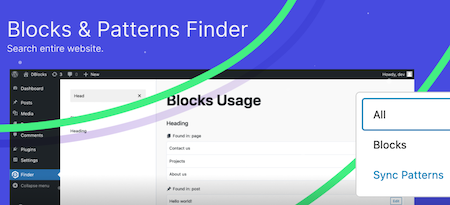
DBLOCKS Finder is a powerful and user-friendly plugin, designed to find and manage Gutenberg blocks and synchronized patterns within a WordPress site. With the intuitive interface you can easily navigate through all registered blocks and view their use in your messages and templates. Integration with Admin Menu: Integrates seamlessly with the WordPress-Admin panel and offers a special menu for quick access to block management. Dynamic block overview: View all registered Gutenberg blocks, including their titles and user statistics. How it works: Plugin scans all public messages and pages and show which blocks on which message or which page is used. Each message type is displayed in a separate group with the same icons as in the sidebar menuVoordelen Pro versie
It’s a free plug-in
Conclusie
Ideal to know which blocks are of which block collection.
Meer informatie?
basbuis/21-05-2025DBlocks Finder – Blocks and Synced Patterns
Find and manage Gutenberg blocks and patterns on a WordPress site
-
Divi builder
Divi. It was the Builder who made it possible for me to create a website the way I wanted, in 2014. Otherwise I would probably not have switched from Dreamweaver to WordPress at that time. Divi has been no longer a serious option for a few years. Old -fashioned, painfully slow, buggy and works with almost nothing. The old Divi only works well with Divi. All my Divi websites were converted years ago, first to elementor, later to Kadence (Gutenberg). But … the new divi. I have already made a test several times with the upcoming Divi 5.0 version. Divi 5 is the next evolution of Divi’s visual builder, rebuilt from the ground, incredibly fast, with completely renewed onion. Indeed, it is no longer similar to the old Divi. I tend to give the upcoming version the status ‘serious Builder’ again. There is still something missing, such as CSS-Grid, column order on mobile, vertical lines, and not all options are available yet at the tablet and mobile view. But what I worked with was an Alpha version. Nothing beta yet, and it was already promising.Voordelen Pro versie
Divi is only available as a paid version. You also have two choices: Divi or Divi Pro. The latter has considerably more cloud storage, add-ons credit and divi-ai. Keep in mind that you also pay an amount per year for the extra cloud services at the Lifetime Pro version.
Conclusie
I am still a bit careful, but I think the upcoming version 5 is a very serious builder. If this new version is finally off, we still have to test how this version deals with Gutenberg blocks and other plug-ins such as geodirectory and Learndash, but the prospects are good. Divi sometimes seems to be less, but it works very easily, making templates works perfectly, and it is one of the few builders where almost everything is possible in terms of WooCommerce. In addition, a huge range of (good) Divi add-ons is available.
Prijs pro vanaf € 89
Meer informatie?
basbuis/21-05-2025Divi builder
Website and pagebuilder
-
DIY dreamsite templates
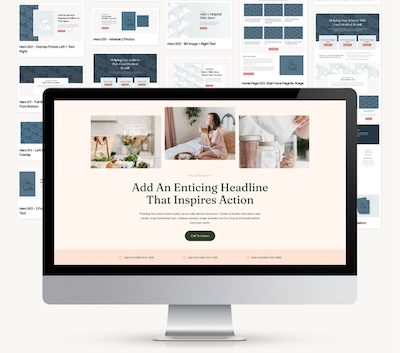
Launch your site quickly with DIY dream sites user -friendly WordPress themes and affordable templates (designs). They have put all the time, thoughts and strategy in every draft decision, so that you don’t have to do that yourself. All you have to do is choose your favorite design, follow the tutorials to install and adjust it. And you can launch your website! All you need for these designs is a WordPress install with the Kadence Block Builder (Free Version of Pro).Voordelen Pro versie
It is a Pro Service. They offer complete website layouts, which you can adjust, and very extensive block collections. You can purchase a complete website template from 199, a block collection from 25.,- for a month.
Conclusie
If you are looking for inspiration and convenience (why do it difficult if it is also easy and professional) this is ideal.
Prijs pro vanaf € 25
Meer informatie?
basbuis/21-05-2025DIYdreamsite
Make your dream WordPress website
-
Flip Box Block
Flip Box Block is een kleine blok plug-in voor de WordPress blokeditor, waarmee je blokken met een geanimeerde voor- en achterzijde kunt creëren: ofwel een ‘Flipbox’.Voordelen Pro versie
Het is een gratis plug-in.
Conclusie
Handige plug-in! Als we bijvoorbeeld een website ontwikkelen met Kadence, en een Flipbox nodig hebben, kunnen we deze plug-in gebruiken. Natuurlijk kunnen we ook Greenshift daarvoor toepassen, maar dan installeer je weer een complete builder plug-in erbij.
Meer informatie?
basbuis/06-03-2025Flip Box Block
Plug-in waarmee je een geanimeerde ‘Flipbox’ creërt
-
Font Squirrel – Font Generator
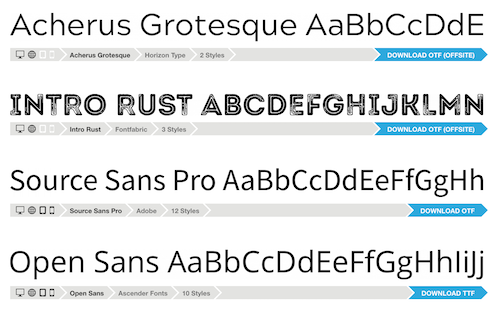
Font Squirrel – Font Generator heeft een grote collectie (meestal gratis) fonts / lettertypes. Deze zijn wel bruimbaar voor grafisch werk (het zijn ttf bestanden) maar vaak niet geschikt voor omzetting naar webfonts. Wat Font Squirrel – Font Generator echter heel goed doet, is de functie waarin je een font upload (vaak een ttf ofwel truetype file) bijvoorbeeld van Google fonts, en daar weer een web font van maakt, dus een woff of woff2 bestand. Een woff bestand is veel kleiner dan een ttf bestand en maakt je website dus sneller. Een woff lettertype bestand is gemiddeld 60 tot 80% kleiner.Voordelen Pro versie
Het is een gratis online tool.
Conclusie
Heel handige lettertype / font tool. Aanrader!
Meer informatie?
basbuis/06-03-2025Font Squirrel – Font Generator
Genereer de juiste fonts voor je website
-
Google Fonts – lettertypes
Google biedt een geweldige font collectie. Deze zijn bruikbaar voor grafisch (druk)werk en voor het internet. Deze zijn gratis beschikbaar. Als je een webbuilder gebruikt die Google fonts heeft geïntegreerd, hoef je niets te doen om deze fonts te gebruiken. Je kunt de fonts (lettertypes) ook downloden, meestal als .ttf bestand en deze hosten op je eigen server. Dat komt privacy misschien ten goede, maar de bestandsgrootte niet. Werken met de standaard manier van Google (aanroepen op een pagina) is bijna altijd de snelste manier, ook omdat Google het lettertype elke keer aanpast aan de vraag van de browser, en ongebruikte variaties niet meestuurt. EXTRA INFORMATIE OVER GEBRUIK VAN GOOGLE FONTS: https://fonts.google.com/knowledge/using_type/installing_and_managing_fontsVoordelen Pro versie
Het is een gratis dienst.
Conclusie
Aanrader. Als je zelf host, kun je bij Google Fonts downloaden en bij Font Squirrel omzetten naar het juiste bestand (woff of woff2).
Meer informatie?
basbuis/06-03-2025Google Fonts
Een geweldige collectie Web fonts
-
Greenshift blocks
De compleetste Gutenberg-paginabuilder Maak verbluffende elementen en animaties rechtstreeks op de pagina. Volledige ondersteuning voor Full Site Editing (FSE). Kan zelfs informatie lezen en weergeven van een Google spreadsheet Pas alles direct op de pagina aan zonder enige kennis van codering. Mooie animaties maken het verschil tussen een goede site en een perfecte site. Het thema heeft een ingebouwd animatieframework (slechts 2 kb groot)Voordelen Pro versie
De gratis versie kan al heel veel. Ik denk dat er best veel mensen zijn die daar genoeg aan hebben. Ik gebruik regelmatig dynamische blokken, maak graag mijn eigen templates en gebruik WooCommerce. De betaalde versies bieden echt alles wat ik nodig heb. En de prijs is heel redelijk. Overigens is het aan te raden te kiezen voor het all-in pakket; daar zitten echt alle extra add-ons in die je maar kunt bedenken, terwijl de prijs aanzienlijk lager is dan de optelsom ervan.
Conclusie
Een absolute aanrader. Dit is één van de twee builders waar ik mee werk. Ook als je een andere builder gebruikt, bijvoorbeeld Kadence blocks, is Greenshift een echte aanrader als aanvulling.
Meer informatie?
basbuis/02-12-2025Greenshift blocks
Gutenberg blocks builder
-
Kadence blocks
Gutenberg blocks is een Gutenberg pagina builder. Officieel is het een uitbreiding van Gutenberg. Maar in werkelijkheid is Kadence Blocks veel meer dan dat. Het voegt niet alleen veel functionaliteit toe aan Gutenberg, maar het verbetert Gutenberg (WordPress) ook echt. Bovendien hebben de meeste gebruikers geen andere plug-in extensies meer nodig na de aanschaf van Kadence Blocks. – Accordeon, kolommen, knoppen, galerij, infobox, formulieren maken, lees meer, tabs, echt alles zit erin.Voordelen Pro versie
De pro versie biedt een aantal zaken die elke professional nodig heeft; bijvoorbeeld een meer geavanceerde query en dynamic fields (ACF). Wordt geleverd inclusief het Kadence thema.
Conclusie
Kadence Blocks is een perfecte Gutenberg WordPress-builder. Veel van onze Divi- en Elementor-websites zijn opnieuw gebouwd met Kadence Blocks en het Kadence-thema. LET OP: elke Kadence licentie is voor één website.
Prijs pro vanaf € 99
Meer informatie?
basbuis/17-05-2026Kadence blocks
Gutenberg blocks builder
-
Shortcodes Analyzer
Scan uw hele website om alle gebruikte shortcodes te vinden – ✅ Identificeer het gebruik van shortcodes in berichten, pagina’s en aangepaste berichttypen – ✅ Helpt bij het opschonen en optimaliseren van plug-ins – ✅ Eenvoudige verwerking met één klik: geen technische kennis vereistVoordelen Pro versie
Het is een gratis utility tool plug-in.
Conclusie
Heel handige plug-in!
Meer informatie?
basbuis/10-02-2025Shortcodes Analyzer
Analyseer en vindt de shortcodes op een WordPress-website
-
Simple floating menu
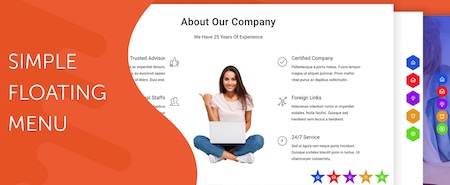
Simple Floating Menu is een gratis WordPress plug-in waarmee je een zwevend, vast menu met pictogrammen en tooltips in verschillende ontwerpen kunt toevoegen. De plug-in heeft meer dan 5000+ iconen om uit te kiezen om het zwevende menu weer te geven en je kunt onbeperkt menu-icoon knoppen toevoegen. Je kunt het menu in 8 verschillende posities weergeven met 9 verschillende knopvormen. Aangepaste pictogrammen – 5 pictogram pakketten met meer dan 10.000 pictogrammen om uit te kiezen – Onbeperkt aantal menu-items – Optie om hetzelfde tabblad of nieuw tabblad weer te geven – 8 verschillende posities om weer te geven – 9 verschillende knoopvormen om uit te kiezen – Pas de knop aan met hoogte/breedte, pictogram grootte, kleur van de knoppen en lettertypen van de tool-tip-tekst – 600+ Google lettertypen om uit te kiezen voor de tekst – Voeg interne, externe of scrollende links op één pagina toe – Instellingen exporteren/importeren om instellingen van de ene naar de andere website over te brengen.Voordelen Pro versie
Support voor alle social media platforms – Floating menu templates – navigation dots – sidepanel menu – etc.
Conclusie
Een handige plugin.
Prijs pro vanaf € 23
Meer informatie?
basbuis/20-02-2025Simple floating menu

- Prev
- 1
- 2
- Next