WP tools WordPress collectie + GS Filter block

Collectie belangrijke en vaak onmisbare WordPress plug-ins en online tools

De collectie WordPress tools (plug-ins, thema’s, online en meer) heeft een filter zodat je bijvoorbeeld de thema’s, builders, SEO of WooCommerce plug-ins makkelijk kunt opzoeken. Mis je iets? Vul het suggestieformulier in!
Filters

18 wp-tools found

Categories
Search
  • Advanced Query Loop plugin

    , , ,
    Advanced Query Loop
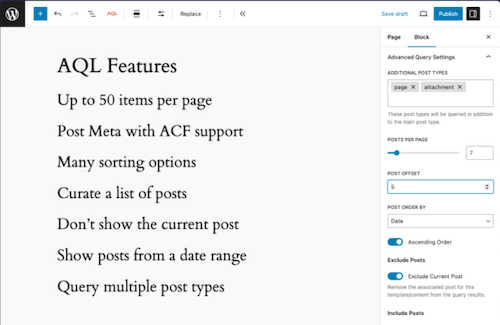
    This plugin introduces a variation on the standard Gutenberg Query Loop block, with which users can perform much more complex queries with the Query Loop block, such as the number of messages to be displayed and the metadata of messages. Taxonomy queries, multiple message types, set the number of items that you want to display (maximum 50), select manually which messages you want to display or only exclude the underlying messages from the current content, excluding current posts, excluding messages per category, choose to exclude messages from a list of categories.

    Voordelen Pro versie

    The plug-in is free.

    Conclusie

    An ideal expansion of the standard WordPress Gutenberg Query/Grid. Recommended if you are just a little short, but do not need frills.


    Meer informatie?

    basbuis/
    21-05-2025

    Advanced Query Loop

    , , ,
    Expansion Standard Query to Advanced Query Loop
    Advanced Query Loop
  • Blocks Animation: CSS Animations for Gutenberg

    , , , , ,
    Blocks Animation - CSS Animations
    With Blocks Animation you can add CSS animations to all your Gutenberg blocks elegantly. The interface for Blocks Animation feels so natural and intuitive that you don’t even notice that it has been installed. Just install it, and you will see the animation settings in all blocks, directly in the block settings sidebar. The plug-in has more than 60,000 users. It works on the basis of CSS, so it does not make your website slow.

    Voordelen Pro versie

    It is a free plug-in.

    Conclusie

    To give your website more dynamics, without costs, it is an ideal plug-in. Please note: on some websites, content suddenly does not load when using this plugin.


    Meer informatie?

    basbuis/
    21-05-2025

    Blocks Animation: CSS Animations for Gutenberg

    , , , , ,
    CSS Animations for Gutenberg Blocks
    Blocks Animation - CSS Animations
  • CSS Class Manager – An advanced autocomplete additional css class control for your blocks
    , , , ,
    CSS Class Manager plugin
    Do you find it difficult to add multiple CSS classes to a WordPress block? CSS Class Manager simplifies the process with suggestions for automatic supplement and a special manager for adding, editing and organizing the classes. CSS Class Manager offers a powerful manager and an autocomplete inspector, so that users can easily add and apply CSS classes to their blocks. Advanced control over automatic supplement: Streamline The Block Style with car supply Functionality for CSS classes-Effortless class management: Easily add CSS classes, edit or remove them directly from the Interface Manager-Import and Export: Bring adapted CSS class seamlessly to guarantee consistency between projects.

    Voordelen Pro versie

    Edi Amin offers this plug-in for free.

    Conclusie

    Absolute recommended. I regularly use classes, but do not remember the exact spelling of each class to be able to add it to a block. This plug-in solves that!


    Meer informatie?

    basbuis/
    21-05-2025

    CSS Class Manager

    , , , ,
    Gives you a handy CSS class manager
    CSS Class Manager plugin
  • Filter Everything

    , , , ,
    Filter Everything voor query
    If you show an overview of pages or other posts, you often also need a filter. Usually with check boxes, radio buttons, dropdown, or tags. The truth is that almost every builder has a filter, but that they are not always good. They only work with categories, are sometimes slow, displaying wrong posts or the pagination frequently doesn’t look like anything. The solution? A professional filter plugin. Filter Everything is not only ideal to be set, but also does not need a separate link with your query: you create a filter and indicate that it must be applied on the right page, ready. Filter Everything works perfectly with Greenshift Blocks (is also recommended by them). We have not tested the combination Filter Everything with Kadence Blocks.

    Voordelen Pro versie

    The basic free version can only filter on regular WordPress posts, not on pages or custom posts. Then you need the Pro version of Filter Everything. You can also indicate the exact page with the Pro version where each filter must be applied; This prevents unnecessary scripts on other pages.

    Conclusie

    Absolute recommended. We work with both Kadence Blocks and Greenshift Blocks. Both have their own filter. However, those of Kadence and Greenshift only work with their own queries, and the latter has a basic filter, but above all, very slow. In short, Filter Everything is a perfect solution.


    Prijs pro vanaf € 44

    Meer informatie?

    basbuis/
    21-05-2025

    Filter Everything

    , , , ,
    Filter for every Query loop
    Filter Everything voor query
  • Fluid Style accessible fluid type generator
    , , ,
    Accessible fluid type generator
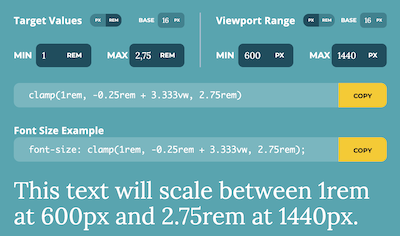
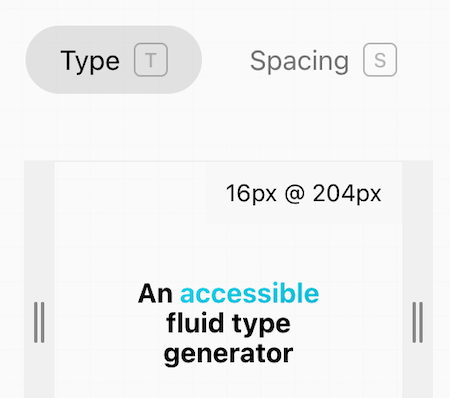
    Fluid Style accessible fluid type generator doet maar één ding: je in staat stellen om je eigen clamp formule te maken. Je geeft je min. size, breakpoint, max. size en breakpoint. Vervolgens kun je met de breedte slider optisch controleren hoe de fluid maatvoering is en of deze klopt. Je kunt kiezen uit font-size of formaat (voor breedte/hoogte objecten, kolommen, etc.)

    Voordelen Pro versie

    Het is een gratis service.

    Conclusie

    Heel handige online calculator die qua maatvoering ook rekening houdt met Accessibility.


    Meer informatie?

    basbuis/
    24-03-2025

    Fluid Style accessible fluid type generator

    , , ,
    Clamp calculator
    Accessible fluid type generator
  • HTML & CSS cheatsheet

    , , ,
    HTML-CSS cheatsheet
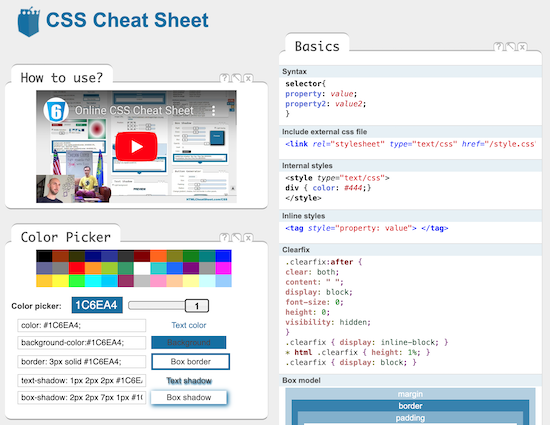
    Een fantastische website met hulpmiddelen voor CSS, HTML, Open Graph, Speciale karakters, CSS Generator, JavaScript en nog veel meer. Als je je een expert bent, scheelt het je veel tijd. Als je net begint stelt het je in staat meer te begrijpen en zelfs effecten te creëren zonder dat je ze begrijpt.

    Voordelen Pro versie

    Het is een gratis tool.

    Conclusie

    Absolute aanrader.


    Meer informatie?

    basbuis/
    09-12-2024

    HTML & CSS cheatsheet

    , , ,
    CSS – HTML – Characters – Structure – Attributes – Tags
    HTML-CSS cheatsheet
  • Marc Bacon Clamp Calculator

    , , ,
    marcbacon clamp
    Marc Bacon Clamp Calculator doet maar één ding: je in staat stellen je target values in te stellen, de viewport range, de base, min. en max. en vervolgens toont hun calculator twee css codes: een algemeen en een ander toegespitst op font-size, welke je meteen kunt toepassen op je website.

    Voordelen Pro versie

    Het is een gratis service.

    Conclusie

    Heel handige online calculator.


    Meer informatie?

    basbuis/
    24-03-2025

    Marc Bacon Clamp Calculator

    , , ,
    Clamp calculator
    marcbacon clamp
  • Motion.page

    , , ,
    Motion-page
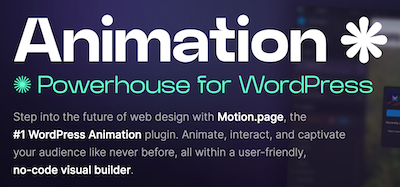
    Ontdek de magie van Motion.page, de gamechanger in WordPress animatie. Met zijn gebruiksvriendelijke visuele platform is het maken van dynamische bewegingen en interacties nog nooit zo makkelijk geweest. Het maakt niet uit welke paginabuilder of thema je gebruikt. Motion.page is een onafhankelijke animatiebuilder op zichzelf, en werkt met elke paginabuilder of thema.

    Voordelen Pro versie

    Het is een pro plug-in.

    Conclusie

    De plugin Motion.page is, net als de plug-in WPinteractions, een aanrader als je op eenvoudige wijze leuke en goed toepasbare animaties wilt toevoegen aan je website die je eigen builder niet heeft. WPinteractions biedt ook andere (niet geanimeerde) interacties, terwijl Motion.page alleen op ‘effecten’ gericht is.


    Prijs pro vanaf € 69

    Meer informatie?

    basbuis/
    18-12-2024

    Motion.page animatie plugin

    , , ,
    Animatie voor elke builder en thema
    Motion-page
  • SelectorGadget – CSS selector finder

    , ,
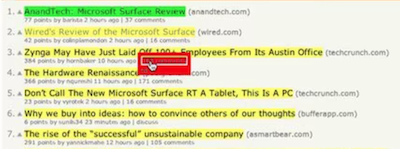
    SelectorGadget is een open source tool die het genereren en ontdekken van CSS-selectors op ingewikkelde sites een fluitje van een cent maakt. (1) Installeer de Chrome extensie. (2) Ga naar een willekeurige pagina en start SelectorGadget. (3) Er wordt een veld geopend in de rechterbenedenhoek van de website. (4) Klik op een pagina-element dat je wilt laten matchen met uw selector (het wordt groen). (5) SelectorGadget genereert vervolgens een minimale CSS-selector voor dat element en markeert in geel alles wat overeenkomt met de selector. Klik nu op een gemarkeerd element om het uit de selector te verwijderen (rood), of klik op een niet gemarkeerd element om het toe te voegen aan de selector. Door dit proces van selecteren en afwijzen helpt SelectorGadget u de perfecte CSS-selector voor uw behoeften te vinden.

    Voordelen Pro versie

    Het is een gratis Chrome extensie.

    Conclusie

    Het is echt een ideale extensie. Het scheelt heel veel tijd; je vindt de juiste CSS-selector in seconden.


    Meer informatie?

    basbuis/
    10-12-2024

    SelectorGadget

    , ,
    Maakt het makkelijk ELKE CSS selector te vinden
  • Simple Custom Post Order

    , , , ,
    Simple Custom Post Order
    Sorteer berichten (berichten of aangepaste berichttypen) met behulp van Drag and Drop. Configuratie is niet nodig. Je kunt dit rechtstreeks doen in de standaard WordPress admin. Met uitzondering van aangepaste query’s die order- of orderby-parameters gebruiken, werkt het ook met get_posts of query_posts, enzovoort. Gebruikt door meer dan 300.000 gebruikers.

    Voordelen Pro versie

    Het is een gratis plugin.

    Conclusie

    Als je geen gebruik maakt van de WPASE** plug-in, en wel de volgorde van je posts wilt aanpassen, voor jezelf of omdat het je Grid beïnvloedt, is dit een ideale plug-in. ** deze functie zit al in WPASE.


    Meer informatie?

    basbuis/
    31-01-2025

    Simple Custom Post Order

    , , , ,
    Sorteer berichten (berichten of aangepaste berichttypen)
    Simple Custom Post Order
  • SiteOrigin CSS

    , ,
    SiteOrigin-CSS
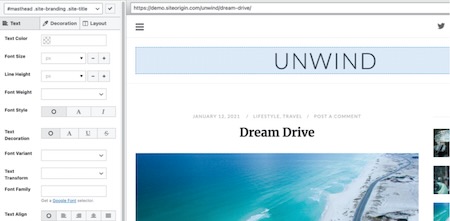
    SiteOrigin CSS is a simple yet powerful CSS editor for WordPress. It provides visual controls that allow you to modify the look and feel of a site in real time. We’ve created a CSS editing plugin suitable for both beginners and advanced users. Beginners will love the simple visual controls and real-time preview. Advanced users will appreciate the auto-completion feature, which makes writing CSS faster than ever. You can save the CSS you create within the plugin itself, but we recommend importing it into a Snippets plugin and only activating the SiteOrigin CSS plugin when you need to make changes.

    Voordelen Pro versie

    It’s a free plugin. There’s a Pro version, but it doesn’t really add anything in terms of CSS.

    Conclusie

    Very handy plugin. We’ve tested several other (also paid) CSS plugins and still use this one regularly. Highly recommended.


    Meer informatie?

    basbuis/
    22-08-2025

    SiteOrigin CSS

    , ,
    Visual CSS Editor for WordPress – For Everyone
    SiteOrigin-CSS
  • SleekMotion animaties

    , , ,
    SleekMotion animatie
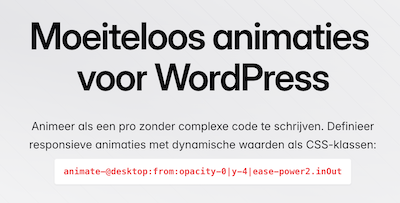
    SleekMotion is gebaseerd op CSS-klassen (of data-attributen) en werkt in elke paginabuilder. Voeg gewoon de klassen toe en je bent klaar. Animeer elke CSS-eigenschap met elke waarde met behulp van een eenvoudige en intuïtieve syntaxis. Geen limieten, geen beperkingen. Gewoon pure vrijheid. Stel aangepaste breekpunten in op uw admin-dashboard en gebruik ze om responsieve animaties te maken. Zo eenvoudig is het. Werkt in principe met elke builder.

    Voordelen Pro versie

    Het is een Pro plug-in. Ze bieden (nog) Lifetime licenties.

    Conclusie

    Heel handige plug-in.


    Prijs pro vanaf € 49

    Meer informatie?

    basbuis/
    13-02-2025

    SleekMotion animatie

    , , ,
    Animeer als een pro zonder complexe code te schrijven.
    SleekMotion animatie
  • The Post Grid – Shortcode, Gutenberg and Elementor
    , , ,
    The Post Grid – Shortcode, Gutenberg Blocks and Elementor Addon for Post Grid
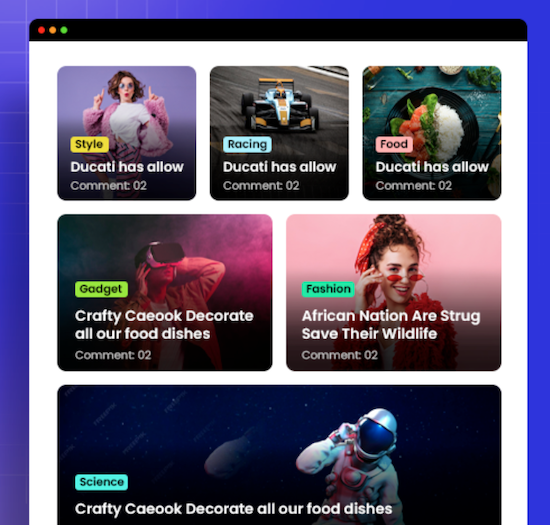
    Eén van de populairste alles-in-één post grid plug-ins voor WordPress. Meer dan 100.000 gebruikers heeft deze plug-in. Niet elk thema en elke page builder heeft een goede query / post grid functie. De basis query van WordPress is heel basic, dus je wilt al veel meer. Deze plug-in stelt je in staat een mooi grid te maken om je posts (ook custom posts!) te tonen op je website. De plug-in werkt in Gutenberg, Elementor, en met shortcode. De plug-in heft veel opties: Grid Lay-out Block, List Lay-out Block, Grid Hover Lay-out block, Slider Lay-out Block en andere blokken. Alle Grid, List en Grid Hover lay-outs hebben ook een info AJAX filter.

    Voordelen Pro versie

    De Pro versie heeft veel meer mogelijkheden, van meer invloed op het aantal posts op een pagina, tot veel meer kant-en-klare lay-outs en meer Elementor opties. Sliders, filters, en nog veel meer.

    Conclusie

    Als je eigen thema of builder onvoldoende mogelijkheden biedt, is dit een aanrader. Het biedt geen sub-blocks in de Gutenberg block builder, maar als je daar minder handig in bent, is dat juist een voordeel.


    Prijs pro vanaf € 30

    Meer informatie?

    basbuis/
    06-03-2025

    The Post Grid

    , , ,
    Grid / Query maker – veel designs mogelijk
    The Post Grid – Shortcode, Gutenberg Blocks and Elementor Addon for Post Grid
  • Utopia Fluid CSS clamp calculator

    , ,
    Utopia Fluid CSS clamp calculator
    Utopia Fluid CSS clamp calculator doet maar één ding: je in staat stellen je target values in te stellen, de viewport range, de base, min. en max. en vervolgens toont hun calculator de CSS code, welke je meteen kunt toepassen op je website. Utopia heeft nog meer handige informatie, zoals een grid calculator.

    Voordelen Pro versie

    Het is een gratis service.

    Conclusie

    Heel handige calculator.


    Meer informatie?

    basbuis/
    25-03-2025

    Utopia Fluid CSS clamp calculator

    , ,
    CSS clamp calculator voor fonts en spaces
    Utopia Fluid CSS clamp calculator
  • WP ASE plugin

    , , , , , , ,
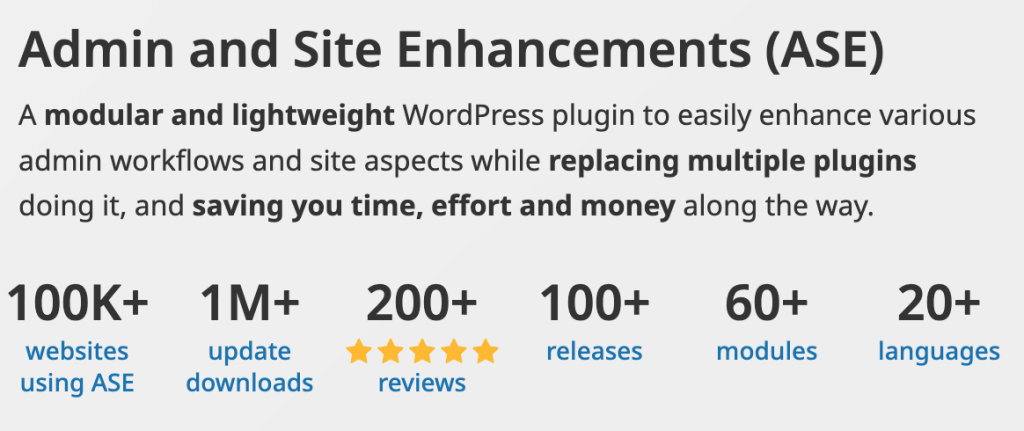
    Het ‘Zwitserse zakmes’ voor alle WordPress websites. Eén plug-in die 10 tot 30 plug-ins overbodig maakt: dat is ASE WordPress enhancements. Je kunt elke functie van deze veelzijdige plug-in naar wens aan- of uitzetten. SMTP-bezorging van je e-mails, posts dupliceren, PHP scripts, CSS code, 301 omleidingen, Media organiseren, aangepaste berichten en velden, externe permalinks, login/loguit, heartbeat control, media vervangen, user-roles, en nog veel meer. Totaal 54 modules (de pro 63).

    Voordelen Pro versie

    Aangepaste posttypes, aangepaste veldgroepen, inclusief herhalende velden en relaties, mediacategorieën, AVIF-upload, kolombeheer, extra filter(s) voor niet-hiërarchische taxonomieën, admin Menu Editor / Organizer, Admin Logo, Verberg adminbalk,

    Conclusie

    Ase is een absolute must-have. Wij installeren deze plug-in op elke nieuwe WordPress website.


    Prijs pro vanaf € 19

    Meer informatie?

    basbuis/
    03-03-2025

    WP ASE tools

    , , , , , , ,
    WPASE vervult vele functies, van SMTP tot 301 omleidingen
  • 1
  • 2
  • Next