Custom Field Migrator & Cleaner
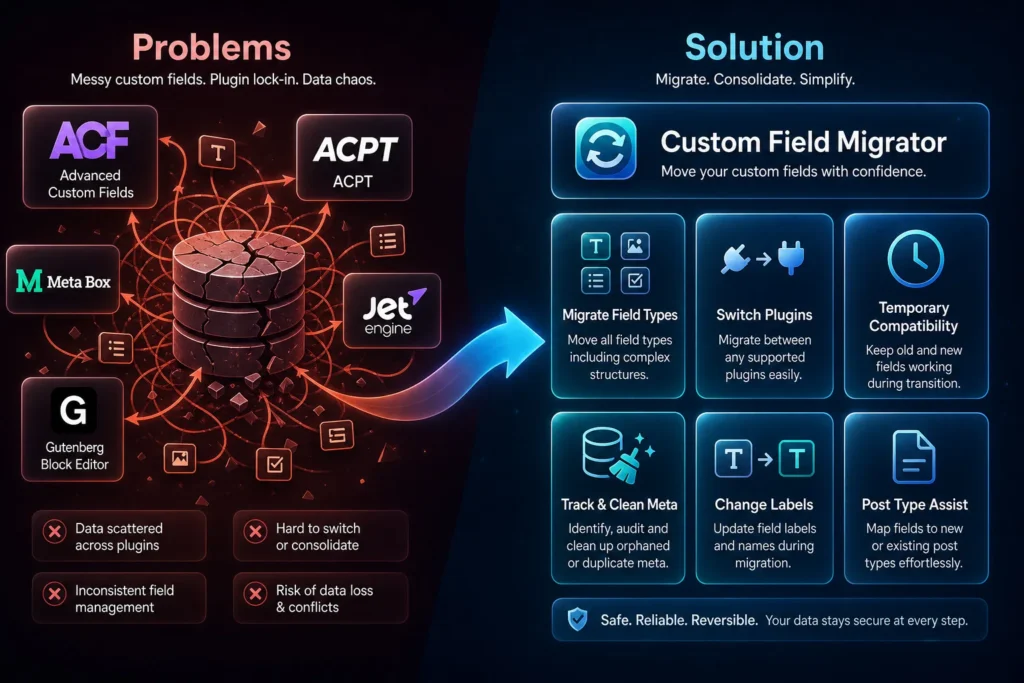
Custom Field Migrator & Cleaner plugin
Works with
ACF
SCF
ACPT
MetaBox
JetEngine
Toolset
Modern fields
Without our plugin
$ lots of time and error
Conclusion: bad choice
- Manualy moving custom fields
- Copy and paste from field to field
- Not able to convert values from one type to another
- No automatic conversion of ID’s and url’s
- No knowledge about required syntax
- Doing a lot of research
- You can make more mistakes
- Huge time investment
Free version
$ 0
Conclusion: good choice
- Migrate between all custom field plugins
- Migrate from all fieldtypes to all fieldtypes
- Automatic conversion of ID’s and url’s
- Syntax assistence
- Limited to one mapping row
- No cleaning of old costum fields
- No renaming of custom field labels
- Limited time saver

Pro version
$ 49 one-time
Conclusion: best choice
- Migrate between all custom field plugins
- Migrate from all fieldtypes to all fieldtypes
- Automatic conversion of ID’s and url’s
- Syntax assistence
- Unlimited mapping rows
- Cleaning of old costum fields
- Renaming of custom field labels
- Saving lots of time
- Activation on 3 websites
Migrate content from one custom field to another custom field
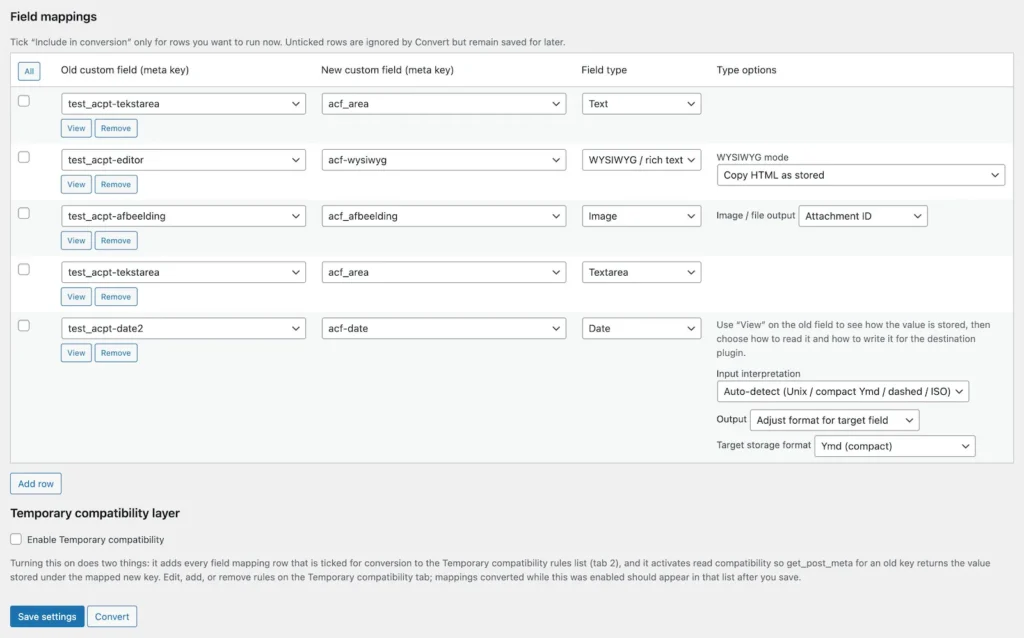
Custom field mapping
- All custom fields are automatically added to the select list, and you can refresh the list.
- Select a custom field (source).
- View an example value of the source custom field.
- Select a new custom field (target).
- Select the field type.
- Some fields provide more options, like the image field, date, WYSIWYG field, etc.
- Tick the temporary compatibility layer, or not.
- Tick the fields you like to convert, or use ‘all’.
- Save settings and Convert.
- If you don’t like the outcome, change the settings and rerun only that field migration rule.
- The values in the source fields are never deleted.
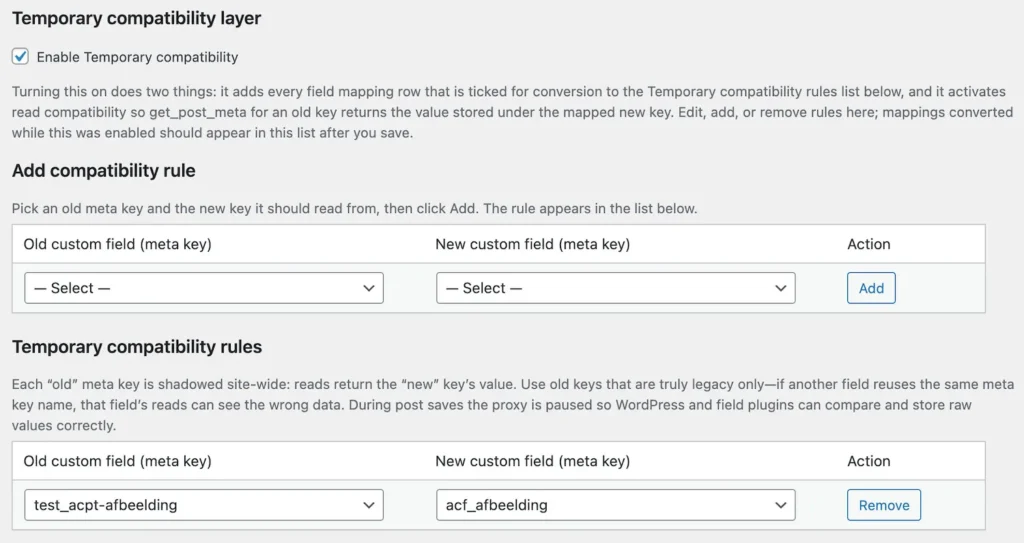
Temporary compatibility
- If you ticked the ‘Enable Temporary Compatibility’ all the converted fields are automatically placed in the list of temporary compatibility rules.
- Review the list by clicking on the Temporary compatibility tab.
- You can add and remove Temporary Compatibility rules.
- Now you can change your templates, and when done disable Temporary compatibility.
- Note: while migrating custom field values, the Temporary compatibility is automatically disabled en enabled again, to guarantee correct migration.
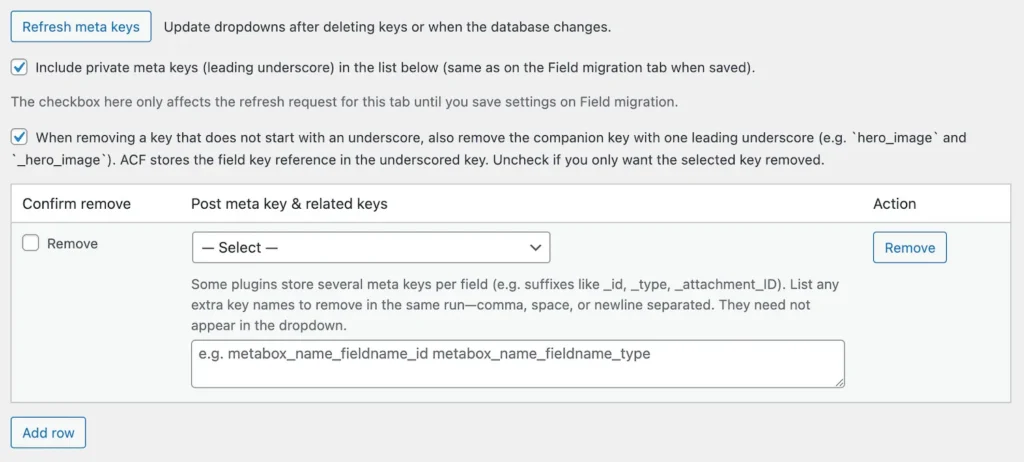
Clean old Meta keys
When you eliminate the unused custom fields from your plugin or decide to uninstall the entire custom field plugin, the actual unused fields remain in the database, along with all their saved values. These residual data can occupy valuable space, slow down your website’s performance, and may even hold sensitive information.
- Clean old Meta keys, especially to track and remove old and unused custom fields.
- Removes the main field and, if you like, all _subfields.
- Don’t forget to make a backup before you do this. We never experienced it, but it’s always possible you deleted something you shouldn’t have.
Change the label of a field
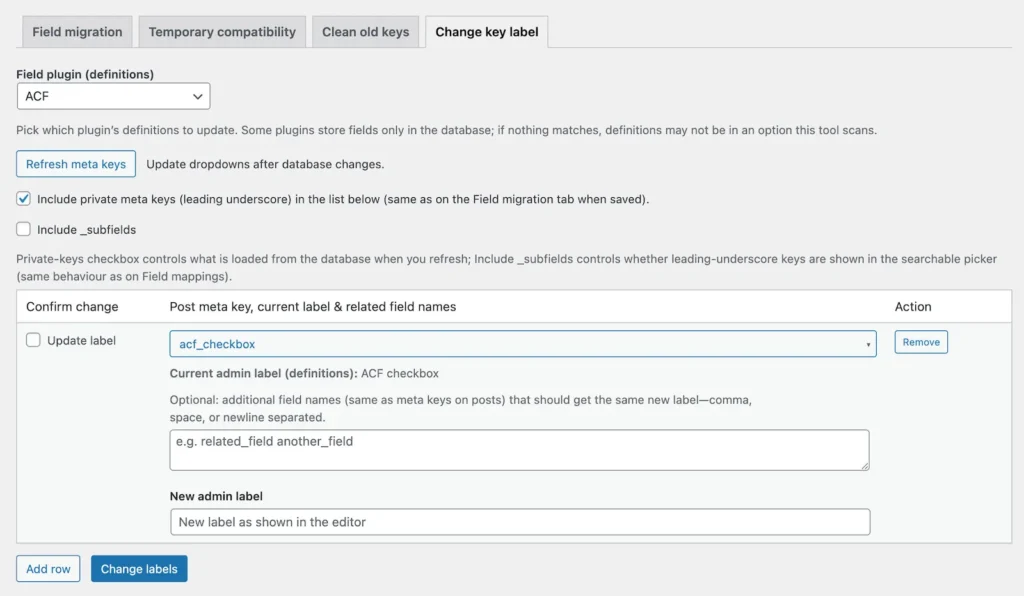
Did you know that when you update the label of a custom field in your custom field plugin, the label in WordPress remains unchanged? This means that clients or users will still see the old label while editing posts.
With our plugin, it’s easy to manage this. You simply select the field, see the current label, type in the new label you want, and click on “Change Label.” That’s it.
Feel free to update the label in your custom field plugin as needed; it won’t affect anything as long as you keep the meta key the same.
Posttype assist for your custom post(s)
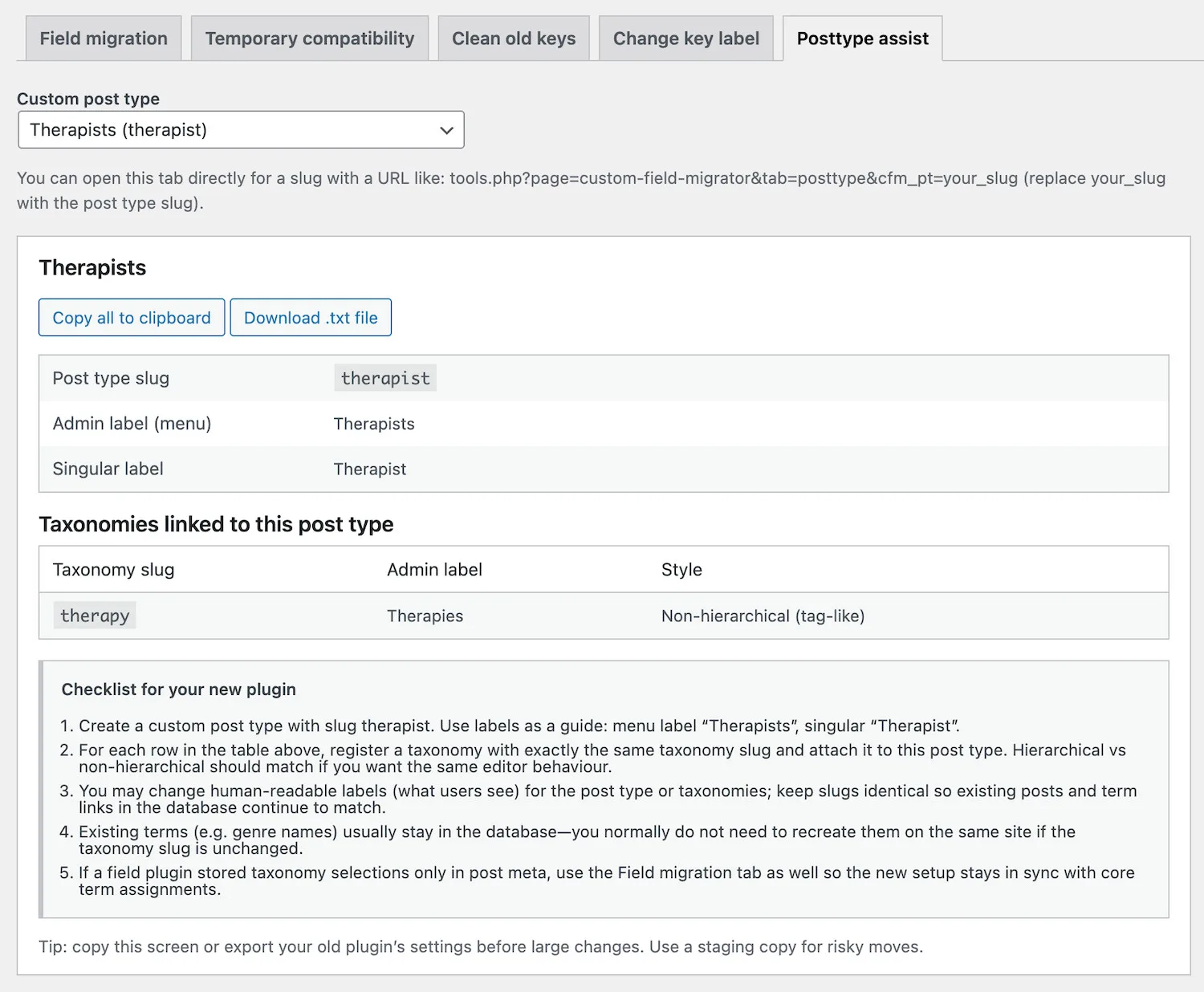
Are you in the process of changing your custom field or custom post plugins and unsure how to retain your custom post type? We’ve got just the solution for you: Posttype Assist.
Even when you switch plugins, most information related to your custom post types is preserved in the WordPress database. All you need to do is inform the new plugin about your existing custom post type by recreating it in the same way as before and ensuring you also set up the same taxonomies.
To do this effectively, you’ll need the exact slugs and label names for both the custom post type and the taxonomies.
Simply choose the post type you want to migrate, and our Custom Field Migrator & Cleaner plugin will guide you with all the essential information and steps required for a smooth migration. You can either copy this information or download it as a text file. It’s that simple!
FAQ’s
The Custom Field Migrator & Cleaner plugin is an outstanding plugin
It’s easy to use, and the migration and Temporary Compatibility are both totally non-destructive. Cleaning old Meta keys is not, beware!
Plugin license
- The Custom Field Migrator & Cleaner plugin is sold as a one-time payment.
- License for 3 sites (1 live, 1 staging and 1 to play with).
- Always deactivate a license on an unused website; otherwise, your key slot remains occupied.
- Prices excluding sales-tax/vat/iva