WP tools WordPress collectie + GS Filter block
Collectie belangrijke en vaak onmisbare WordPress plug-ins en online tools
-
Add to Cart Redirect for WooCommerce

Sends visitor after adding to cart directly to checkout, or to terms and conditions, or a mandatory form, or automatically adds a gift. Note: this plugin is, as far as I know, not suitable to send the visitor after adding to cart directly to an external product or checkout page.Voordelen Pro versie
It’s a pro plugin.
Conclusie
Handy plugin for WooCommerce
Prijs pro vanaf € 29
Meer informatie?
basbuis/21-05-2025Add to Cart Redirect for WooCommerce
Sends visitor to… after adding to cart
-
Advanced Block Controls (ABC)
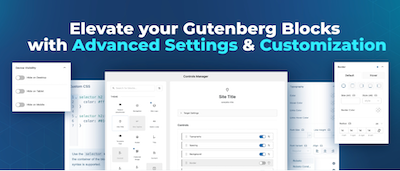
The default Gutenberg blocks, like some page builders, offer very limited design possibilities. Advanced Block Controls (ABC) is an innovative Gutenberg plugin that finally solves this problem for many. The plugin brings advanced controls and customization settings to core and custom blocks, similar to those of modern page builders. Advanced typography, background, advanced spacing, borders, shadows, devices, and (finally…) breakpoints for desktop, tablet and mobile. The controls are configurable per block and can even be disabled.Voordelen Pro versie
The paid version offers much more: Custom CSS Pro Control (including nesting), CSS transform and transition control. Add special effects and animations to your blocks, making your designs more dynamic and attractive, Repeaters and more… The pro version is available for 1 site, 10 or 1000 sites. Lifetime licenses are also available.
Conclusie
If you are working with standard Gutenberg, or a builder that you are otherwise happy with, but lacks a lot of settings, this is a brilliant plugin. Absolutely recommended!
Prijs pro vanaf € 19
Meer informatie?
basbuis/21-05-2025Advanced Block Controls (ABC)
Adds many features to the Gutenberg builder
-
Advanced Query Loop plugin
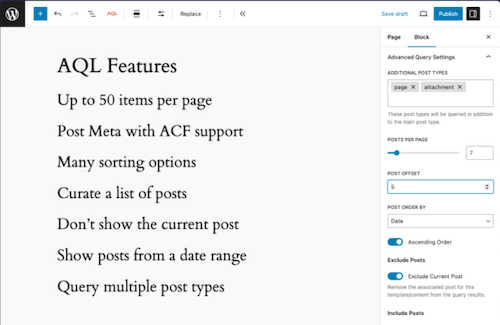
This plugin introduces a variation on the standard Gutenberg Query Loop block, with which users can perform much more complex queries with the Query Loop block, such as the number of messages to be displayed and the metadata of messages. Taxonomy queries, multiple message types, set the number of items that you want to display (maximum 50), select manually which messages you want to display or only exclude the underlying messages from the current content, excluding current posts, excluding messages per category, choose to exclude messages from a list of categories.Voordelen Pro versie
The plug-in is free.
Conclusie
An ideal expansion of the standard WordPress Gutenberg Query/Grid. Recommended if you are just a little short, but do not need frills.
Meer informatie?
basbuis/21-05-2025Advanced Query Loop
Expansion Standard Query to Advanced Query Loop
-
Autocomplete WooCommerce Orders
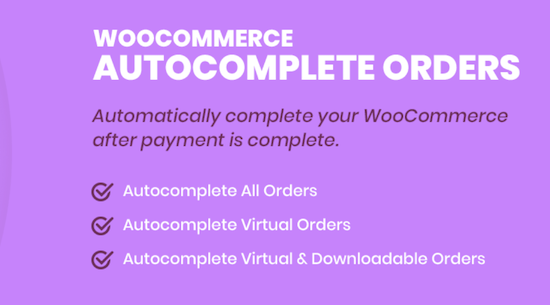
Improve the efficiency of your WooCommerce store with the plug-in autocomplete WooCommerce orders. Set orders automatically to “completed” upon confirmation of the payment, streamline your sales process and lower the administrative overhead. Ideal for stores that process virtual goods, subscriptions or physical products.Voordelen Pro versie
The premium version of the WooCommerce Autocomplete Orders Plug-in offers you a wide range of additional functions with which you have full control over the process of automatic supplement of orders. Replenes orders automatically for the direct bank transfer payment method – automatically supplement orders for payment method Check – Subscribe orders automatically for the payment method in cash on delivery – Automatic supplement of orders for braking ranks with downloadable products. They offer different licenses, including Lifetime.
Conclusie
Many WooCommerce websites handle the orders without using the WOO functionality. Then it is very nice that this plug-in (after receipt of the payment) sets the order completed. Also ideal when it comes to an affiliate system. Tip: The maker has many more (WooCommerce) plug-ins.
Prijs pro vanaf € 19
Meer informatie?
basbuis/21-05-2025Autocomplete WooCommerce Orders
Set WooCommerce orders automatically on “completed” when the payment is confirmed
-
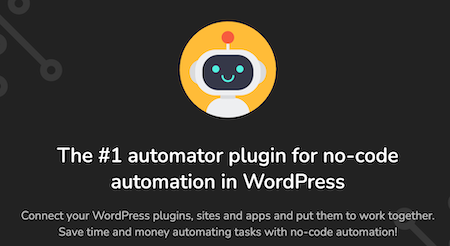
AutomatorWP for Kadence
Discover many ways to connect Kadence Blocks with other WordPress plugins. When the user submits a form, submits a field value, and more.Voordelen Pro versie
It is a pro add-on for Automatorwp. Ideal in combination with Kadence Blocks. Automatorwp is a free plug-in; Their earnings model consists of choosing what you want to connect with, and purchase a paid add-on.
Conclusie
Heel handige plug-in.
Prijs pro vanaf € 29
Meer informatie?
basbuis/02-12-2025AutomatorWP voor Kadence
Adds Automatisingen to Kadence Block Builder
-
Back In Stock Notifications for WooCommerce

A 100% free plugin for WooCommerce® with which your customers stay informed of the products they love. At the same time you get valuable insights into the demand for products or services. From an e-commerce perspective, products that are not in stock can lead to missing turnover and frustrated customers. Gives: More conversion: By inviting customers to register for reports, you put interest in action even when the stock levels fluctuate. – Insight into the question: the Bisn dashboard provides insight into the most sought after and most arrears, so that you can make data-based decisions about your inventory and marketing. – Customer-oriented involvement: Keep customers informed with a personalized e-mail when the product they love is available again.Voordelen Pro versie
This plug-in is completely free of charge.
Conclusie
If it occasionally happens that a product or service is not available in a WooCommerce store, this is an absolute must!
Meer informatie?
basbuis/21-05-2025Back In Stock Notifications for WooCommerce
Back In Stock Notifications for WooCommerce
-
Basti FSE WordPress theme

Basti is a block (FSE) WordPress theme for WooCommerce. Make a professional-looking webshop with fully adjustable block and page patterns. With Basti’s Full-Site Editing (FSE) support you can easily adjust all elements, including the header, the menu and the footer, directly from the page editor. Winner First Prize in the ‘Creative Web Professionals’ category at the Bluehost Creators Awards, for the Basti theme. The theme comes with 4 styles; Fashion, Marktplaats, Yoga or other courses and outdoor.Voordelen Pro versie
There is only a Pro version of the Basti theme. All plans are for a maximum of 10 websites. You can choose from an annual amount, or once as a lifetime license.
Conclusie
A FSE Block theme that is ideal for a WooCommerce online store, or a website that also has a WOO store on the same website. Recommended.
Prijs pro vanaf € 79
Meer informatie?
basbuis/21-05-2025Basti FSE WordPress theme
WordPress FSE (WooCommerce) theme
-
Better Notifications for WP
Better Notifications for WP (BNFW) is a simple but powerful plug-in with which you can adjust the e-mail reports that WordPress sends using a WYSIWYG editor and shortcodes to insert data such as date, user, e-mail, etc. All standard WordPress e-mail notifications are available for adjusting, as well as a lot of new ones. You can choose to send notifications to individual users, multiple users, or all users in a user role.Voordelen Pro versie
You can also expand the notifications with the premium add-ons of BNFW. Think of having each user manage their own notifications, conditional notifications, use of ACF fields, grouping users, remembering when there is a response, use on a multisite, send to any e-mail address (even without WordPress account) and even more. You can purchase the add-ons separately, or as a bundle.
Conclusie
If you want to improve or expand the WordPress reports (even if you have already installed WooCommerce), this plug-in is actually indispensable.
Prijs pro vanaf € 59
Meer informatie?
basbuis/21-05-2025Better Notifications for WP
Improves the e-mails that WordPress sends
-
Block Layouts collection
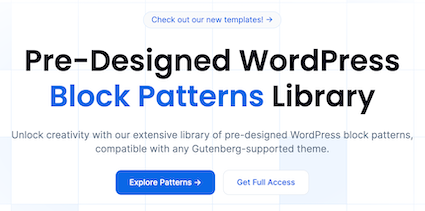
Extensive library with pre -designed WordPress block patterns, which are compatible with every theme that supports Gutenberg. Transform your ideas in no time into a stunning website. Choose from our various patterns, copy and paste in the editor and your creative vision is realized! Simple, elegant, playful and brutalist, select the style that best suits your vision. The WordPress Block Patterns make it easy to create a site that feels unique.Voordelen Pro versie
In addition to the free patterns collection, there is also a collection of premium patterns (layouts).
Conclusie
A very handy collection that helps you quickly create a website. In addition to the patterns, they also offer several classic and full site editing themes.
Prijs pro vanaf € 49
Meer informatie?
basbuis/21-05-2025Block Layouts collection
Library in advance designed WordPress block patterns
-
Block Manager
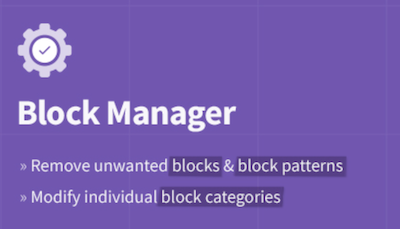
The Block Manager is an intuitive tool for site managers to show or hide blocks and block patterns. It also offers functionality for updating the category of individual blocks to organize the operator’s editing experience. Blocks: Switch off the display of blocks in the block adder and the Blokeditor worldwide. Patterns: Remove unwanted block patterns with one click on the button. Block categories: Organize the Blok Intremer by updating the category of each block. Search and filter: quickly find blocks and patterns with the search function in the sidebar. Include blocks: choose the blocks that you actually want to record on the site by removing the vast majority of useless options.Voordelen Pro versie
It’s a free plug-in
Conclusie
If you have multiple plug-ins who all offer blocks, it quickly becomes a mess. This plug-in allows you to organize everything.
Meer informatie?
basbuis/21-05-2025Block Manager
Turn on and off Gutenberg as desired
-
Block Visibility — Conditional Visibility Control for the Block Editor
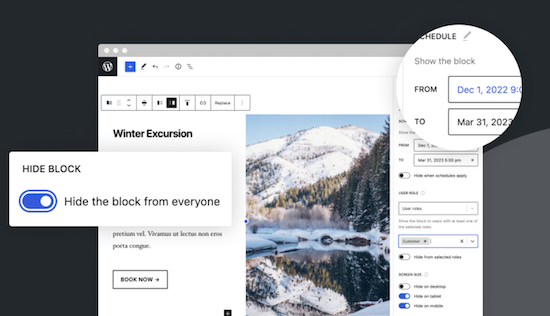
With this no-code solution you determine which blocks are visible on a website and who can see them. You can even show or hide blocks at a specific time. Show exclusive promotions to customers or members. Limit blocks to specific user roles, screen sizes, query series, WooCommerce products, EDD downloads, ACF fields, WPFUSion tags and more. Block Visibility is exclusively built for the WordPress editor (Gutenberg) and is designed to work with every WordPress block. This includes blocks that are supplied native by WordPress, but also blocks of third parties and even blocks -based widgets. This plug-in is ideal for making every submenu item in a Fse theme conditional! Note: To add conditions to Child menu items from a FSE theme, you must check ‘Full Control Mode’ in the plug-in settings. The plug-in has 30,000 users and was developed by Nick Diego.Voordelen Pro versie
There is no pro version. They do have a website for this plug-in, so it is possible that there will be a Pro version.
Conclusie
If you work with an FSE theme (the future of WordPress) this is an absolute must-have. What the plug-in ‘If menu’ does for the classic themes does this plug-in (and more) for FSE Block themes. Note: Not yet tested with the Kadence Navigation (ADV) Block.
Meer informatie?
basbuis/21-05-2025Block Visibility — Conditional Visibility Control
Conditional Visibility Blocks, also Child menu items
-
Blockera – Advanced Mode for Block Editor
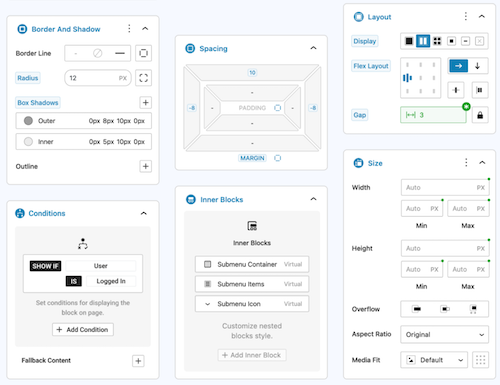
Blockera is the advanced mode for the WordPress Block editor, which extends the functionality of the standard Gutenberg (Core) blocks into a powerful page builder. Every block suddenly has: responsive breakpoints, professional margin and padding, block states, mesh gradies, flex layout, effects, sticky, shadow, custom variables, conditions, overflow, and much more. The standard Gutenberg Builder can suddenly be more than many builders!Voordelen Pro versie
The Pro version can do much more.
Conclusie
Absolute recommended. The version with all the advantages mentioned is free, highly recommended!
Meer informatie?
basbuis/21-05-2025Blockera – Advanced Mode for Block Editor
Turns Gutenberg (block editor) into an advanced editor
-
BlockMeister – Block Pattern Builder

With Blockmeister, making adapted block patterns becomes simple. The patterns can be designed as you design a blog post or a page with the Block editor. You can assign any (adapted) category or keywords. This way, your patterns are categorized in a way that makes sense to your users and makes keywords easier to find a pattern. Your custom patterns are available via the Block Pattern tab in the Insertpanel. Functions: visual design of adapted block patterns using the pattern builder – Make an adapted pattern of one or more selected blocks in the post -editor – Import patterns that are made/shared by trusted Pro users [new in 3.0]Voordelen Pro versie
If you want more functions, such as: group locking, clones, activating or deactivating individual patterns, exporting, importing, determining which core/third-party patronage sets may be loaded, set block styles and more, there are premium versions:
Conclusie
Recommended
Meer informatie?
basbuis/21-05-2025Blockmeister
With Blockmeister, making adapted block patterns is easy
-
Blocks Animation: CSS Animations for Gutenberg

With Blocks Animation you can add CSS animations to all your Gutenberg blocks elegantly. The interface for Blocks Animation feels so natural and intuitive that you don’t even notice that it has been installed. Just install it, and you will see the animation settings in all blocks, directly in the block settings sidebar. The plug-in has more than 60,000 users. It works on the basis of CSS, so it does not make your website slow.Voordelen Pro versie
It is a free plug-in.
Conclusie
To give your website more dynamics, without costs, it is an ideal plug-in. Please note: on some websites, content suddenly does not load when using this plugin.
Meer informatie?
basbuis/21-05-2025Blocks Animation: CSS Animations for Gutenberg
CSS Animations for Gutenberg Blocks
-
Checkout Field Editor for WooCommerce
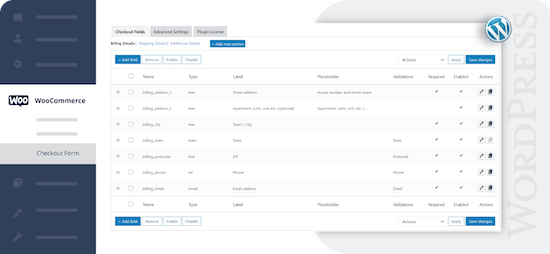
Check-out Field Editor for WooCommerce: This plug-in gives you the freedom to add, edit and remove fields on your check-out page, which ensures a tailor-made experience for customers. If you want to organize, rename or hide fields on your check-out page, this plug-in offers the flexibility you need. Speed up the checkout with a layout of one page and add adapted fields to streamline the process. 400.000 users.Voordelen Pro versie
Add custom fields and sections to your checkout page. Choose the price type for the fields from the list. View fields and sections based on specific conditions. Repeat fields and sections based on specific conditions. Manage the display of fields in e-mails and order display pages, and much more.
Conclusie
One of the best plug-ins to offer WooCommerce a more pleasant customer experience.
Prijs pro vanaf € 49
Meer informatie?
basbuis/21-05-2025Checkout Field Editor for WooCommerce
Adjust the Checkout page of WooCommerce.
- Prev
- 1
- 2
- 3
- 4
- 5
- Next